
Slide Fragment Editor v1 Workaround for v2
Currently slide fragments are edited using v1 of the editor in v2 of Activator. This means some features are not available in slide fragments that are available in slide or brief designer. One example would be setting up a responsive grid.
There is a workaround to have slide fragments with features available in v2.
Step 1: Develop the slide fragment as a brief or slide document
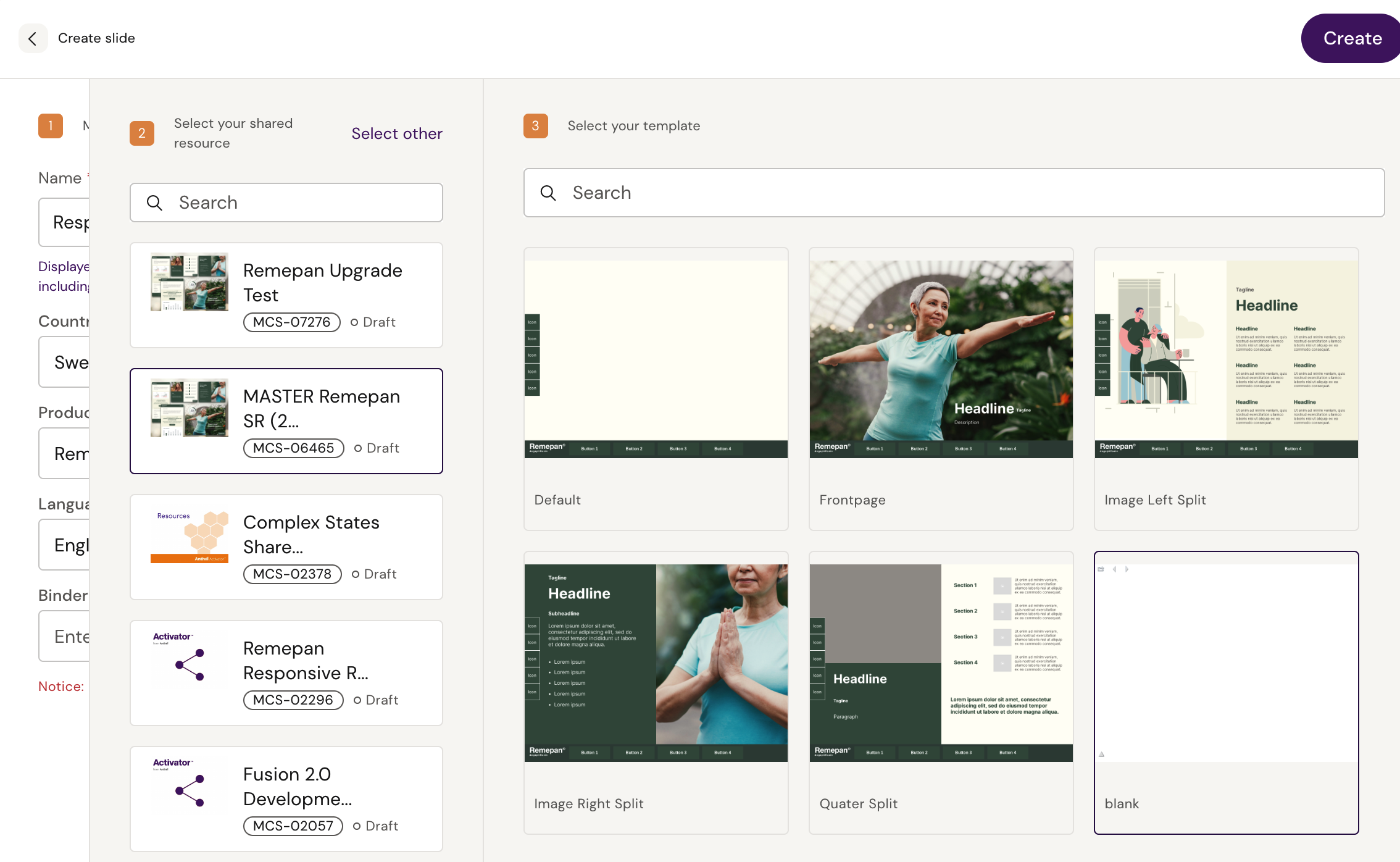
Create a new document, either as a brief or slide, and open it in the Activator designer. It should be created using the same design system as you’re going to add the fragment to. You would normally begin from the Blank template:
Add components and configure the elements and functionalities as desired for the slide fragment in Activator designer:
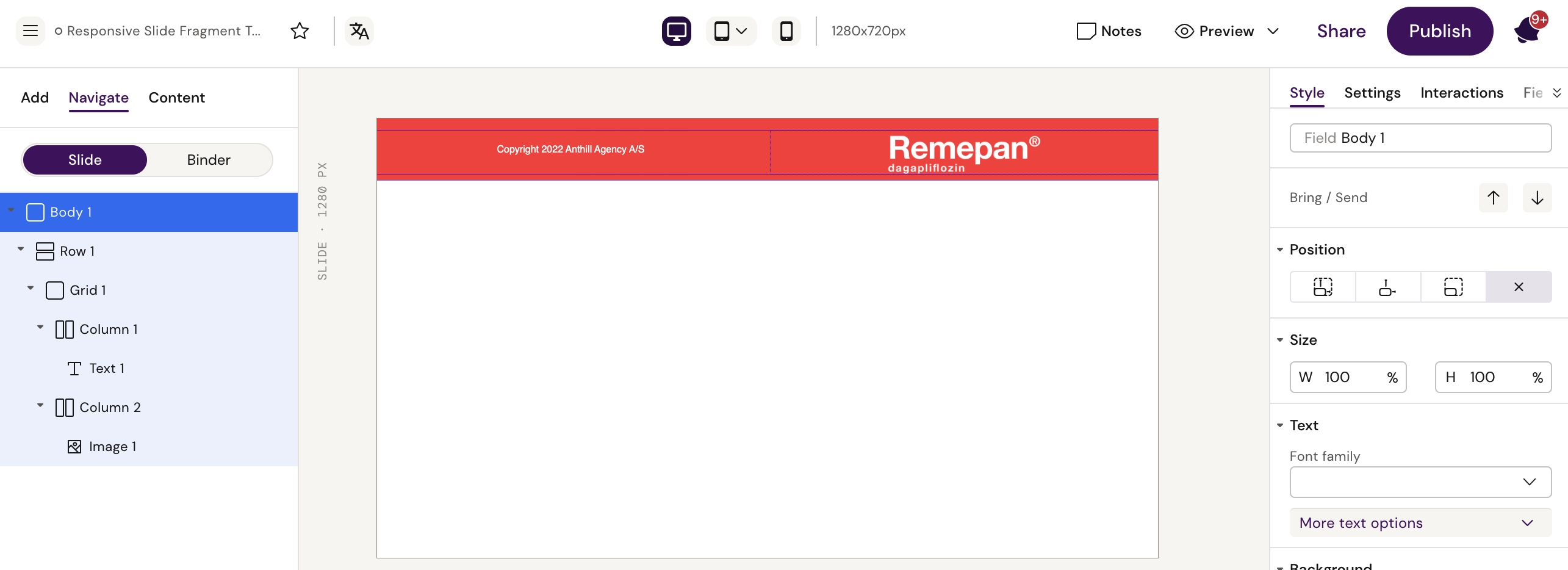
Step 2: Download source and apply to design system
One design is ready, click the ‘Share’ button in top menu and then ‘Export code’ as shown:
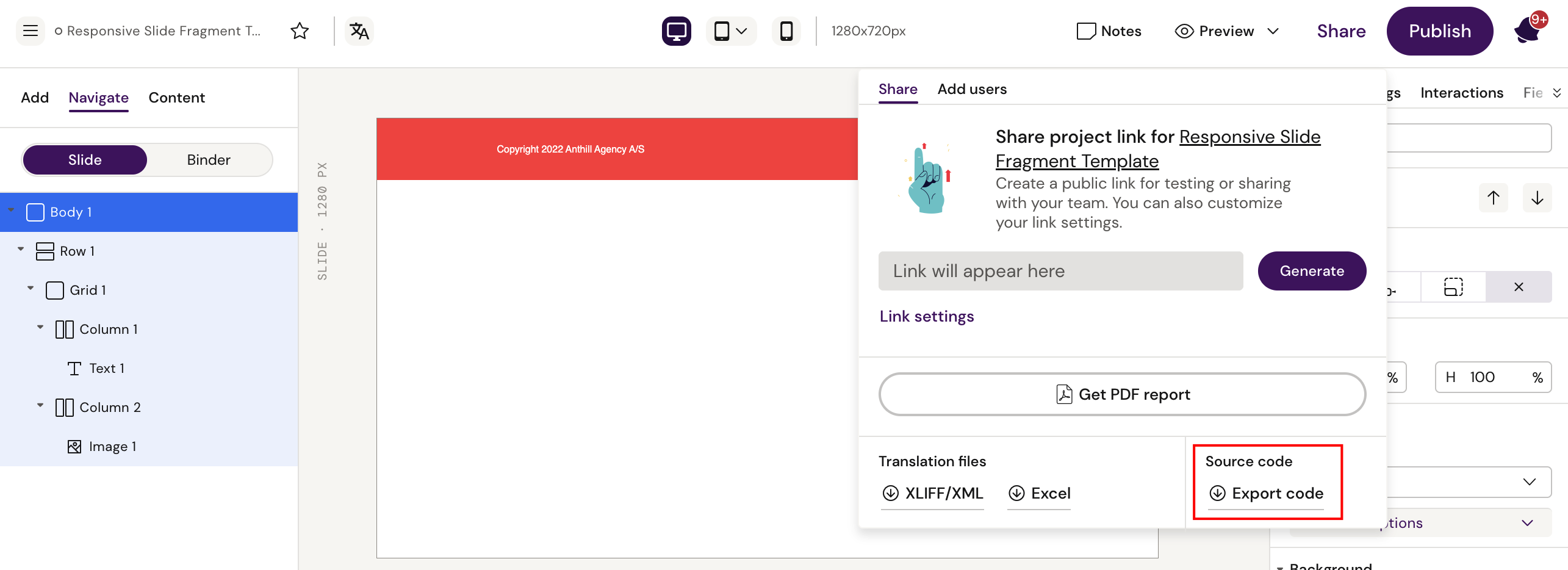
This will download the document HTML and the shared folder as a zipped folder. Unzip the content and open it.
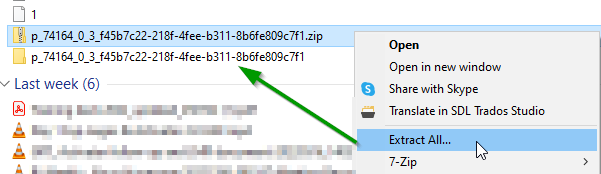
The now unzipped folder contains 2 folders - the first folder is the document you just created with the ID number as its name and the design system named “shared.”
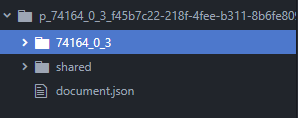
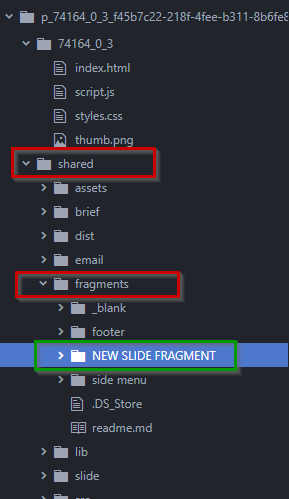
Open the folder “shared” and create a new folder inside the fragments folder with the name the fragment should have.
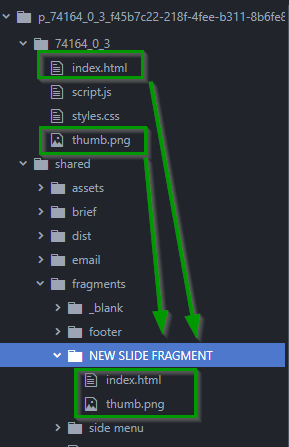
Copy and paste the index.html and thumb.png from the document file into the new folder.
Now all you need to do is compress the content of the shared folder into a zip.
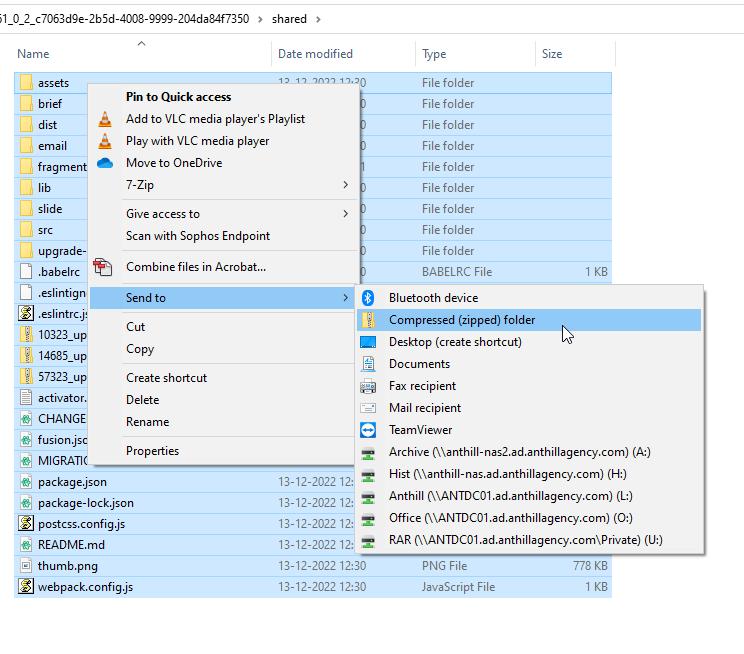
Drag it to Activator. Select to update the current design system
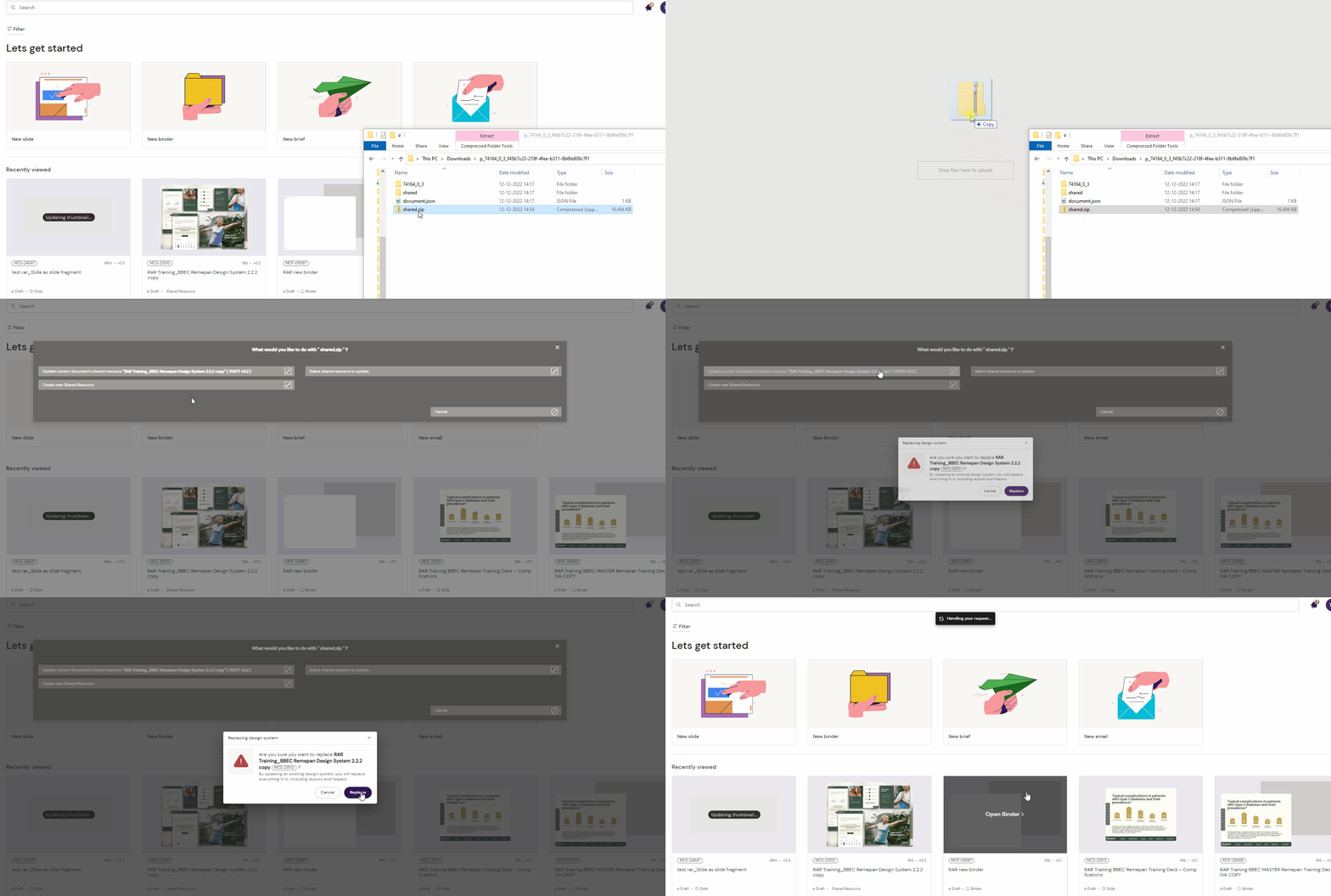
A message will show you that the shared resource was updated successfully.

Open the shared resource view to confirm that the new slide fragment is present.
.png?inst-v=1fa820d5-7c84-46ba-9602-359db9fff68e)