How to Publish a Document
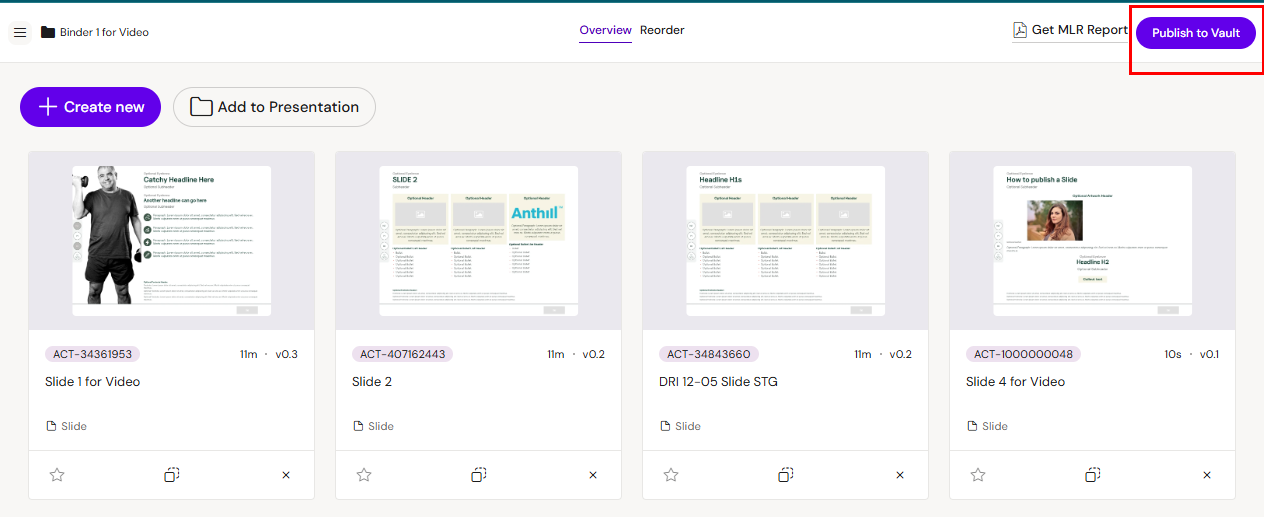
In this section we will show you how to save your changes to your DAM (digital Asset Management System)
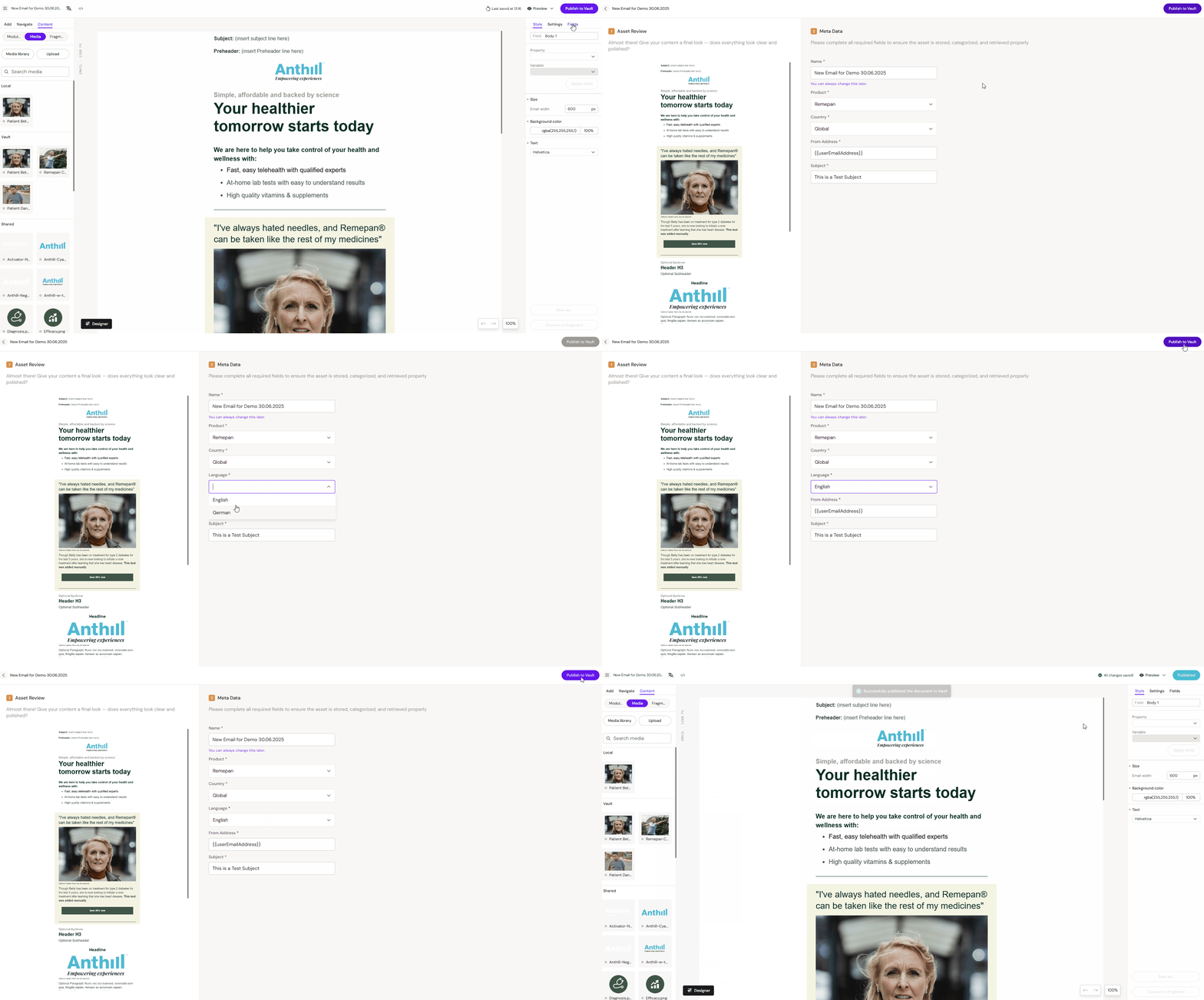
Click on the “Publish to Vault/Aprimo” button in the top right corner, fill in meta data if needed, click on “Publish to Vault/Aprimo” again and wait for the confirmation messages that the document was successfully published .
Publish a Slide
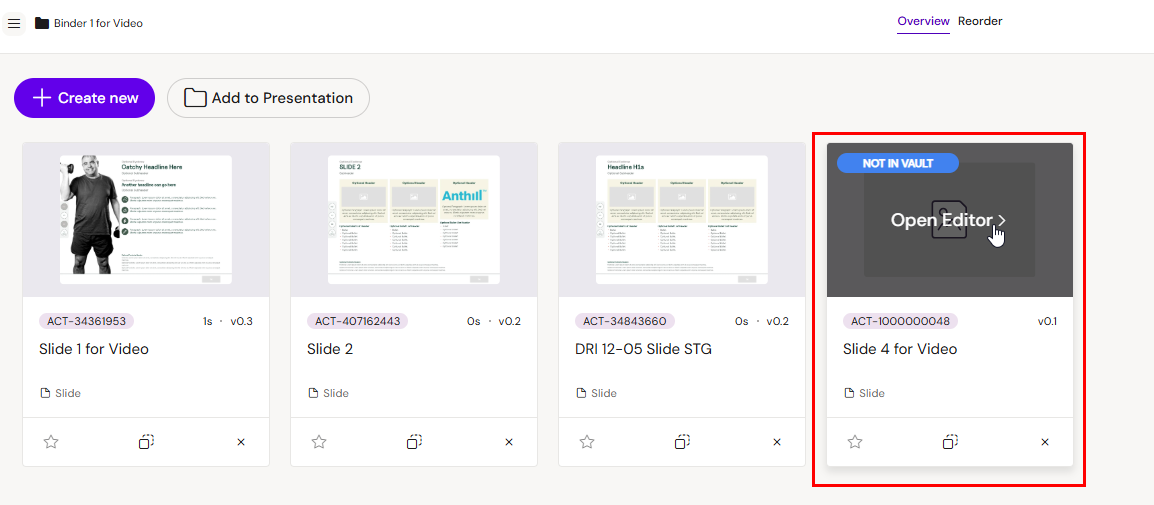
You will see the “Not in Vault/Aprimo” tag on new Slides you create in the Presentation. This tag will remain there until you publish the Slide.
Open the Slide
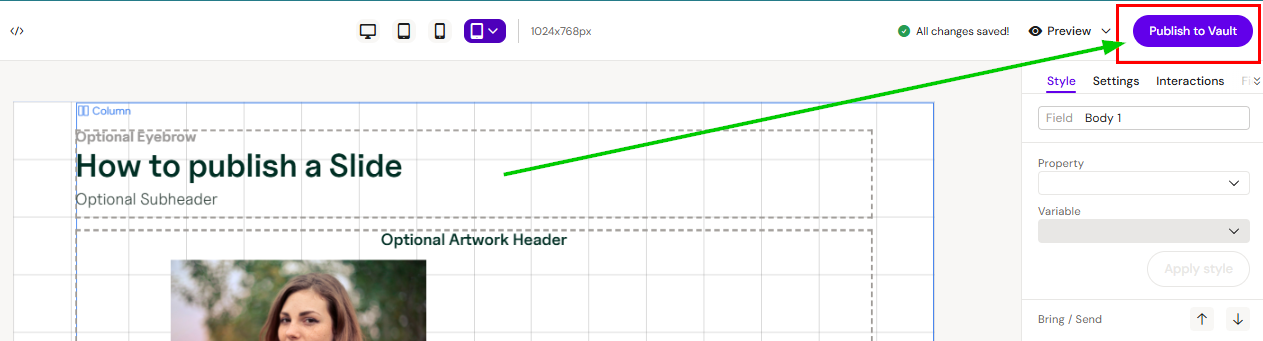
Make your edits
Publish your changes
Publish a Presentation
Even though the Slide is published, you need to publish the Presentation as well.
Click on the “Publish to Vault/Aprimo” button to update the Presentation.