
How to Translate a Document
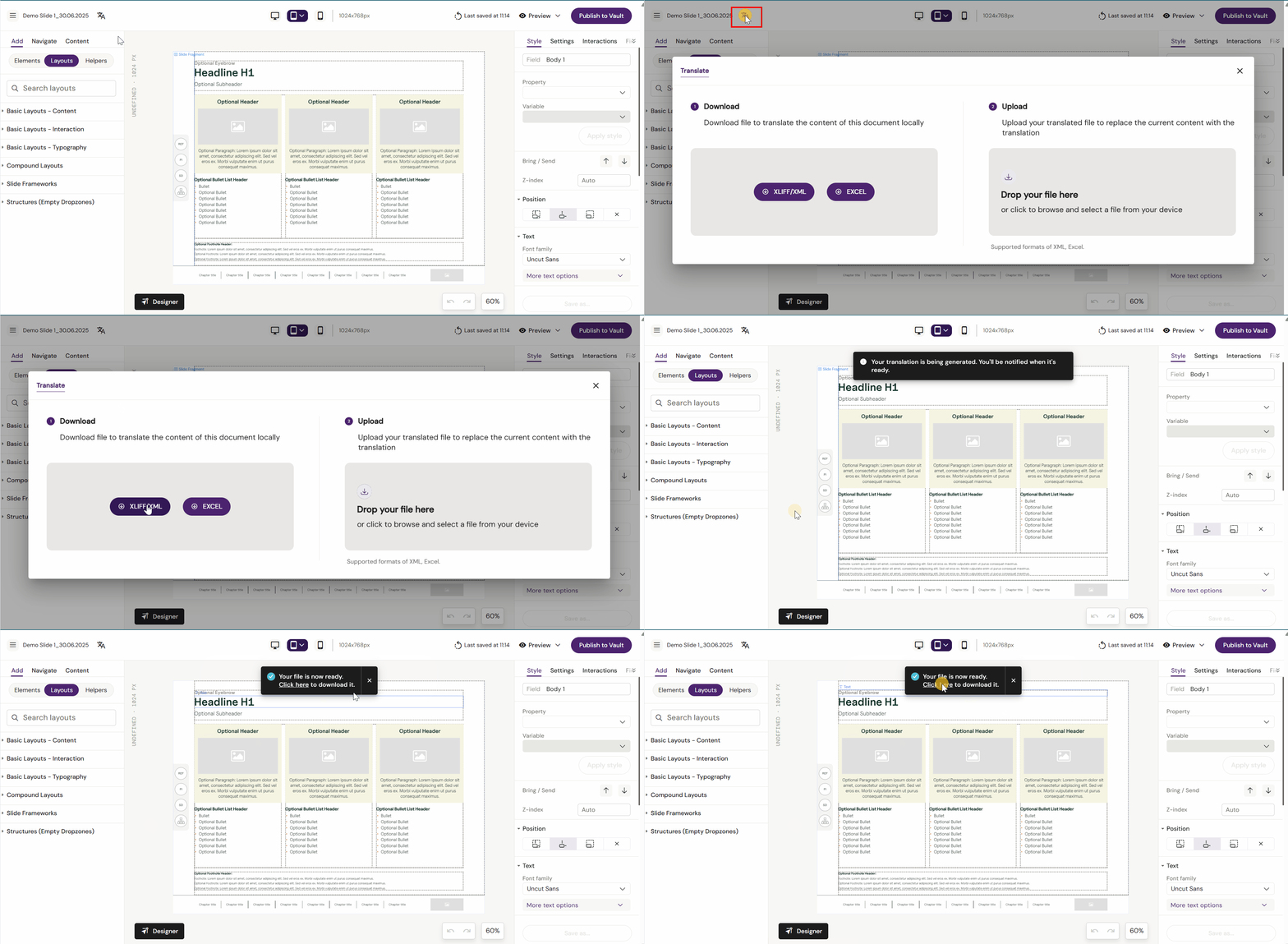
Activator 3 currently supports XLIFF/XML and Excel translation files which can be extracted.
To access the files, click on the translation icon next to the documents name, download the format you need and sent it to a translation agency.
Once the file has been changed, upload it again to the document and Activator will apply the changes.
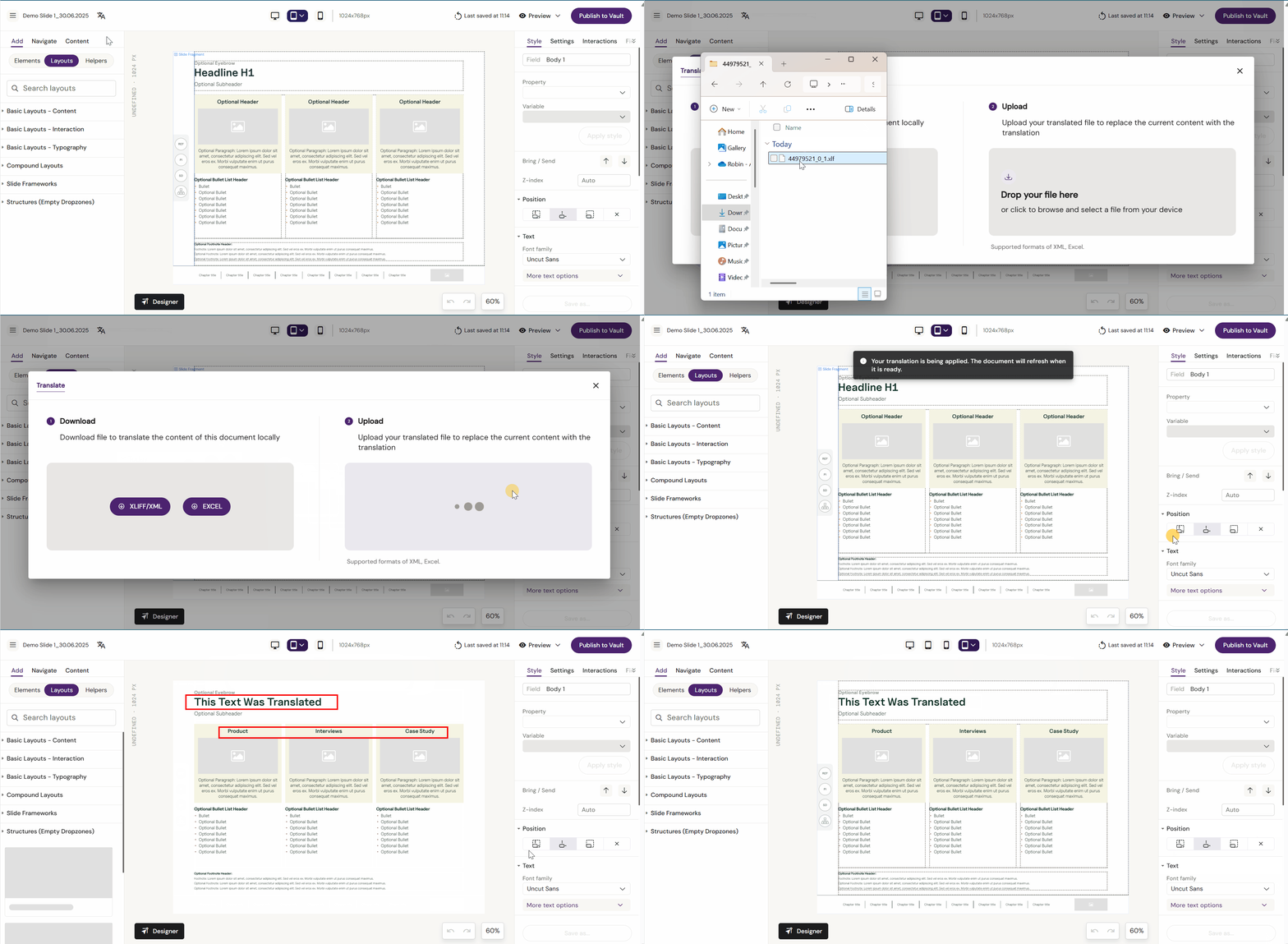
Remember to publish the changes once you are done.