Copy a Design System

Note: Your company may follow a different document duplication workflow. Check your internal guidelines if duplicating Design Systems in Activator is not an option for you.
Important: Activator Involvement Required for Design System Creation and Duplication
When working with Design Systems and a DAM (Digital Assets Management System)is used, it is essential that Activator is involved in both the creation and any copy or duplication process.
Why this matters
Design Systems rely on relationships, inheritance, and hierarchy between components. These structural elements are not stored directly in the DAM. Instead, they are controlled and maintained by Activator.
What happens if you copy a Design System in the DAM?
If a Design System is copied or duplicated directly in the DAM without using Activator:
The copied Design System will appear empty when opened in Activator
No components, relationships, inheritance, or hierarchy will be present
The Design System structure cannot be reconstructed automatically
This happens because the DAM copy only contains the file reference, not the underlying system logic managed by Activator.
Correct way to create or duplicate a Design System
To ensure a Design System works as expected:
All creation, duplication, or copying must be performed through Activator
Activator ensures that:
Component relationships are preserved
Inheritance rules remain intact
Hierarchy and dependencies are correctly maintained
Method 1
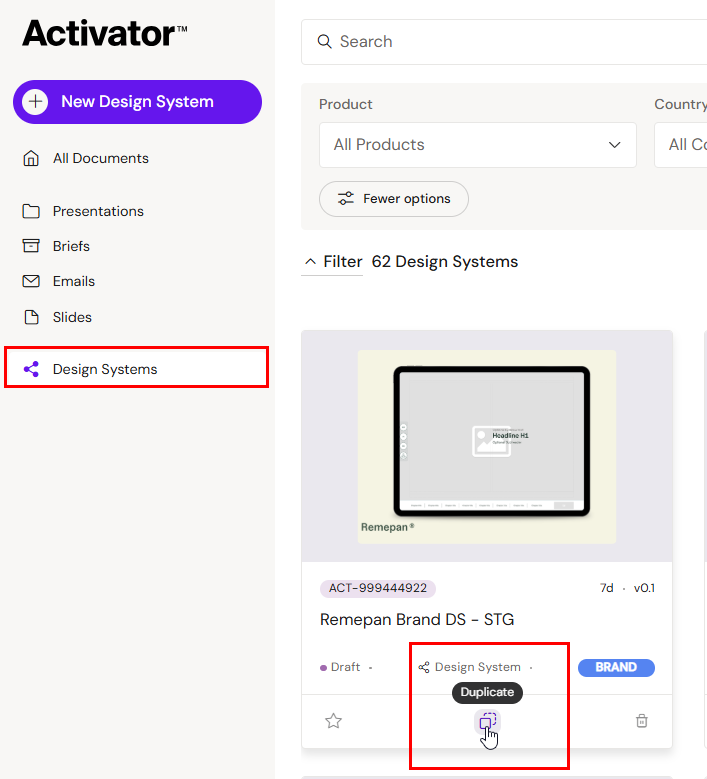
Go to the Dashboard and locate the Design System you wish to copy. You can find the duplicate button in the middle at the bottom of the content card:
Method 2
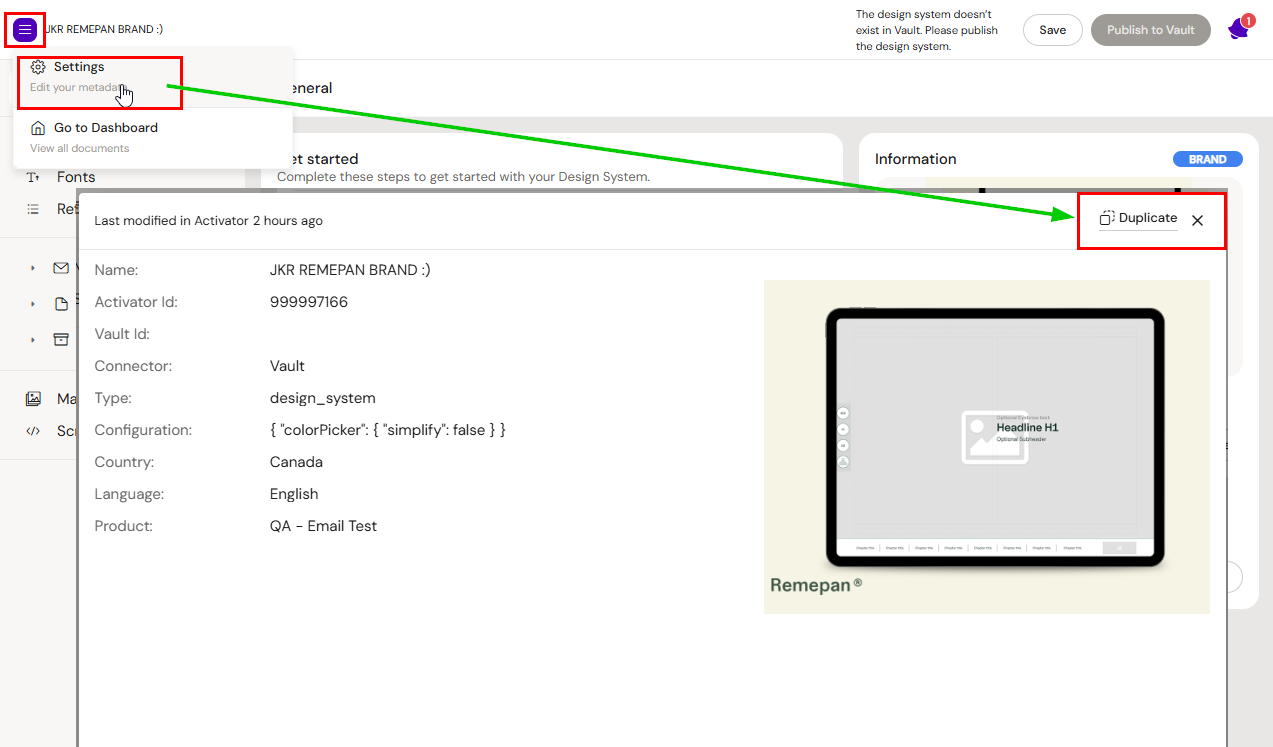
When the Design System UI is open, click on the burger menu->settings. The duplication button is available on the popup.
Design System Duplication Wizard
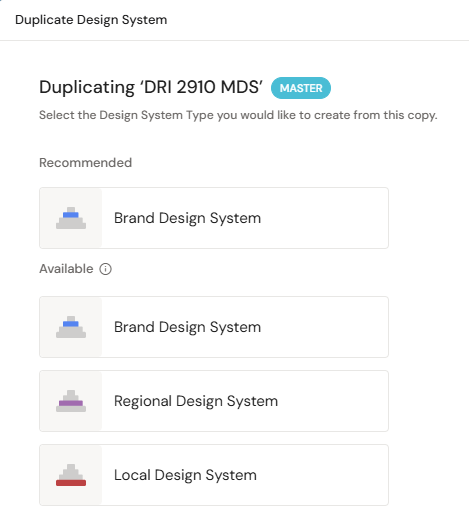
The options you are presented with depend on what type of Design System you are copying.
Master
Recommended type: Brand Design System
Optional type: Master Design System
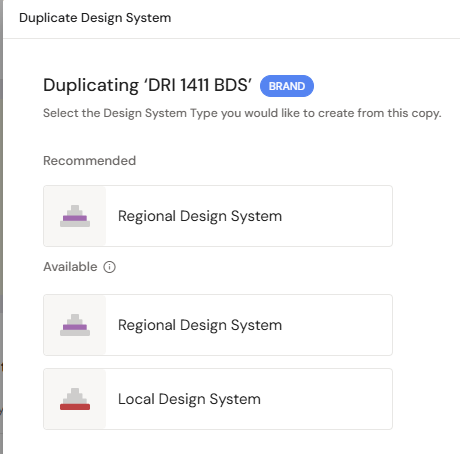
Brand
Recommended type: Regional Design System
Optional type: Master Design System, Brand Design System
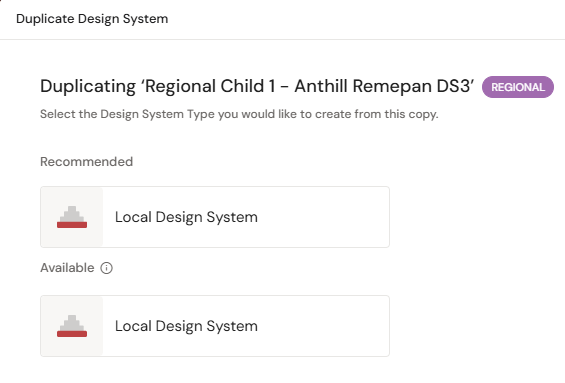
Regional
Recommended type: Local Design System
Optional type: Master Design System, Brand Design System, Regional Design System
Local
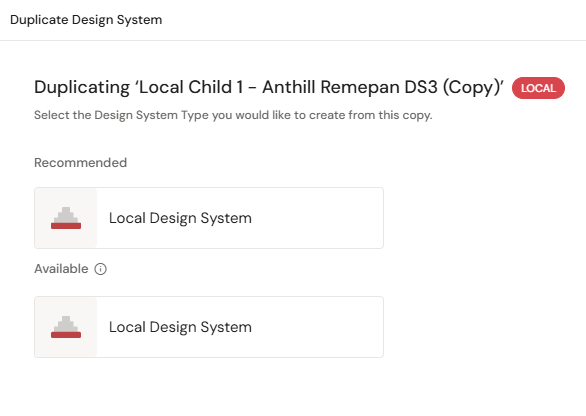
Recommened type: Local Design System