
Design System Governance
Different strategies for how to apply a Design System can be adopted. Here are some examples:
One Design System is set up per brand/product, and all content created based on this brand/product will use this Design System.
A Design System is set up per product, country, and language.
Individual projects/presentations will have their Design System defined.
While it's a good idea to have a clear plan for using Design Systems, you're free to combine different examples as needed. For instance, the usual method is to create a Design System for each product and country, and then set up specific Design Systems for individual presentations.
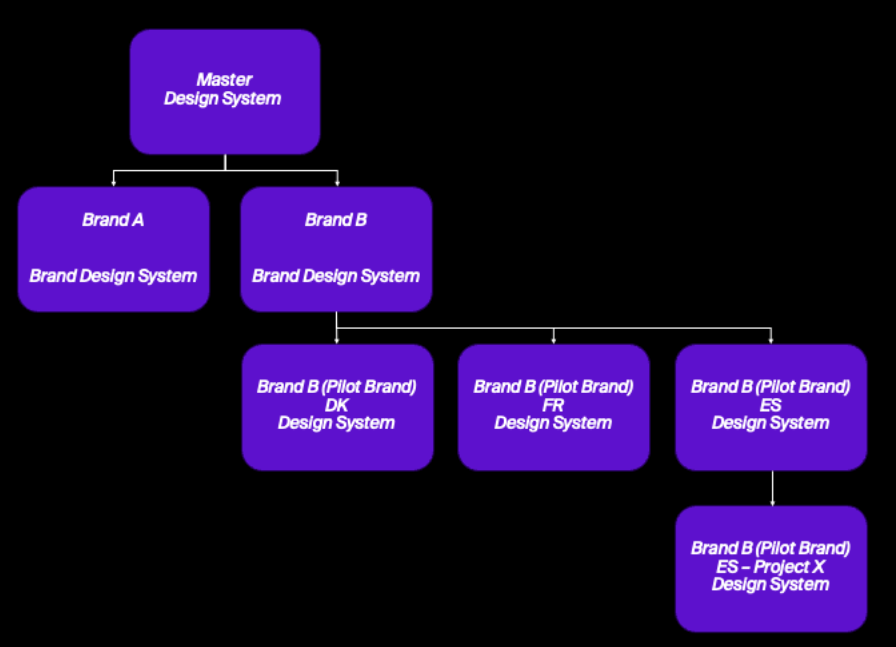
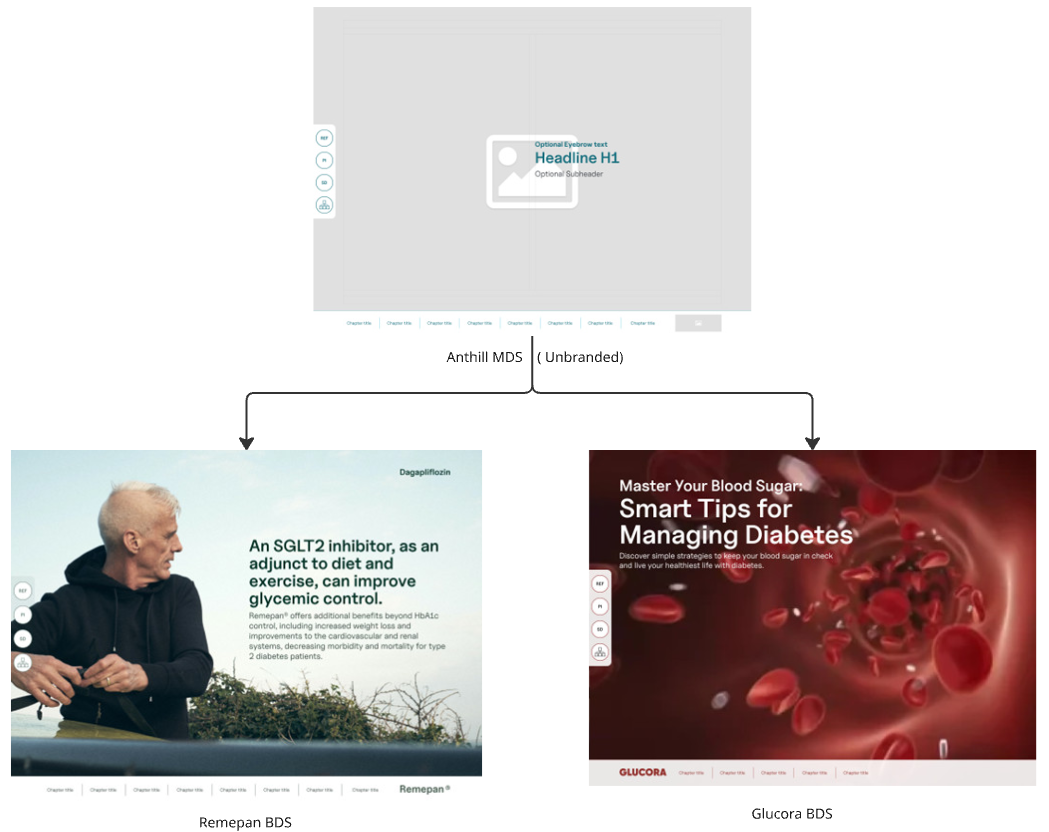
The Master Design System is placed above Brands and often unbranded or blandly corporate branded and is where the baseline for Component (Activator Layouts) and Tempates are established, and general best-practices are set.
Styling, colors, typography and Brand specific Templates are added as an extension of the MDS at Brand level.
Upgrading Design System Version

Upgrading the version of a Design System can only be done by the team responsible for Design Systems.
Implementing the changes should only be done after thorough testing on sample content has taken place
Activator is continously growing with new products versions introduced on a recurrent basis. New releases may contain new functionality, product enhancements and fixes to existing functionality.
We encourage all of our customers to use the latest product version to have the benefits of new capabilities as soon as they become available.
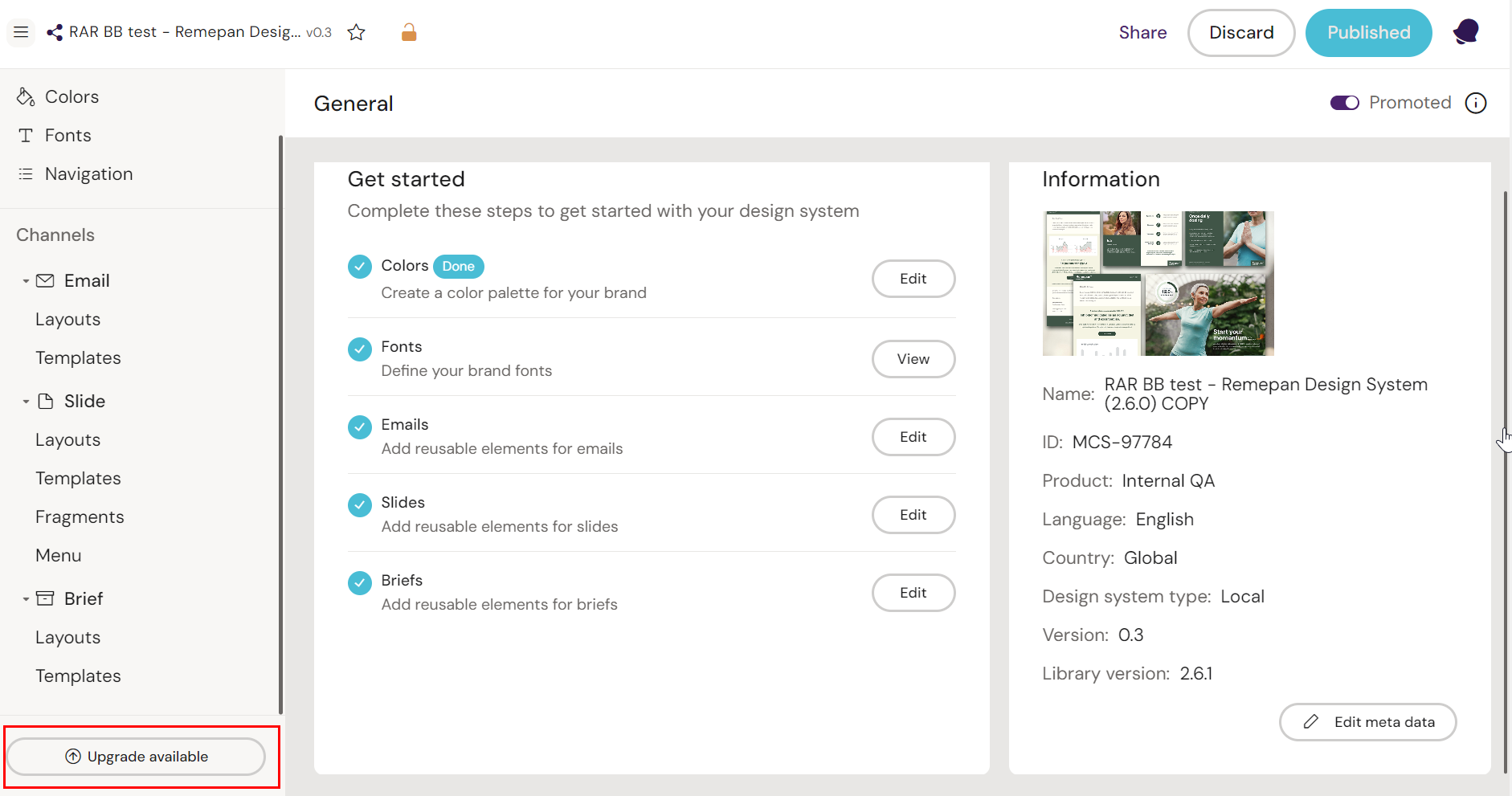
If you do not have the appropriate permissions to alter the Design System, this below option to upgrade and publish the Design System will not be an option.
If you do have the rights, the upgrade button is available in the Design System’s interface as shown below:
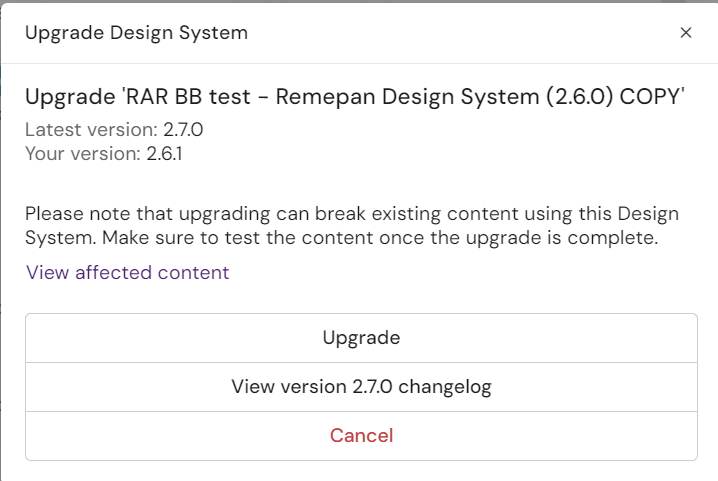
When clicked on, a prompt will give the user the following options:
Best Practices Before Applying an Upgrade
Before committing to a Design System upgrade, it’s important to review both the updated Design System and any connected content that may be affected. Changes can impact components, styles, and patterns in ways that aren’t immediately visible.
To reduce risk, it’s strongly recommended to upgrade a test Design System first, along with a small set of sample content. This allows you to validate behavior, identify issues, and confirm compatibility in a safe environment.
Once the upgrade has been reviewed and verified, you can confidently apply it to the original Design System, knowing the impact has already been assessed.