Design System Inheritance
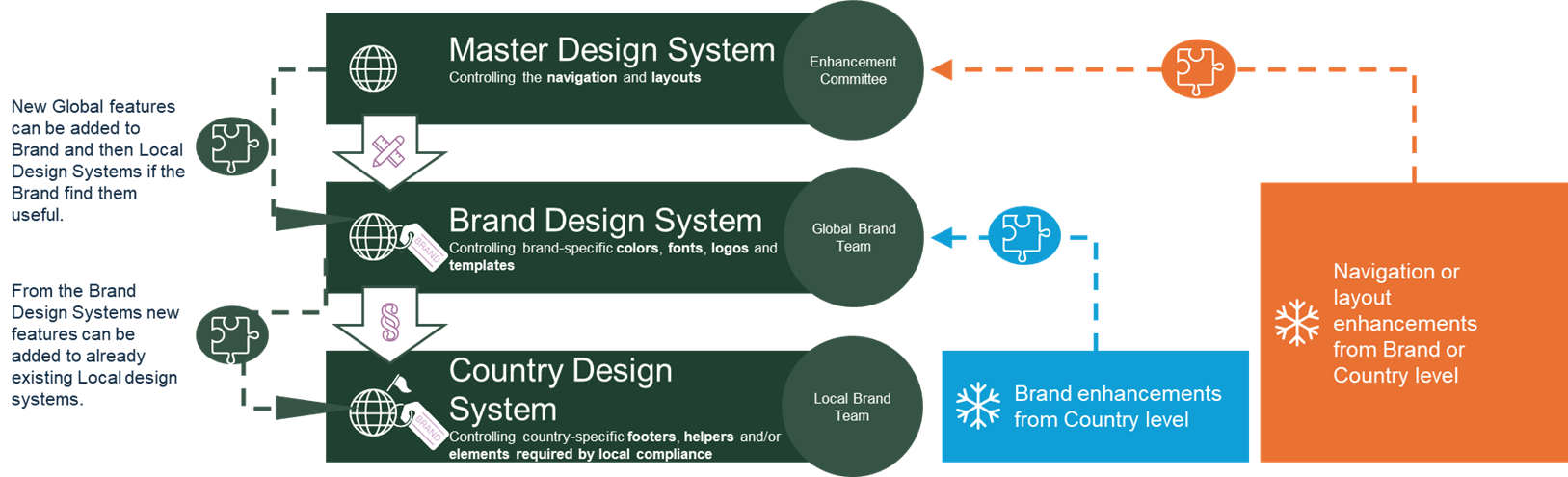
Design System Update Flow
Design Systems follow a clear hierarchical update model. Updates made in higher-level Design Systems (Master, Brand, Regional, or Local) are made available to all systems below them in the hierarchy.
Updates do not move upward. Changes in lower-level systems never affect higher-level Design Systems.
Each lower-level Design System decides whether and when to apply an update, allowing teams to balance consistency with local flexibility.
Key points to remember:
Updates flow downward only
Higher-level systems remain protected
Adoption is controlled at the lower levels
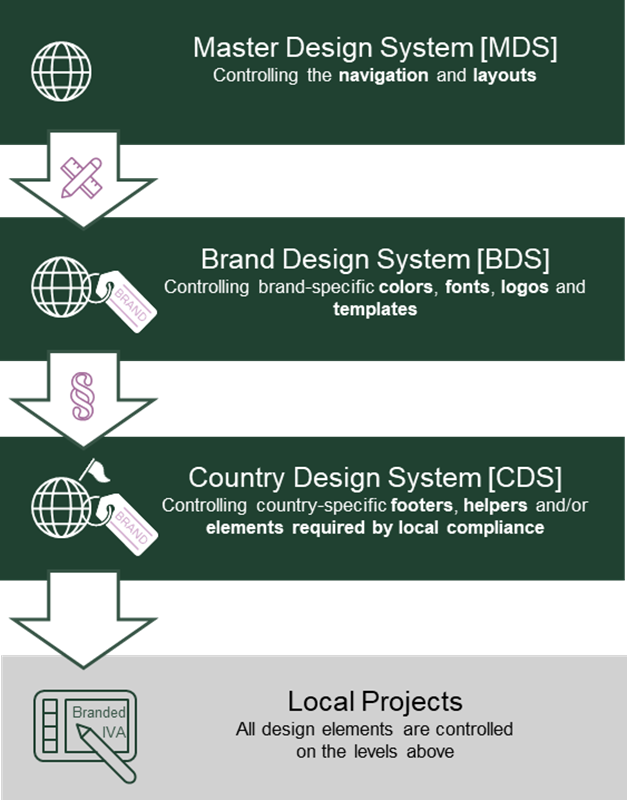
Design System 3 allows us to separate global consistency from local flexibility.
Each level has a clear responsibility, and changes can flow down safely without breaking local adaptations.
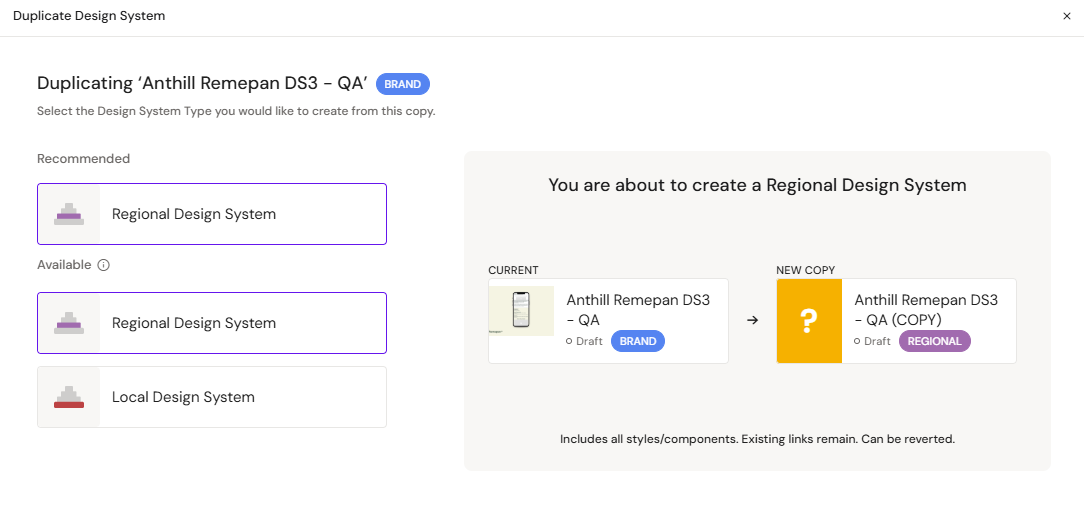
In the following example, we will showcase how inheritance works between a parent Brand DS3 and a Regional child DS3
The following items can be inherited from a parent DS:
Colors – All color tokens and palettes flow down to child systems.
Fonts – Typography settings such as font families, sizes, and weights are inherited.
References - Structured reference entries are inherited from the parent DS at creation time, after which they are managed independently in each child system.
Layouts – Standard layout structures and spacing rules are shared with child systems.
Templates – Page and content templates created in the parent DS become available in the child.
Fragments (Slides only) – Slide fragments are inherited so child systems can reuse shared building blocks.
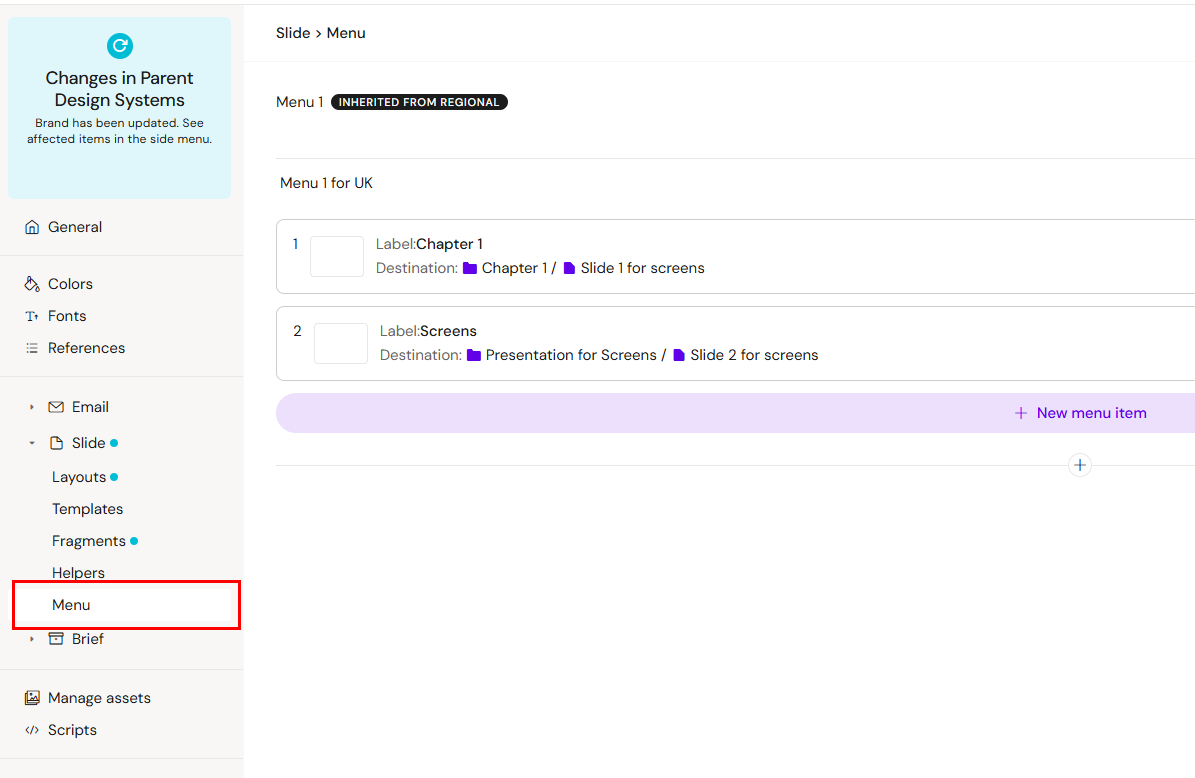
Global Menu (Slides only) – The parent’s global menu configuration is passed down to child slide systems.
This structure allows updates made at the parent level to propagate consistently across all connected systems, helping maintain alignment while giving each child DS the ability to adapt where needed.
These inheritance principles apply to all items. In the example below, colors are used because they are the easiest to illustrate visually.
Color inheritance example
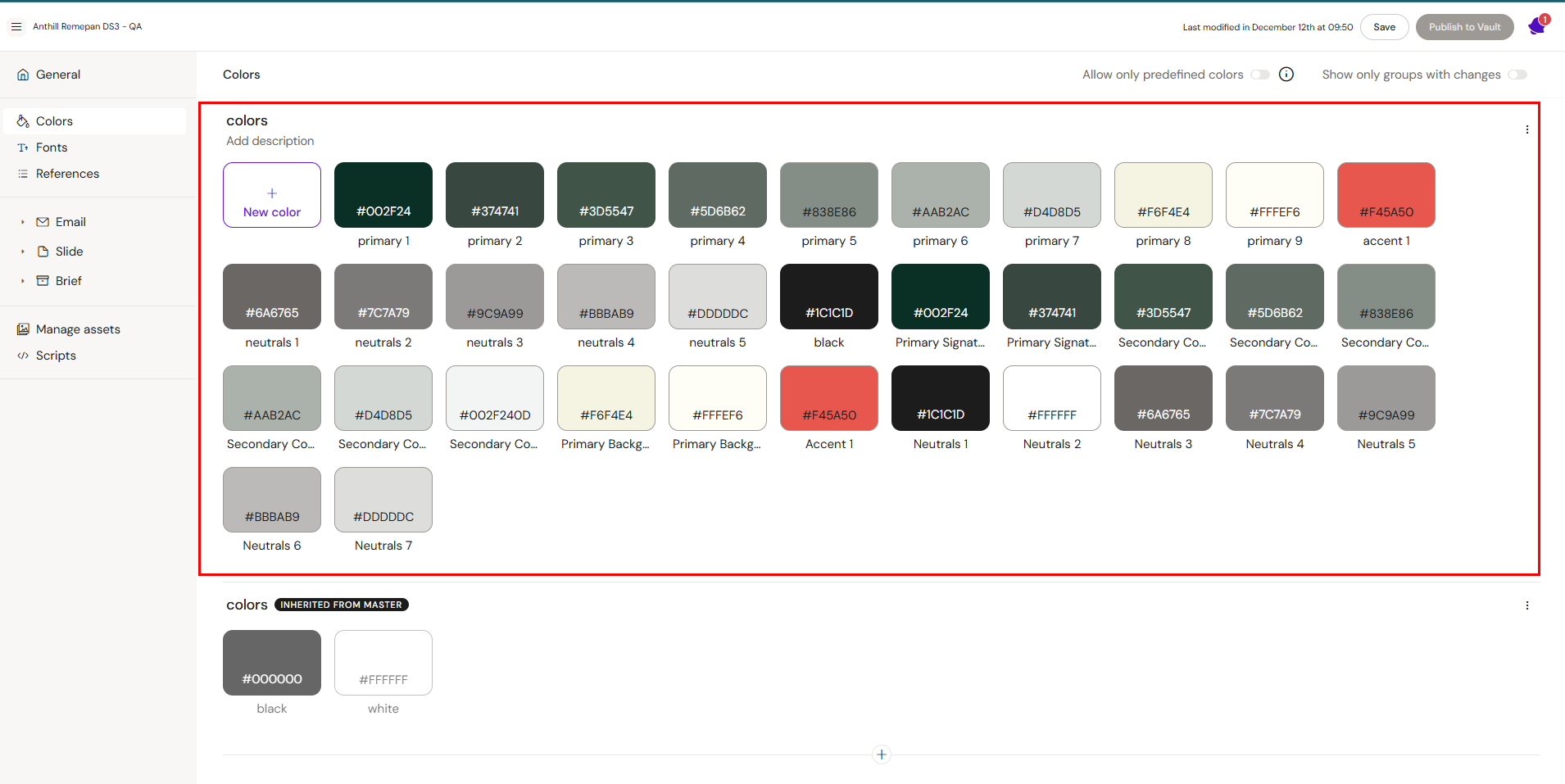
Colors that are defined in the Brand DS (top section) are passed down to any child DS, in this case, the regional copy and any other child DS.
Brand Design System colors:
Regional Design System colors:
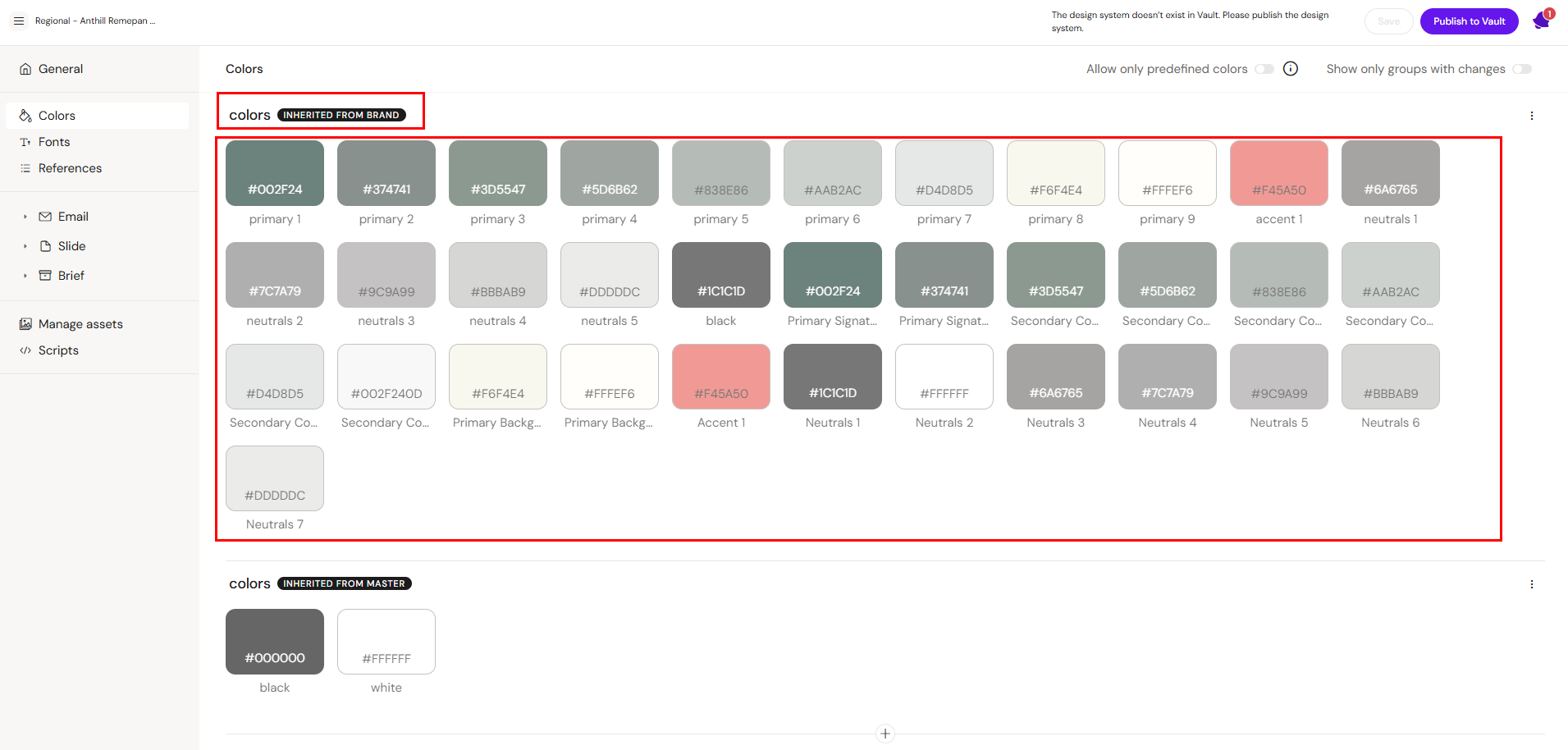
Inherited color groups are automatically tagged to show where they came from. In the image, the Regional DS inherits its colors from the Brand DS. Both of these systems also inherit a color group from the Master Design System, which sits at the highest level of the design system hierarchy.
It is not possible to edit colors or content in other item groups that are inherited.
Notifications of updates
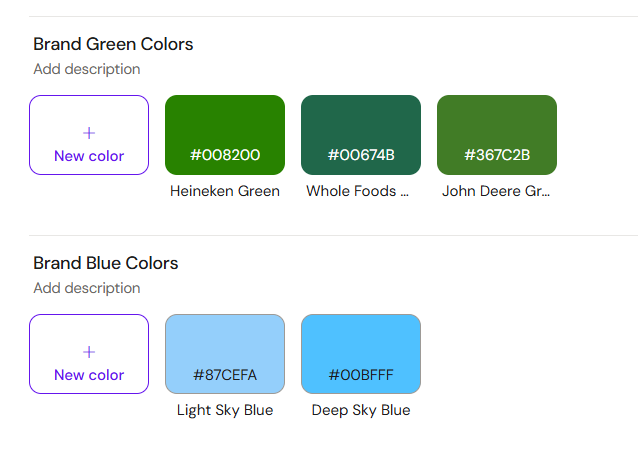
Should the parent DS have changes to a color group, such as an added colors, changed color, deleted color or a new color group, all the children DS will have a notification that there is a change to inherit.
New Brand color groups:
Notification in the regional child DS:
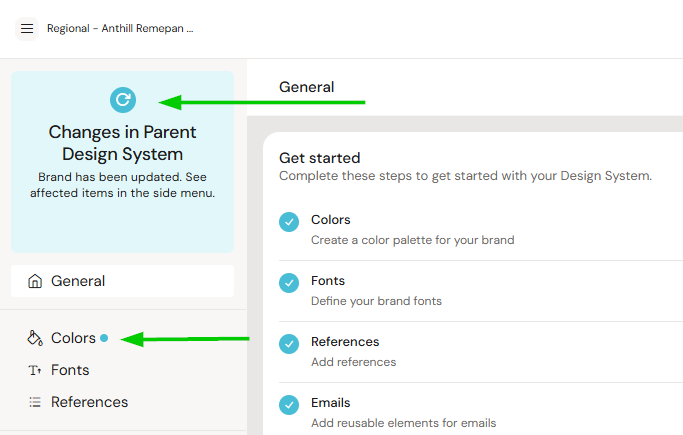
The admin of the child Design System can choose which color groups to inherit by clicking the Update All button.
All changes within a group must be accepted together; this applies to both new and existing groups.
In the screenshot, the green and blue color groups are not yet available in the document’s color picker because the Update All action has not been applied..
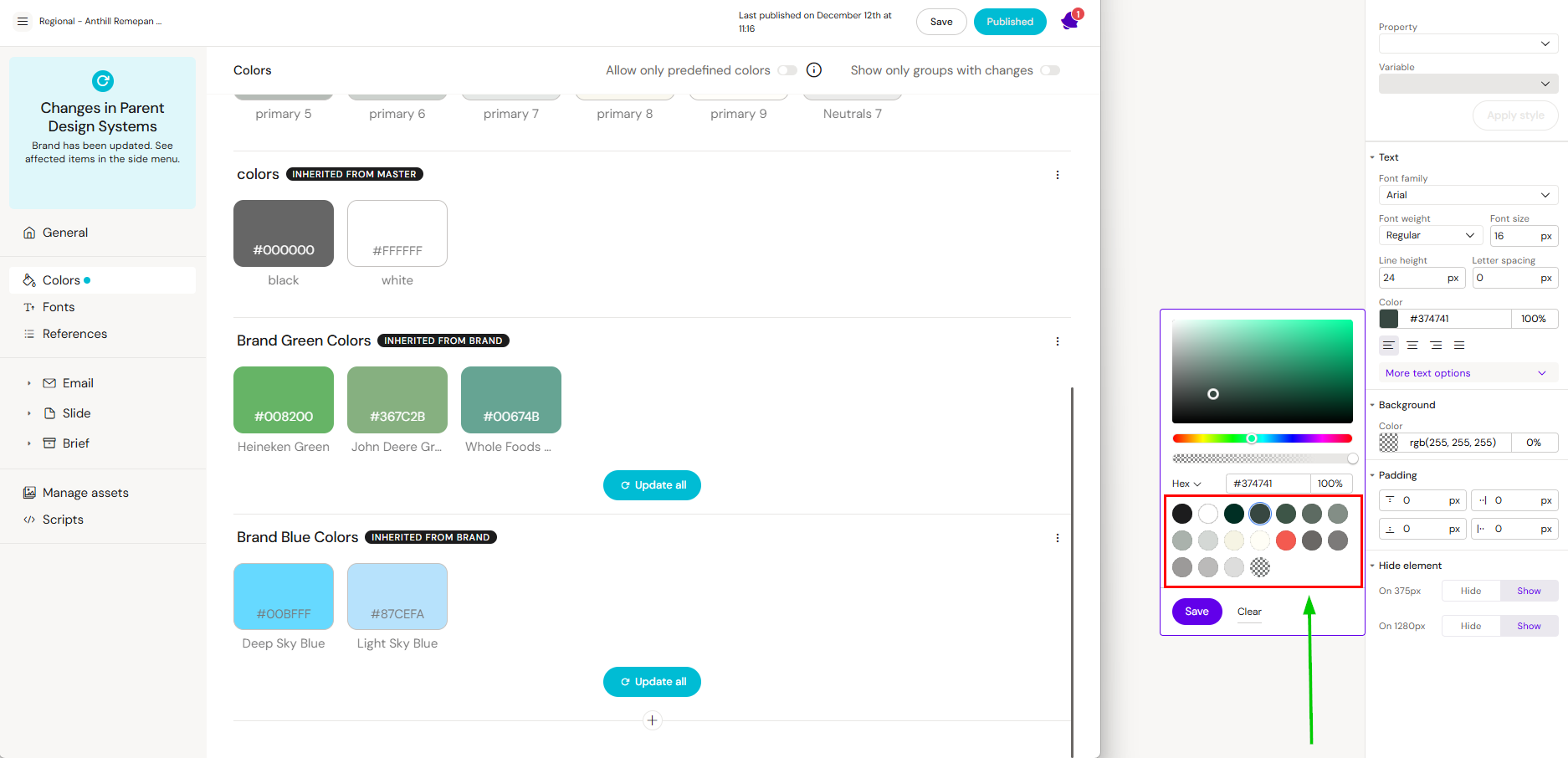
To inherit a group, click Update All for the desired color group, then click Save at the top of the page. After reloading the document, the accepted green color group will appear in the color picker and can be used immediately.
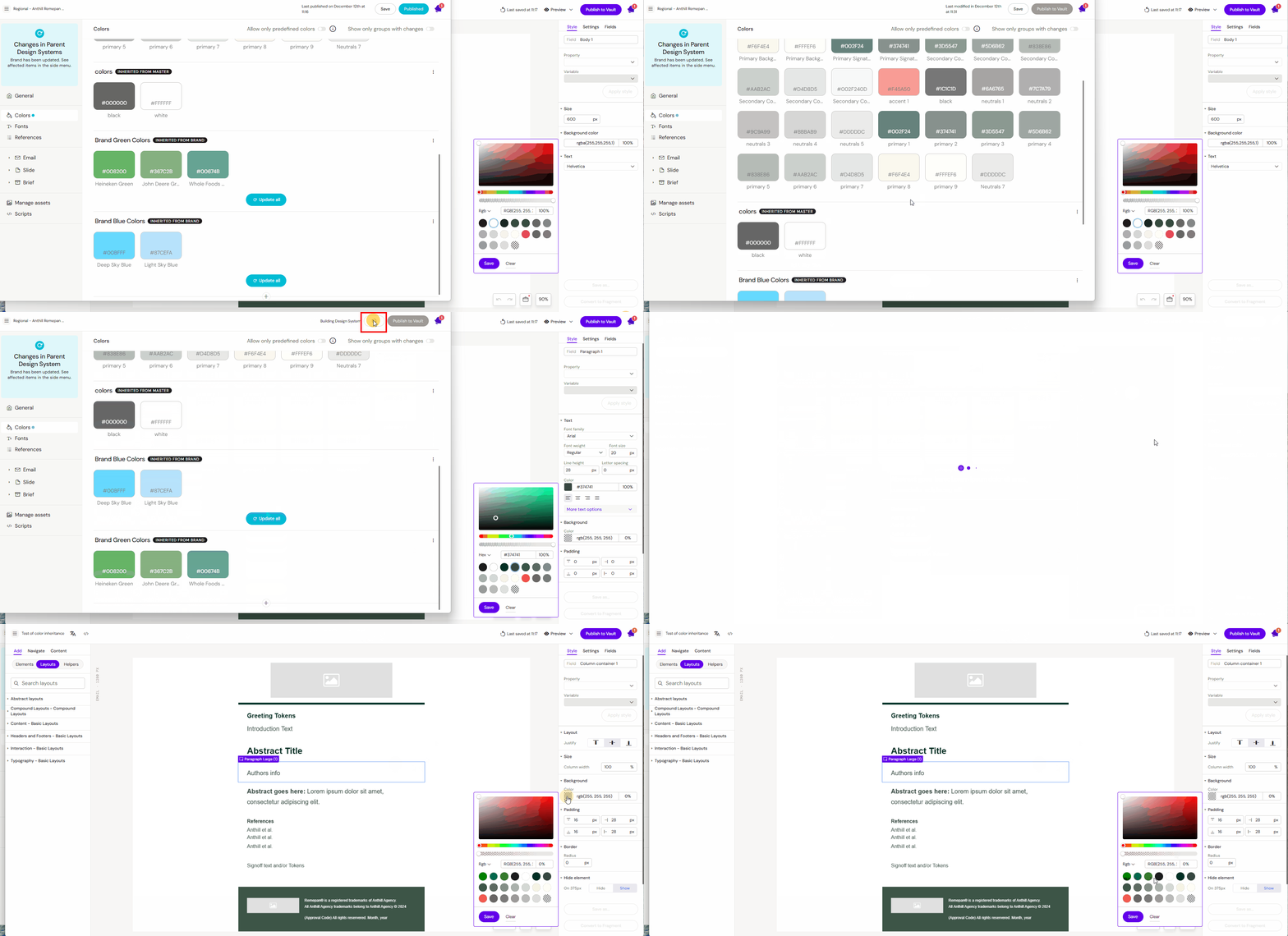
Remove or Copy a Group
If an inherited group is not wanted or you want the group with editing rights, you can do the following by clicking on the three dots to the right of the group:
Remove the group = The group will no longer be available. No more updates in this group from the parent will be passed on through to the child DS.
Copy the desired inherited group = The group is now open to be edited by the child and colors can be edited, removed or added.

Inherited Layouts and Templates
Layouts and templates follow the same inheritance rules as colors.
Items can be:
Inherited from a parent
Inherited layout/template groups can be duplicated to children for editing access or removed.
New updated from a parent group are voluntary
Inherited Slide Fragments
For Slide Fragments, it is recommended to create a copy of any inherited Slide Fragment group. Slide Fragments often contain content that needs to be customized, such as popups, text, or menus with links that must point to the correct resources. Inherited items cannot be edited, so copying the group ensures you can modify the content as needed.
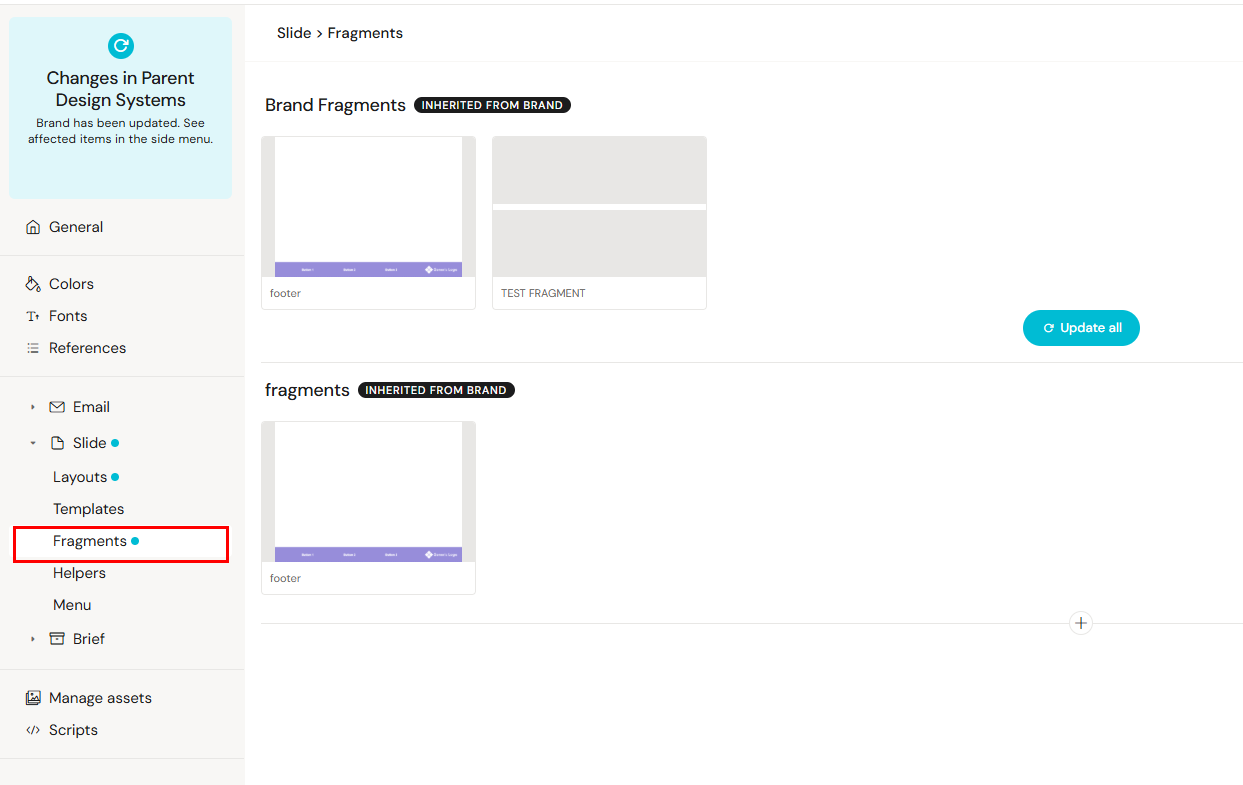
Inherited Global Menus
The same principle as for Slide Fragments applies to Global Menus. Inherited menus contain links that are relevant to the Design System they originate from. Because a child DS will often need different links, we recommend creating a new Global Menu group within the child DS rather than using the inherited one.