
Once you have created and located your material, either by using the search, filters, or from the 'My content' section, the document card will appear on the dashboard with its name, ID number, an indication on when the document was created, document version, document status, and document type.
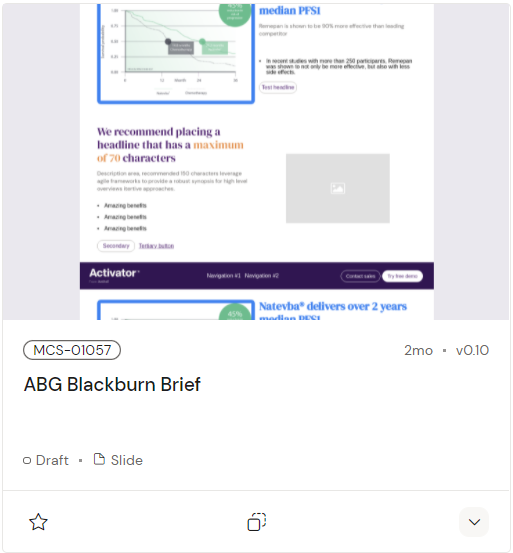
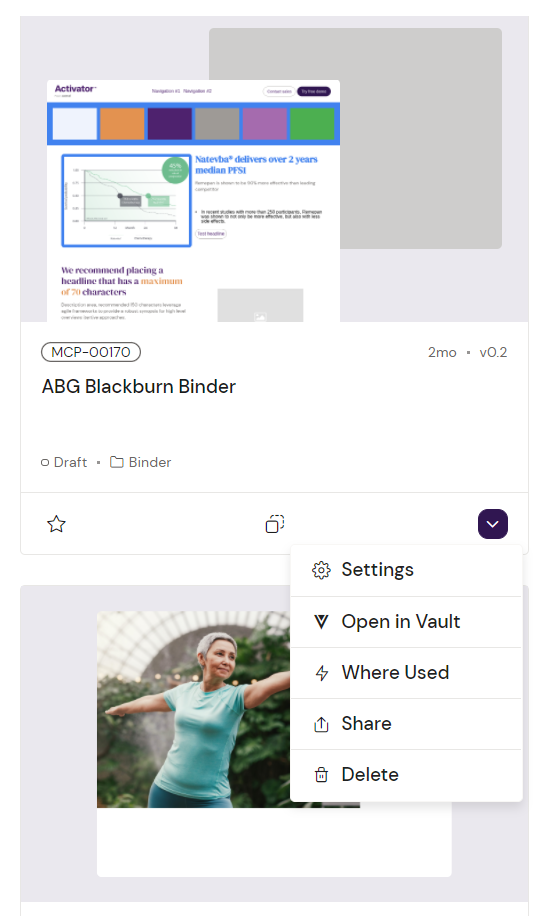
In addition, all cards have 3 icons in the bottom that allow for more actions. These are the ‘Add to Favorites’ option, ‘Duplicate’ option, and an arrow icon that expands on user click to show additional options.
|
Option name |
Explanation |
|---|---|
|
Settings |
Shows the metadata information of the document and current published thumbnail. |
|
Open in Vault |
Opens a new browser tab displaying the document in Vault. |
|
Where Used |
Shows a overview of where on the platform the document is used. |
|
Share |
Opens a modal that displays options for sharing the selected content, including generating a link. Also allows to download a PDF report on the content. |
|
Delete |
Lets you delete the selected content piece. |