
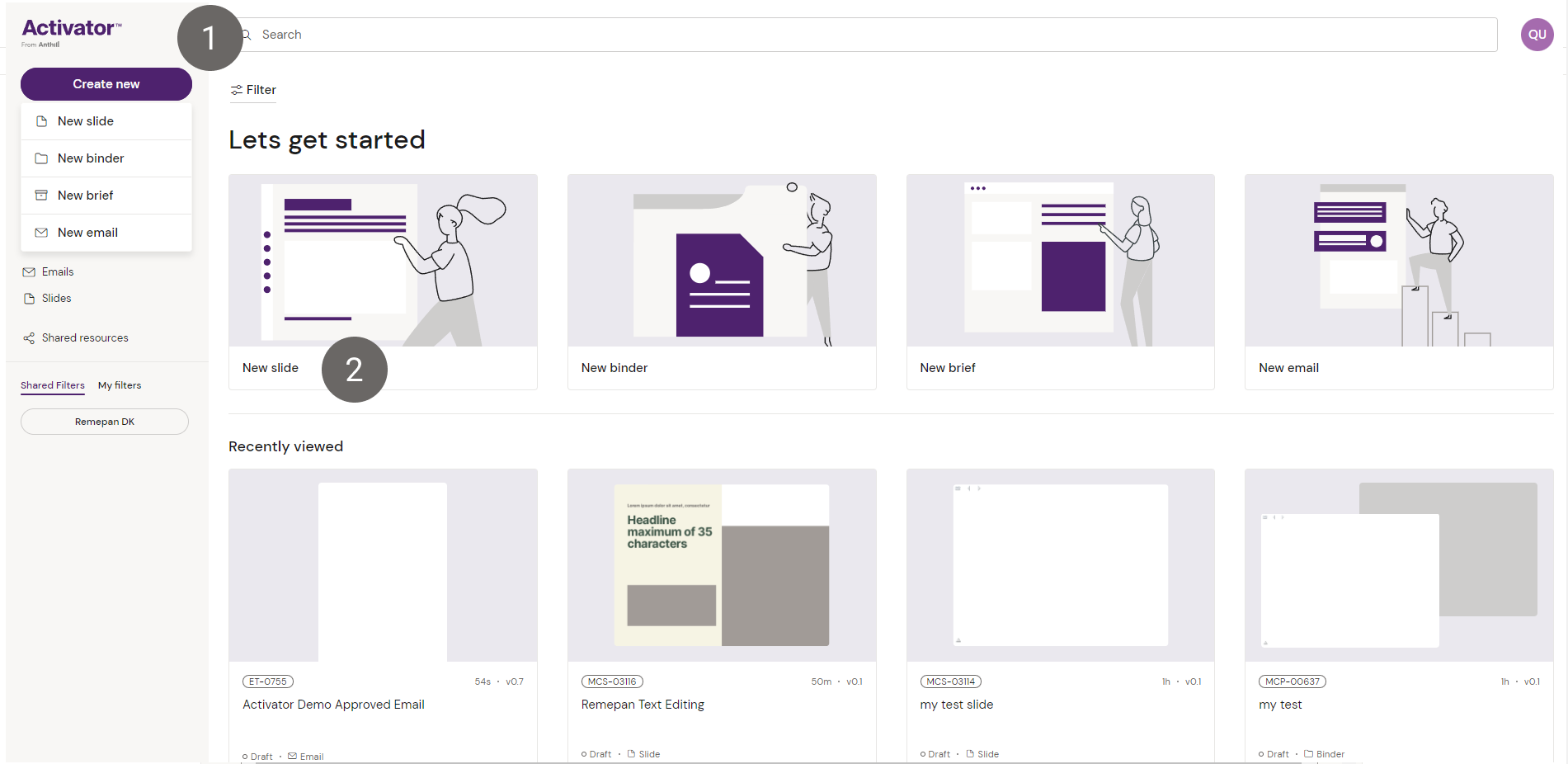
From the Dashboard you can create a new Slide based on a Template in two ways:
-
Click the “Create new” button in the top left corner
-
Click the New Slide card in the dashboard
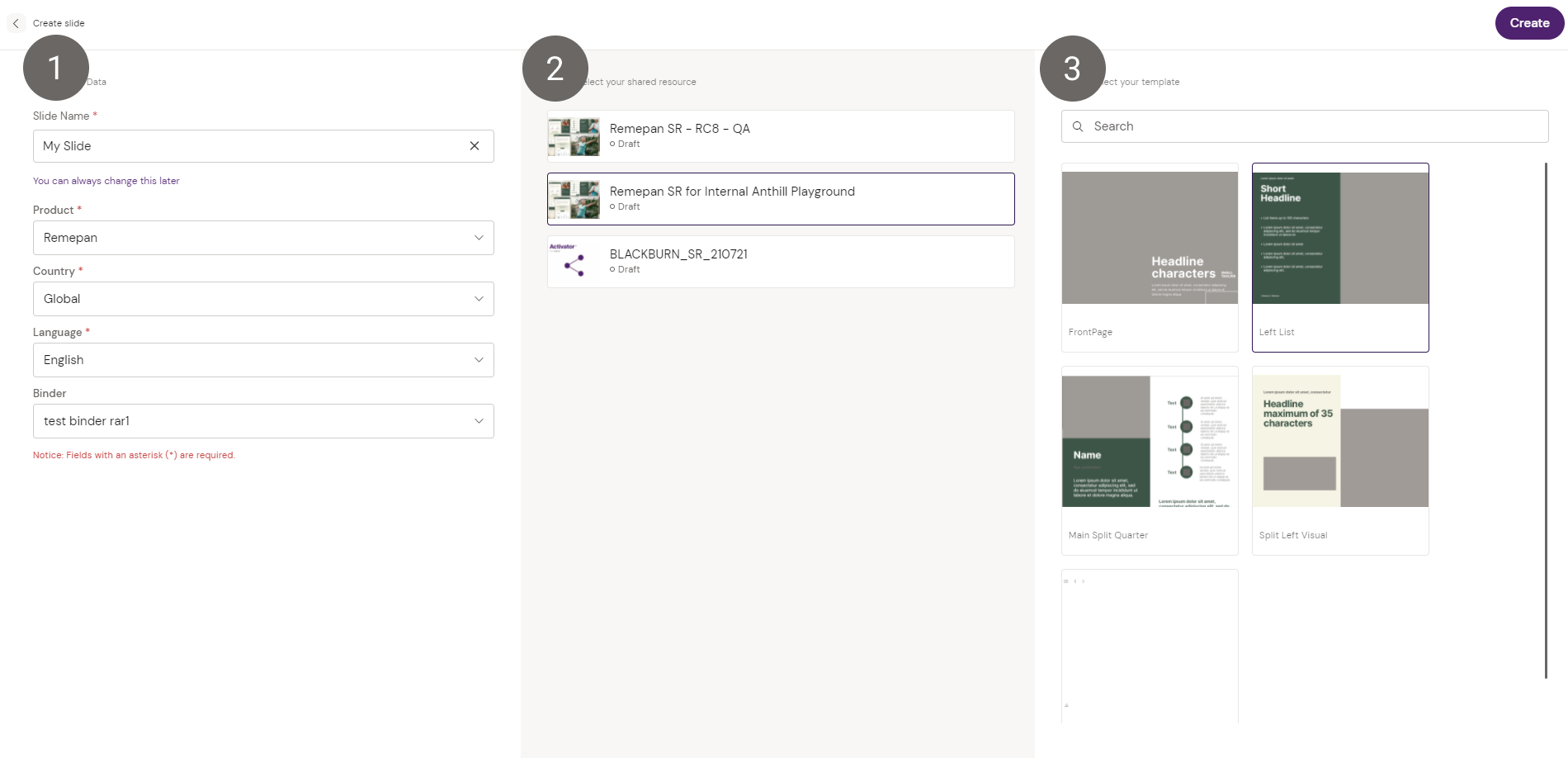
The process of creating a Slide is much similar to that of creating a Binder. A wizard will open which requires that you put in metadata and make choices around the Shared Resource relationship and Template for your Slide.
-
Put in the metadata related to your Slide
-
Choose the Shared Resource you want to add your Slide to
-
Select the Template and hit “Create”
Once you have created your Slide, you can start adding content to it. To learn more about how to build your Slide visit the page on How to create Slides.