
What is Modular Content
Modular Content consists of reusable, pre-approved content blocks, such as text, images, claims and business rules, that are managed in a Digital Asset Management (DAM) system like Veeva Vault. These blocks can be linked directly to content elements in your layouts, allowing you to quickly insert approved content into slides, emails, and other Activator documents.
Unlike working in a traditional Content Management System, where you might manually upload images or copy and paste text, Modular Content lets you pull in ready-made, approved elements without recreating them. This ensures consistency, saves time, and reduces the risk of using outdated or non-compliant content.
Think of modular content like LEGO bricks. Each module is a reusable building block that can be combined with others to create complete, structured content. Just as you can build many different models from the same LEGO bricks, you can create many different documents using the same content modules.
When to use it
Use Modular Content for:
-
Approved text blocks and product claims
-
Legal disclaimers and footers
-
Repeated content patterns across documents
-
Pre-approved images and messaging
When to reach for it:
-
When reusing approved content across multiple Activator channels
-
To reduce manual copy/paste and avoid version drift
-
For compliance-critical content that rarely changes
Key point
Use Modular Content for pre-approved content that must remain consistent, compliant, and easy to reuse across different Activator channels
Note
Modular Content is centrally managed and approved. Always use these modules instead of manually recreating content to ensure compliance and consistency.
Varies by tenant (Anthill-managed)
Available modules and edit rules depend on tenant configuration and Design System governance. Learn more.
Example
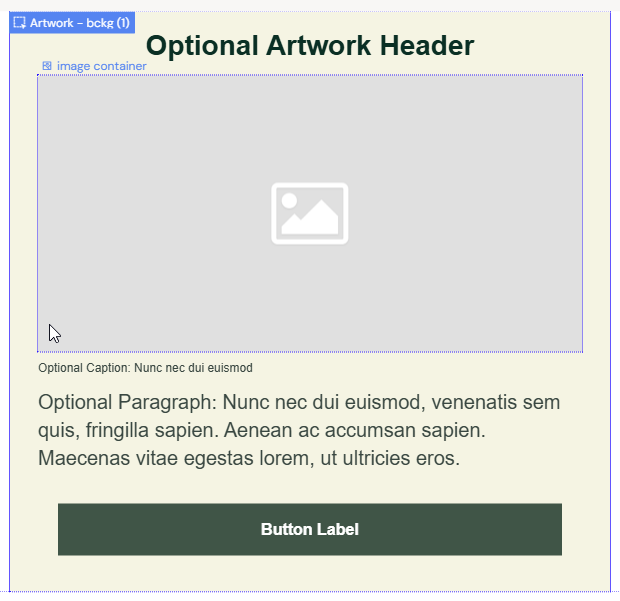
A content layout can have placeholders for a Headline, a Blurb, an Optional Button, a Tertiary Button, and an Image, as shown below.
[Screenshot to copy: image-20220221-143553.png — module placeholders in layout]
Next steps
-
To use existing modules in your documents, see Importing & Using modules.
-
To create new modules in Activator, see Module Creation (MCM).