
Core authoring

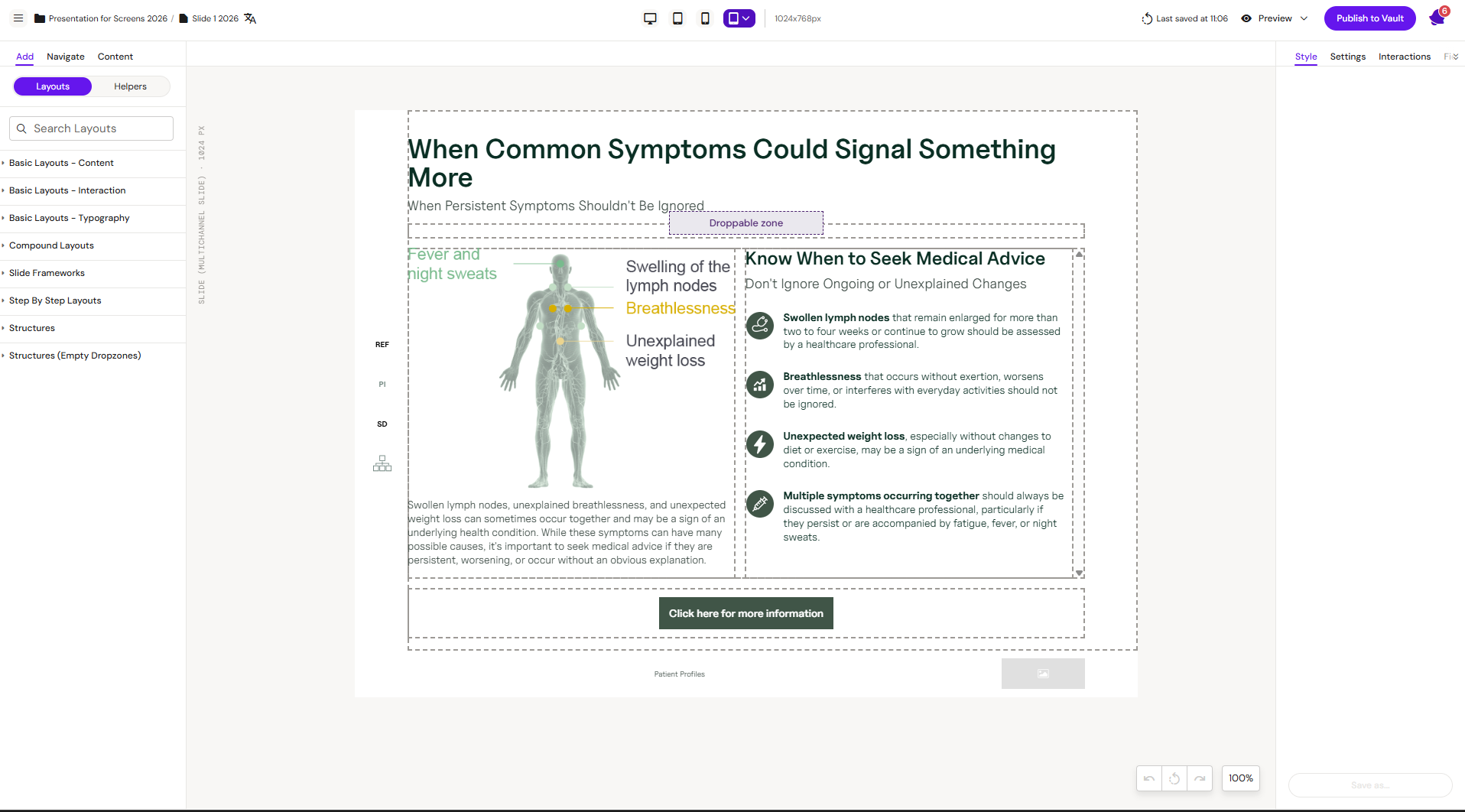
πŸ“· Hero screenshot to add β€” Workspace UI (Editor) overview
Capture the Editor view with the major UI areas annotated: left navigation, central canvas, and right-hand styles/components panel. Annotations (numbered callouts or arrows) help readers orient themselves. If annotation isn't feasible, a clean unannotated capture still works. Replace this panel with the image.

This section covers the common editing tasks you perform in the Workspace UI (Editor), regardless of channel.

Typical workflow

  1. Create or open a document

  2. Edit content (text, images, buttons)

  3. Reuse building blocks (layouts, helpers, modular content)

  4. Save and continue work

Related


πŸ“‹ Capture notes
Browser zoom 100%, 1440Γ—900 viewport. Filename: 4352999426-editor-overview.png. Replace the "πŸ“· Hero screenshot to add" panel above.