
Create a new document from the Dashboard and open it in the Editor (Workspace UI).
Create from the Dashboard
Steps
-
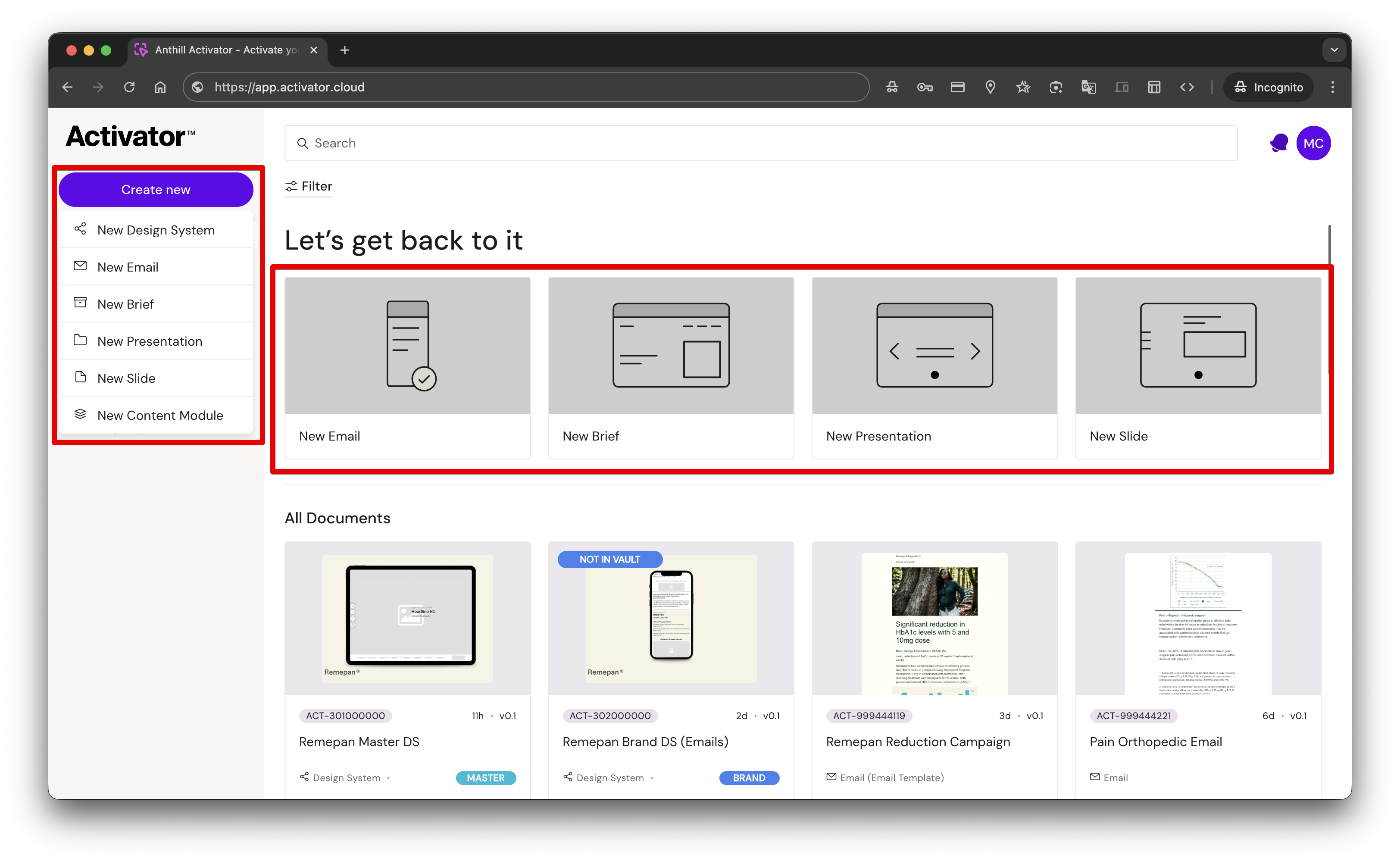
Go to the Dashboard
-
Click Create new
-
Select a document type (Email, Slide, Brief, Presentation)
-
Fill in required metadata (if prompted)
-
Click Create to open the document in the Editor
Varies by tenant (Anthill-managed)
Available document types and required fields depend on tenant configuration. Learn more.
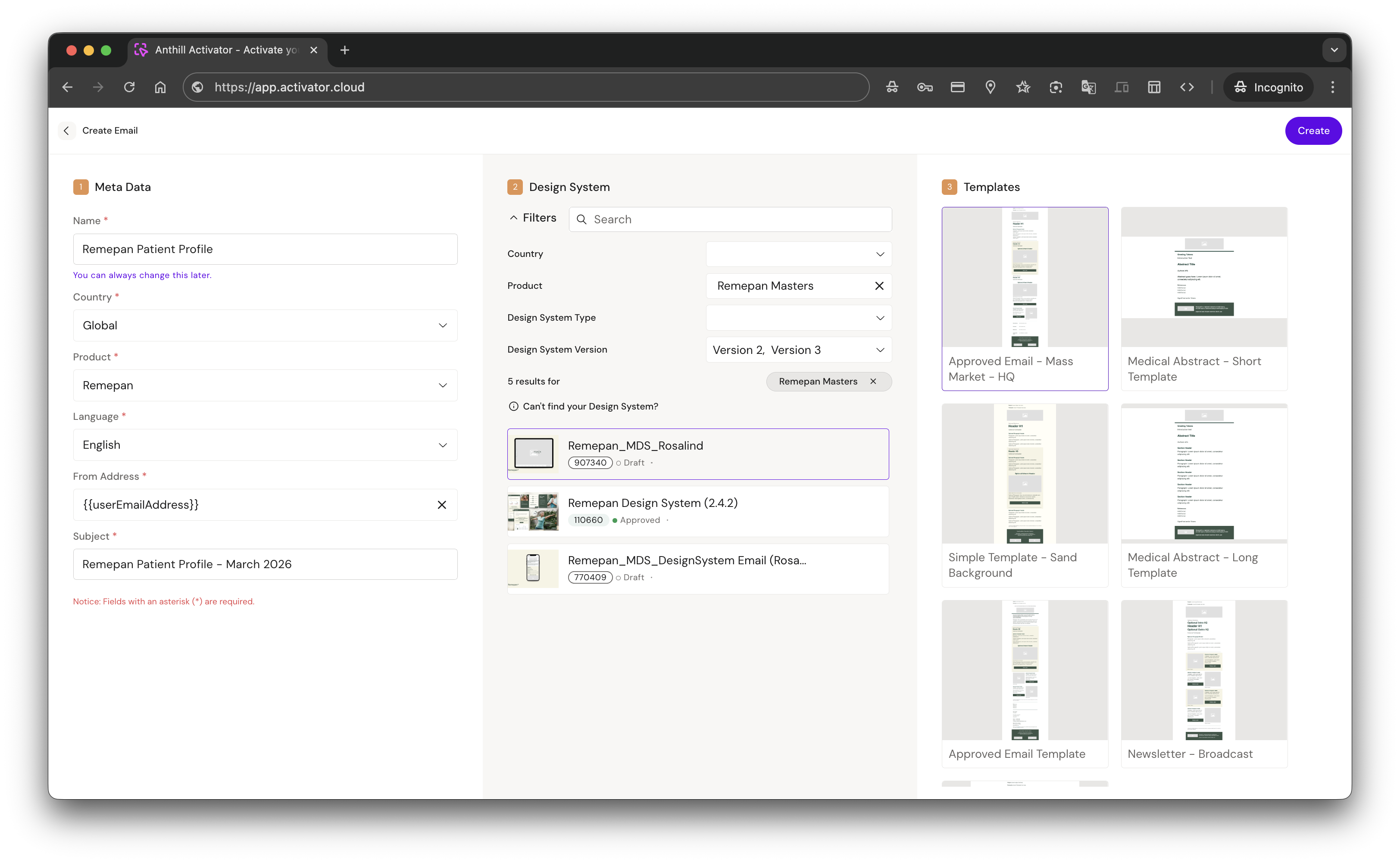
Create Email
-
From the Dashboard, click New Email
-
Fill in required metadata
-
Select a Design System (use filters to narrow down)
-
Select a template
-
Click Create
Next: Go to Channels → Email → Creating a new Email as a Content Editor
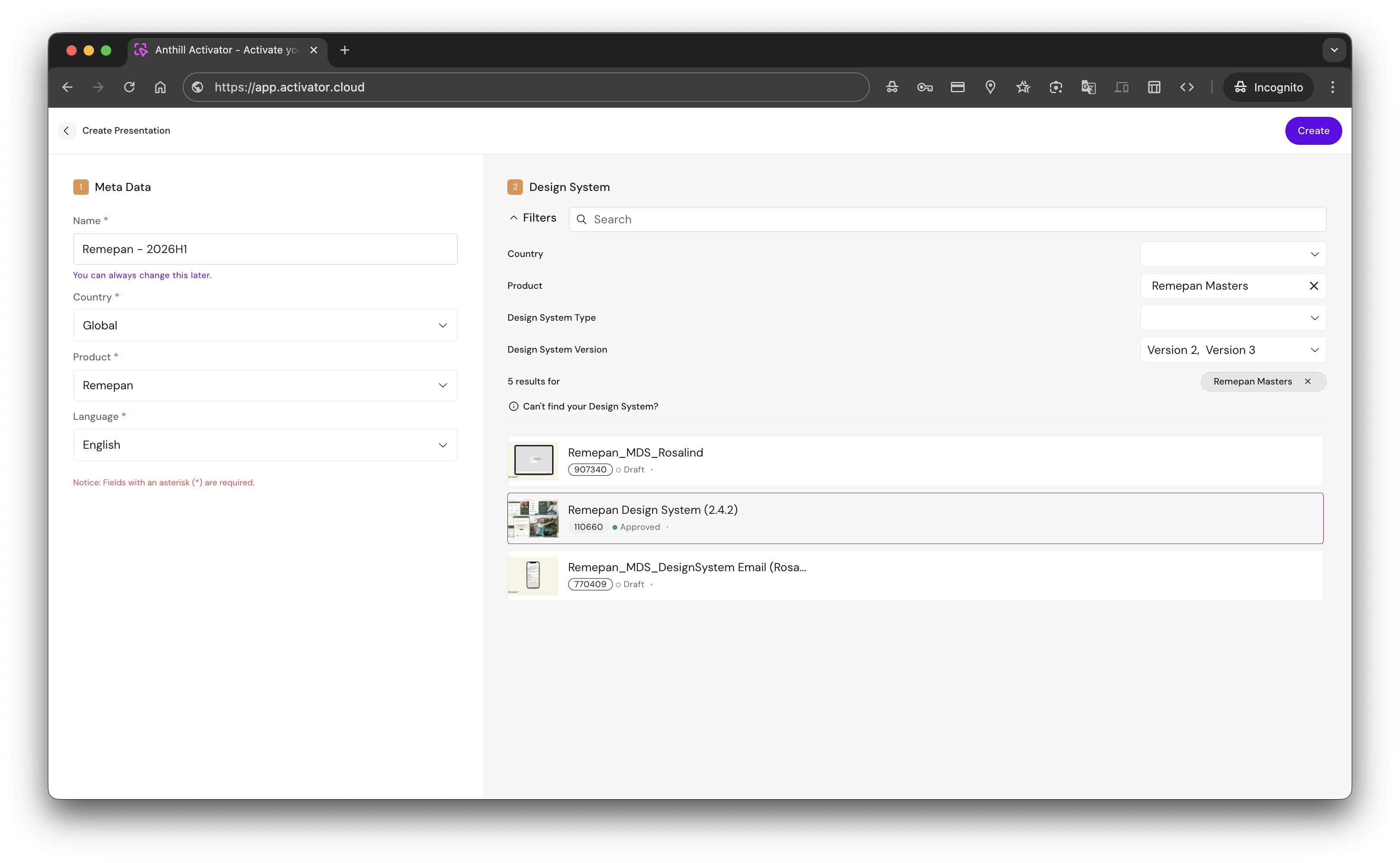
Create Presentation
-
From the Dashboard, click New Presentation
-
Fill in required metadata
-
Select a Design System (use filters to narrow down)
-
Click Create
Next: Go to Channels → Slides/eDetailer → Slides & eDetailer
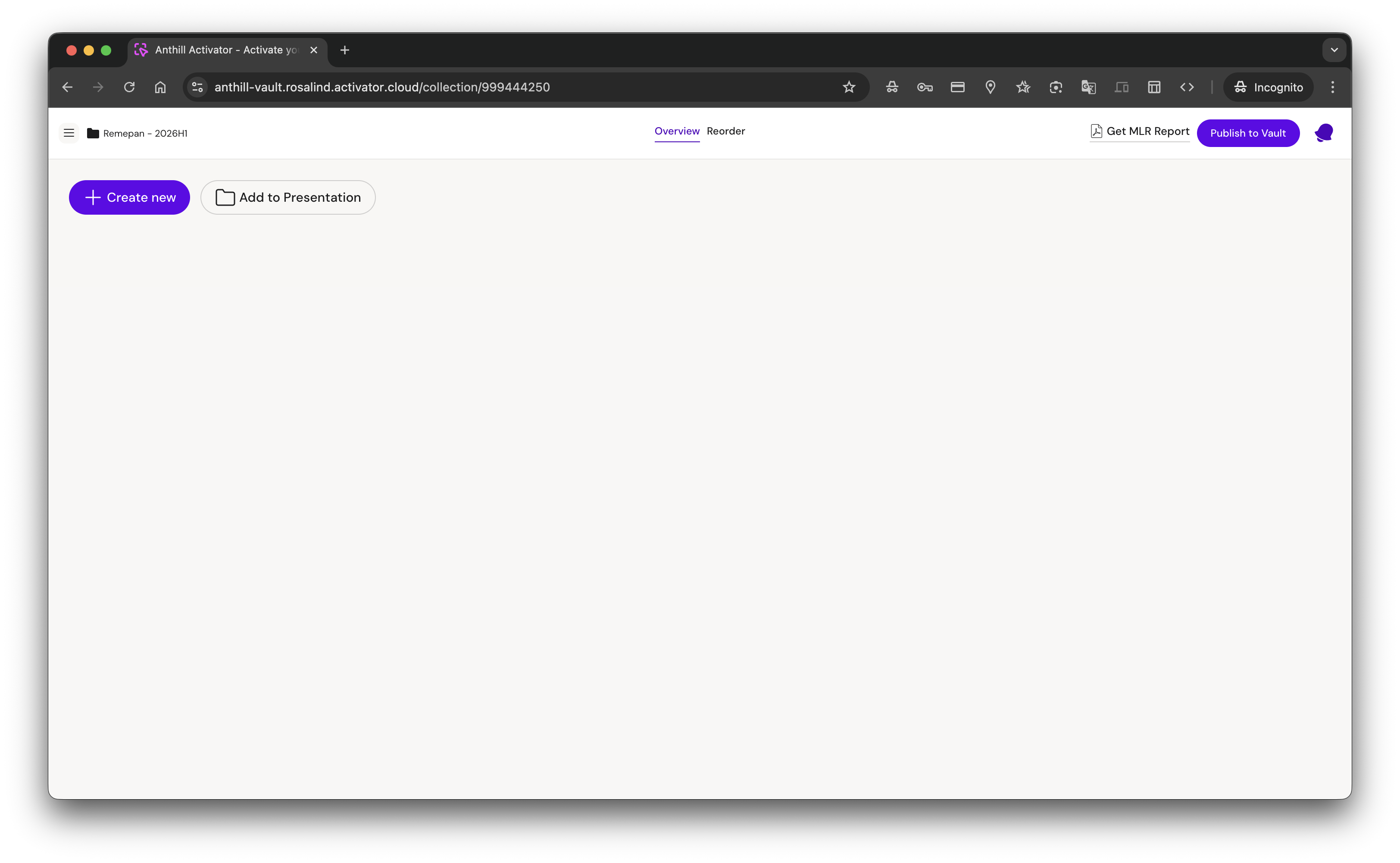
A new Presentation starts empty. You can now either:
-
Create a new Slide inside the Presentation
-
Add existing Slides to the Presentation
Create Slide
You can create a Slide in two ways:
-
From the Dashboard
-
From inside a Presentation
Create a Slide inside a Presentation
-
Open the Presentation
-
Click Create new
-
Fill in required metadata
-
Select a Design System (use filters to narrow down)
-
Select a template
-
Click Create
Next: Go to Channels → Slides & eDetailer
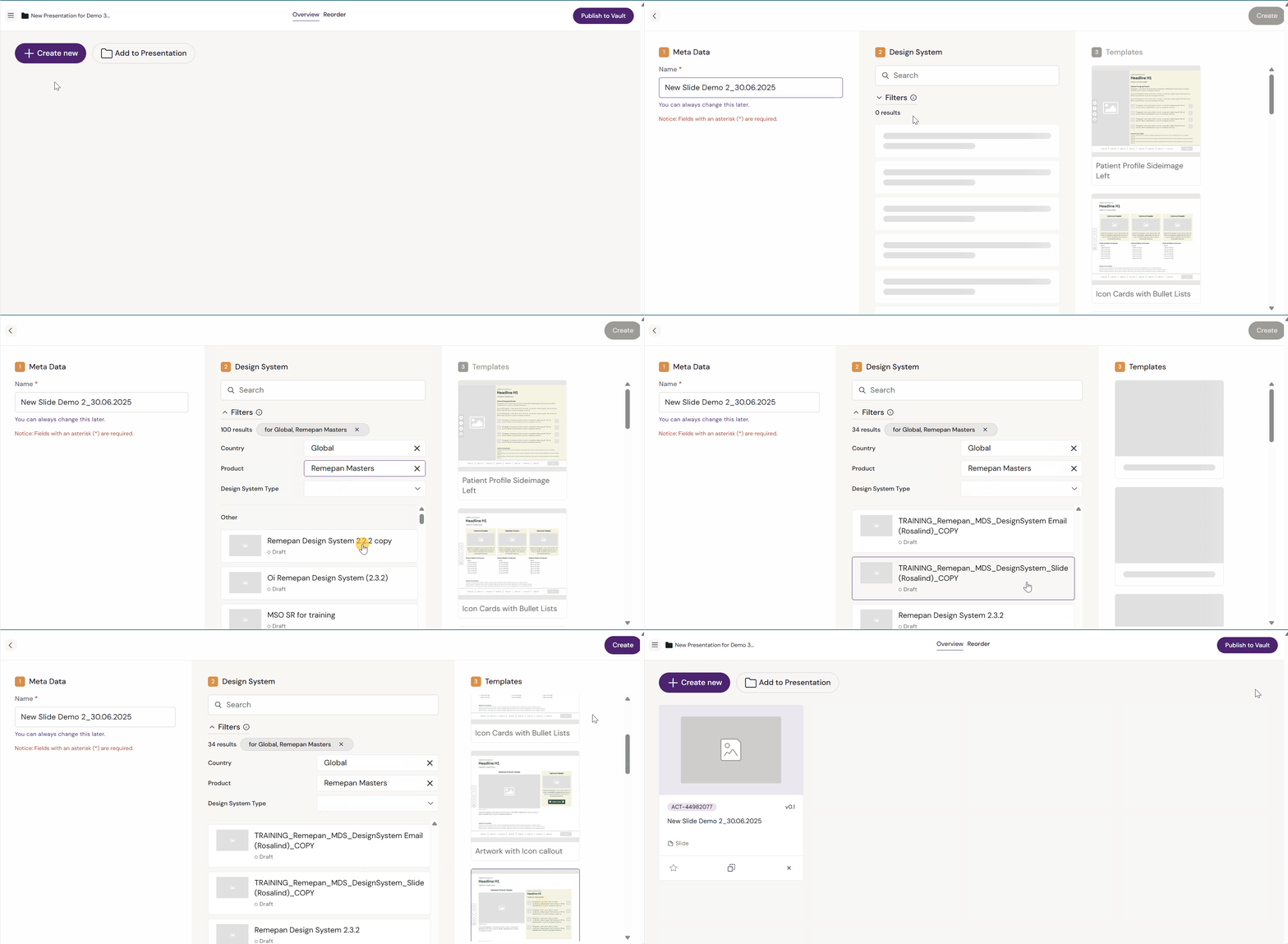
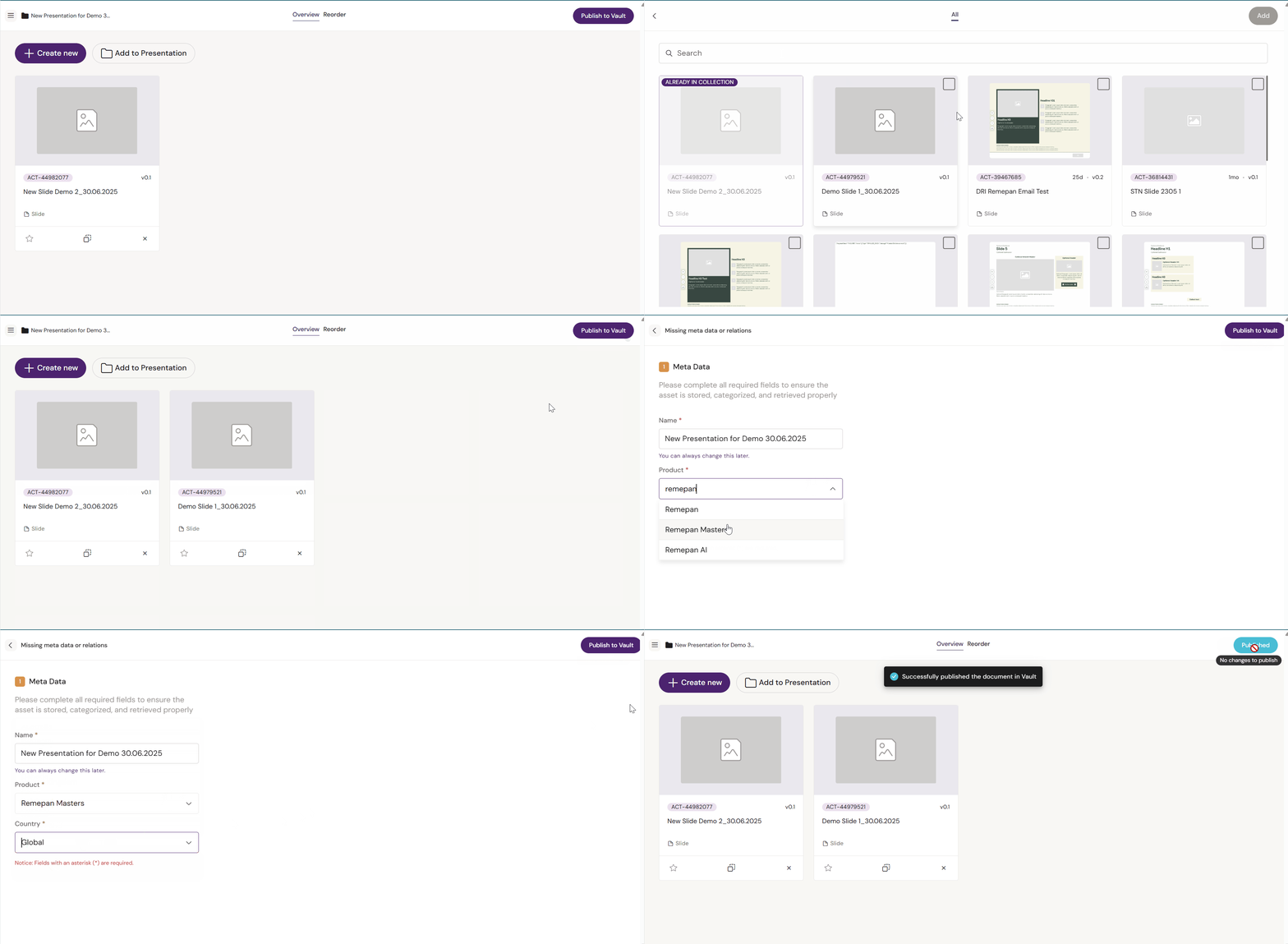
Adding existing Slides to a Presentation
You can only add Slides to a Presentation.
-
Open the Presentation
-
Click Add to Presentation
-
Select the Slides you want to add
-
Click Add
-
Click Publish to push the updated slide list/order to your connected repository (DAM)
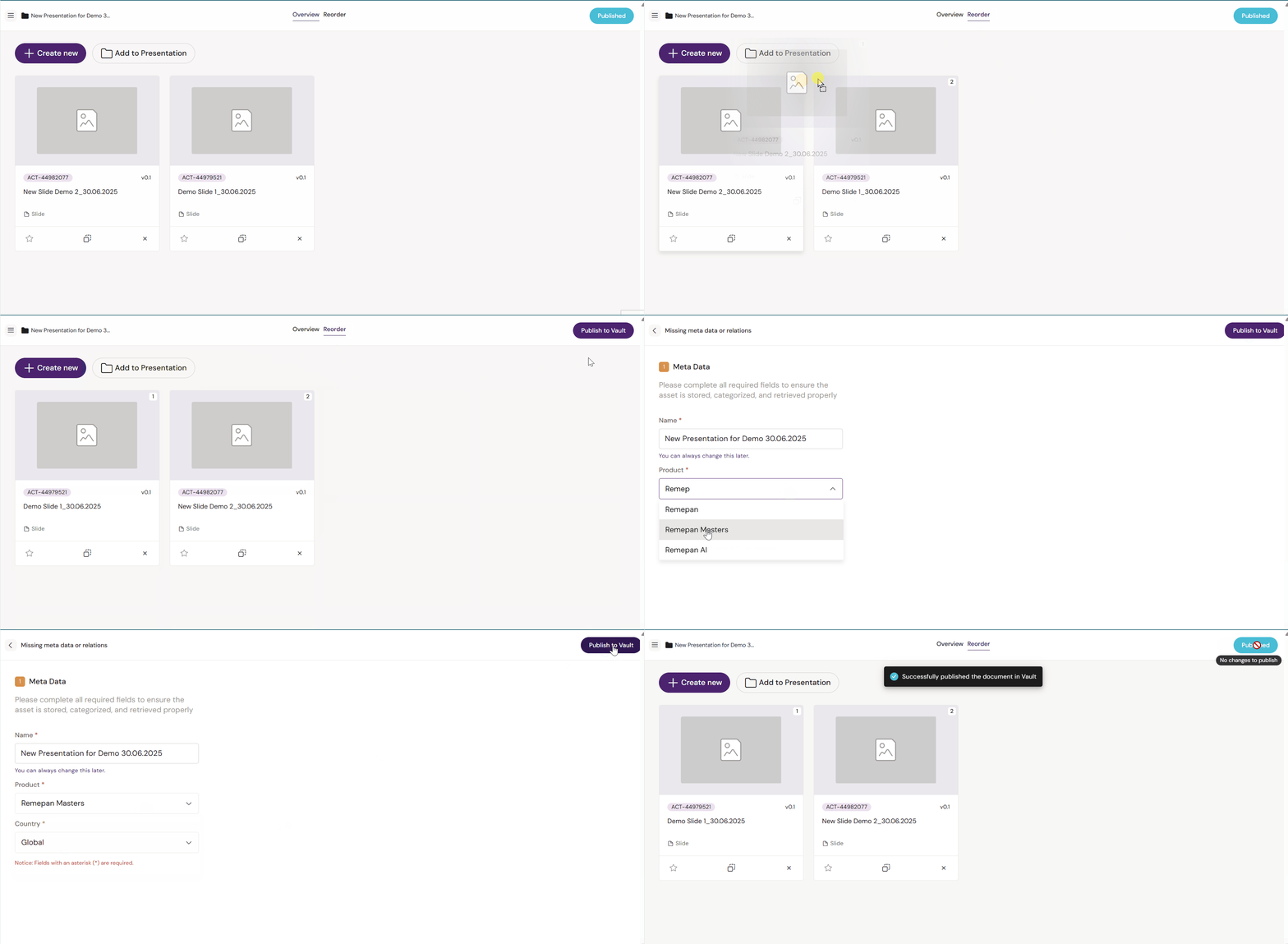
Reorder Slides inside a Presentation
-
Open the Presentation
-
Open the Reorder tab
-
Drag and drop Slides to change the sequence
-
Click Publish to push the new order to your connected repository (DAM)
Create Brief
-
From the Dashboard, click New Brief
-
Fill in required metadata
-
Select a Design System (use filters to narrow down)
-
Select a template
-
Click Create
Next: Go to Channels → Briefs