
New features are introduced via the Fusion library in the Design System. The versioning of the Fusion library follows that of Activator platform. It’s possible to continue using content and Design System that has been created in older versions of Activator, the only downside being that new features (and possibly bug fixes) will not be available.
Whenever there is a platform upgrade there will be a label, next to where a version is listed in the Design System UI, if an upgrade exists:
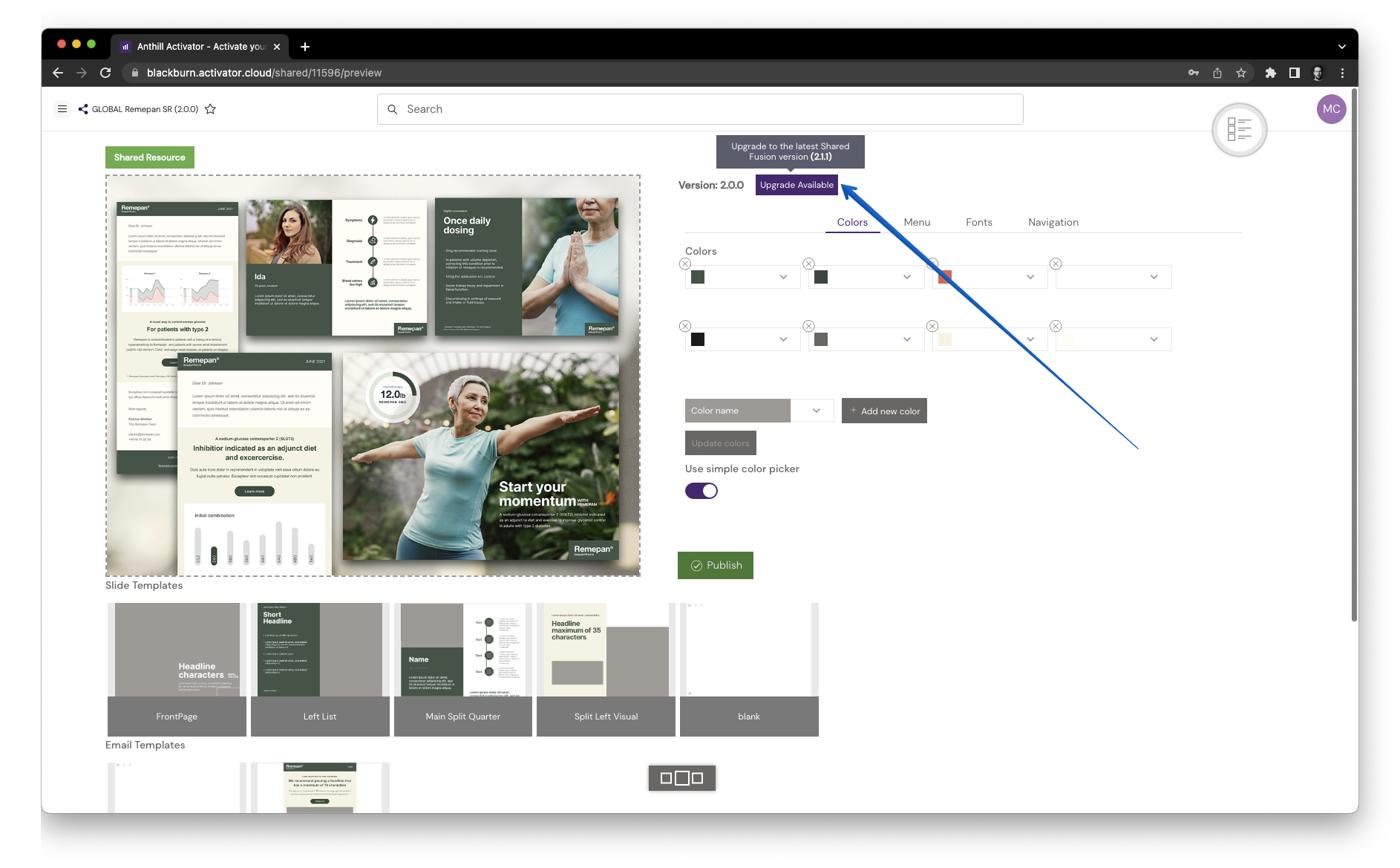
Click this and the upgrade dialogue will be presented:
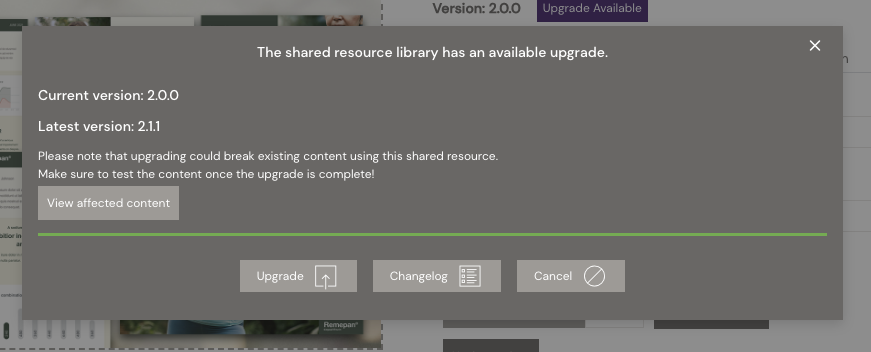
From here it’s possible to open a list of all documents that will be affected by the update. It’s also possible to open a new tab with a changelog document.
When clicking ‘Upgrade’ Activator will try to upgrade the Design System with the latest Fusion library.
It is possible that the upgrade fails if there has been changes to files that we need to upgrade. In that case the upgrade needs to be done manually.
A log file will be generated specifying which files are preventing the automatic upgrade.
Do NOT make any changes to the files in the ‘fusion’ folder. This will make the auto upgrade fail!
Upgrade effects
The upgrade may contain fixes, improvements and new features that relate to Design System and as such we recommend that you keep your Design System updated.
It is however important that you test the content after an upgrade the Design System. We recommend you take a test copy of your materials - a couple of Slides should be enough in case you have many Slides - upgrade the SR and test it on an iPad. After you have confirmed that everything looks good, you can proceed to upgrade the original Design System.
In some cases, and this mostly applies to older legacy content, it is not necessary or even advisable to upgrade the Design System. If the content works as intended and no new development is needed, simply leave the SR on its current version.