Note: Your company may follow a different document duplication workflow. Check your internal guidelines if duplicating Design Systems in Activator is not an option for you.
Important: Activator Involvement Required for Design System Creation and Duplication
When working with Design Systems and a DAM (Digital Assets Management System)is used, it is essential that Activator is involved in both the creation and any copy or duplication process.
Why this matters
Design Systems rely on relationships, inheritance, and hierarchy between components. These structural elements are not stored directly in the DAM. Instead, they are controlled and maintained by Activator.
What happens if you copy a Design System in the DAM?
If a Design System is copied or duplicated directly in the DAM without using Activator:
-
The copied Design System will appear empty when opened in Activator
-
No components, relationships, inheritance, or hierarchy will be present
-
The Design System structure cannot be reconstructed automatically
This happens because the DAM copy only contains the file reference, not the underlying system logic managed by Activator.
Correct way to create or duplicate a Design System
To ensure a Design System works as expected:
-
All creation, duplication, or copying must be performed through Activator
-
Activator ensures that:
-
Component relationships are preserved
-
Inheritance rules remain intact
-
Hierarchy and dependencies are correctly maintained
-
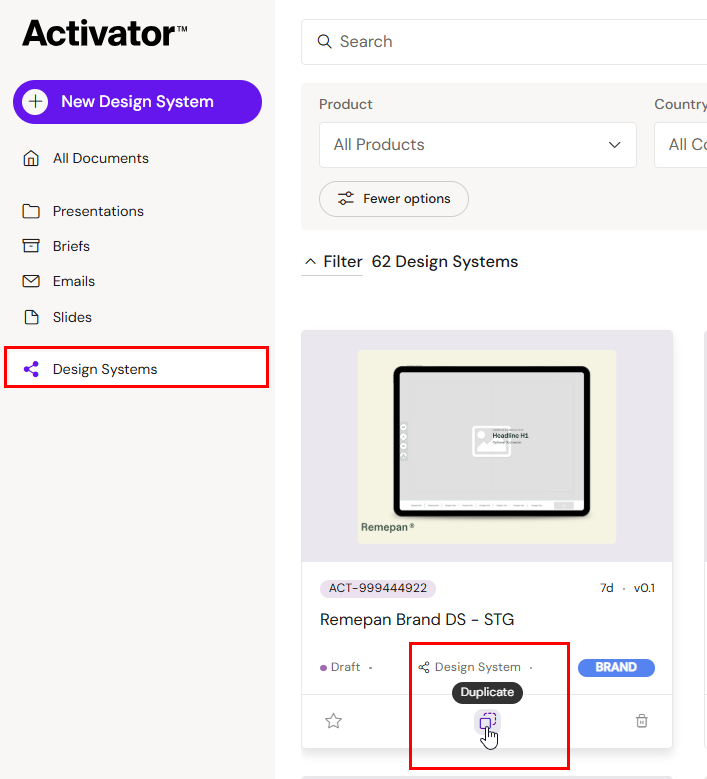
Method 1
Go to the Dashboard and locate the Design System you wish to copy. You can find the duplicate button in the middle at the bottom of the content card:
Method 2
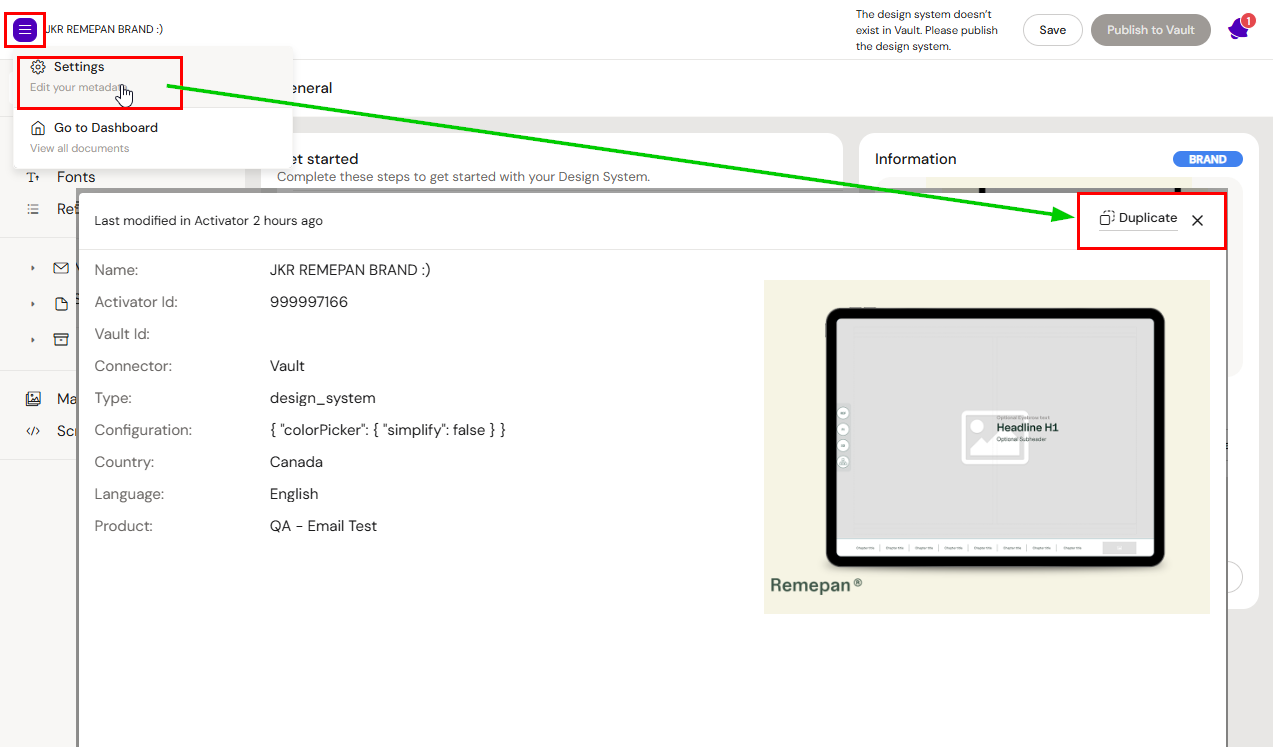
When the Design System UI is open, click on the burger menu->settings. The duplication button is available on the popup.
Design System Duplication Wizard
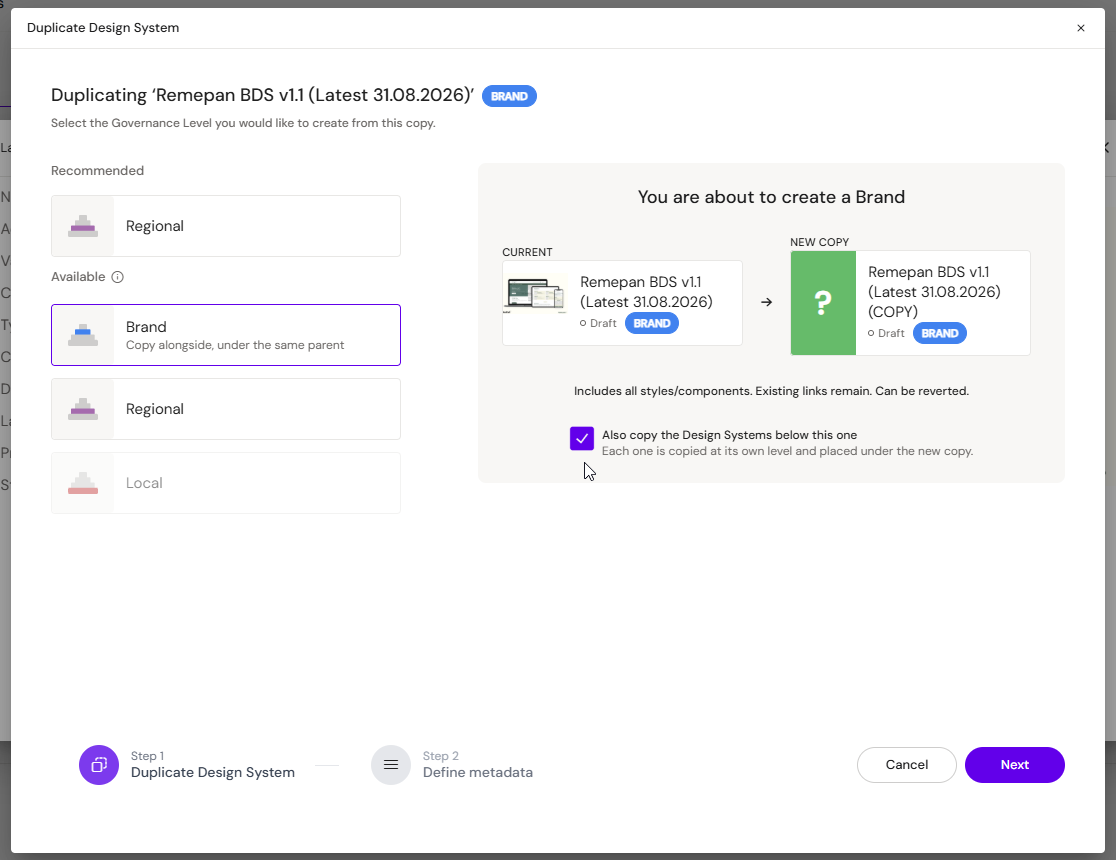
The options you are presented with depend on what Governance Level of Design System you are copying (Master, Brand, Regional, or Local).
Duplicating within the same hierarchy level
The Design System Duplication Wizard lets you create a copy either one level below the source (the Recommended option) or as a sibling within the source's own Governance Level. Selecting the source's own Governance Level in the Available list creates a new Design System alongside the original instead of underneath it; in the wizard this option carries the helper text "Copy alongside, under the same parent."
An optional checkbox, "Also copy the Design Systems below this one," brings along every Design System nested beneath the source in the same operation — each one copied at its own level and placed under the new copy.
Typical uses: creating a second Brand Design System for a dual-brand launch, reskinning an existing Design System as the starting point for a new one, or seeding a new Regional or Local variant without rebuilding the tree underneath it.
Duplicating with parent/child relationship
Master
-
Recommended: Brand Design System
-
Available: Master Design System, Brand Design System
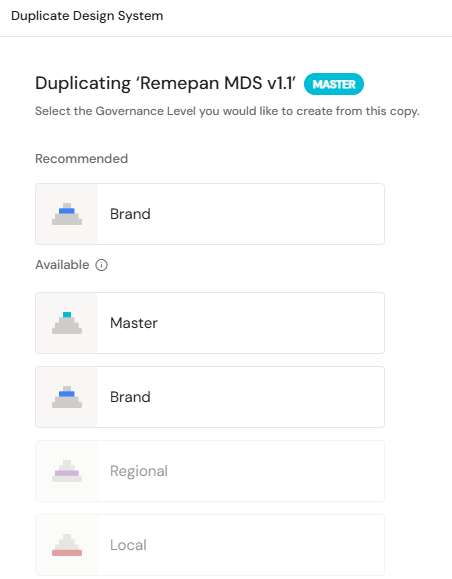
Brand
Recommended: Regional Design System
Available: Brand Design System (sibling). Master Design System is not offered as a duplication target for a Brand source.
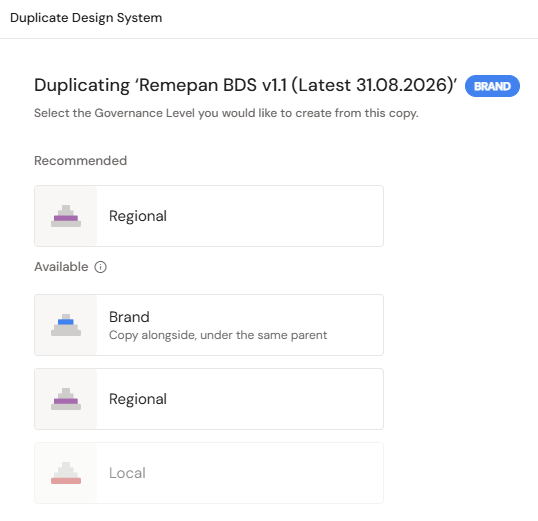
Regional
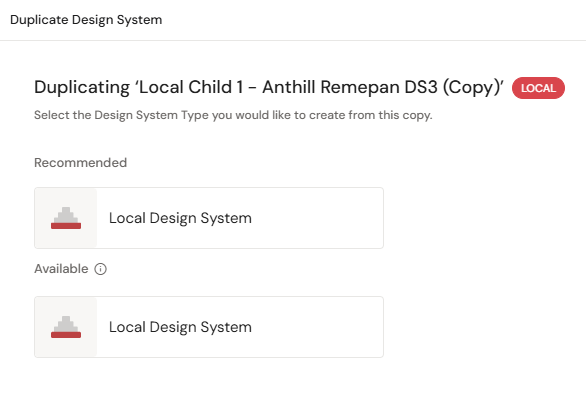
Recommended: Local Design System
Available: Regional Design System (sibling). Master and Brand Design System are not offered as duplication targets for a Regional source.
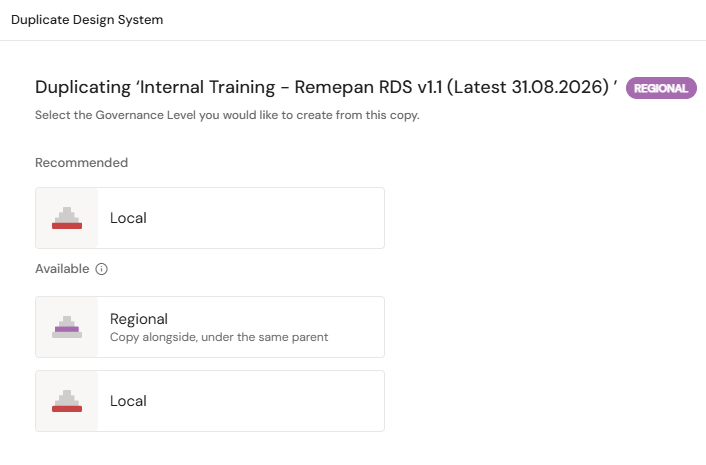
Local
Available: Local Design System (sibling). This is the only option, since Local is the bottom of the hierarchy.