
Note: Your company may not allow this feature for all roles. Check your internal guidelines if creating a new Design System in Activator is not an option for you.
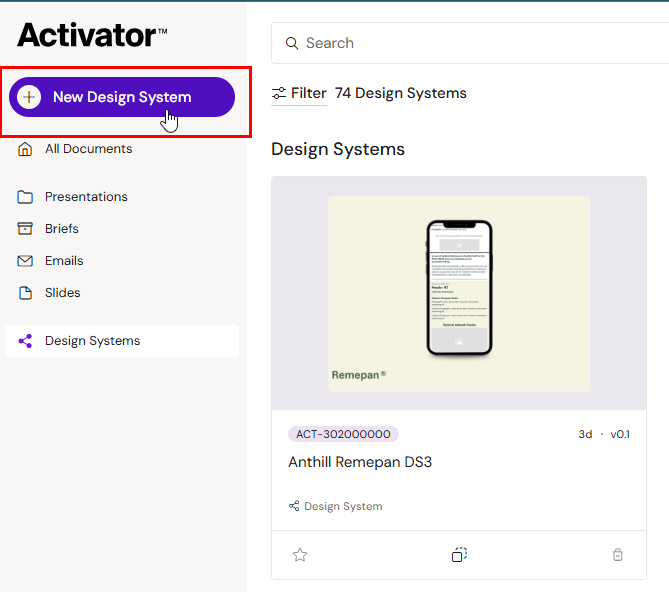
From the Dashboard go to the Design System section and click the New Design System button.
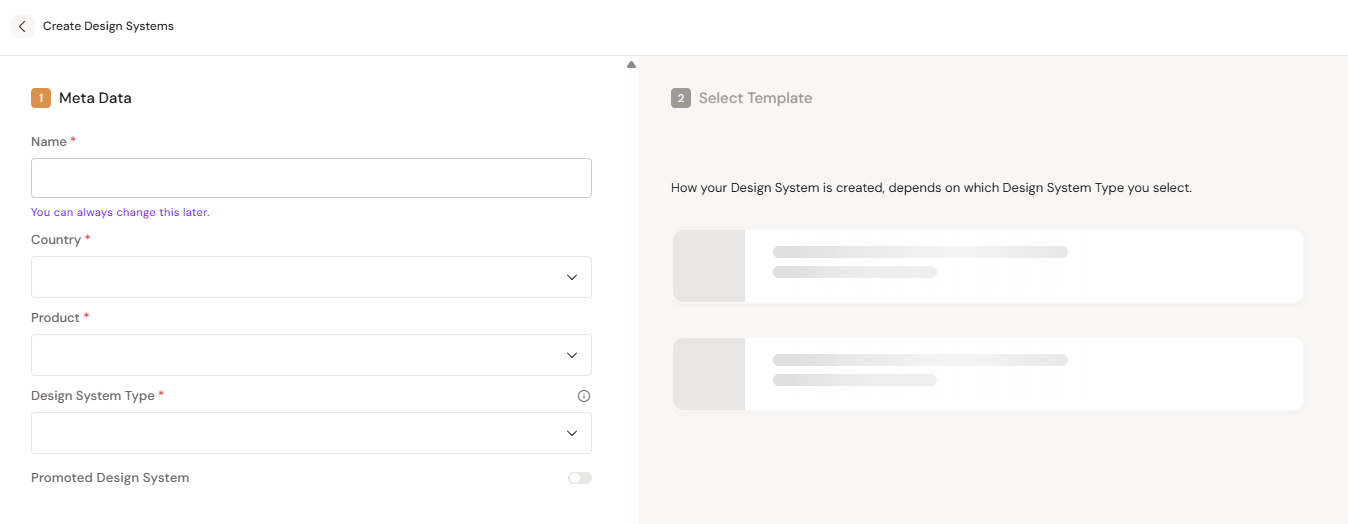
Fill in all the mandatory data. The fields available to you may differ slightly from the shown options in the example below.
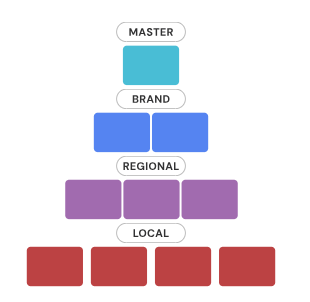
There will be 4 Design System types to select from:
-
Master Design System (MDS)
-
Defines the global foundation: colors, typography, and components.
Use it to maintain organization-wide design standards.
-
-
Brand Design System (BDS)
-
Is used to adapt global foundations to reflect a brand’s unique identity and requirements.
-
-
Regional Design System (RDS)
-
Is used to tailor design and content for specific regions, languages, or regulations.
-
-
Local Design System (LDS)
-
Is used by local teams to customize layouts and assets for country-specific needs.
-
When to Create a Master Design System from a Blank Template
Choose a blank MDS when you want to build a design system from scratch with no predefined layouts, colors, or fonts.
Use this option if you’re creating a new brand, redefining your design language, or testing a new foundation independently of existing systems.
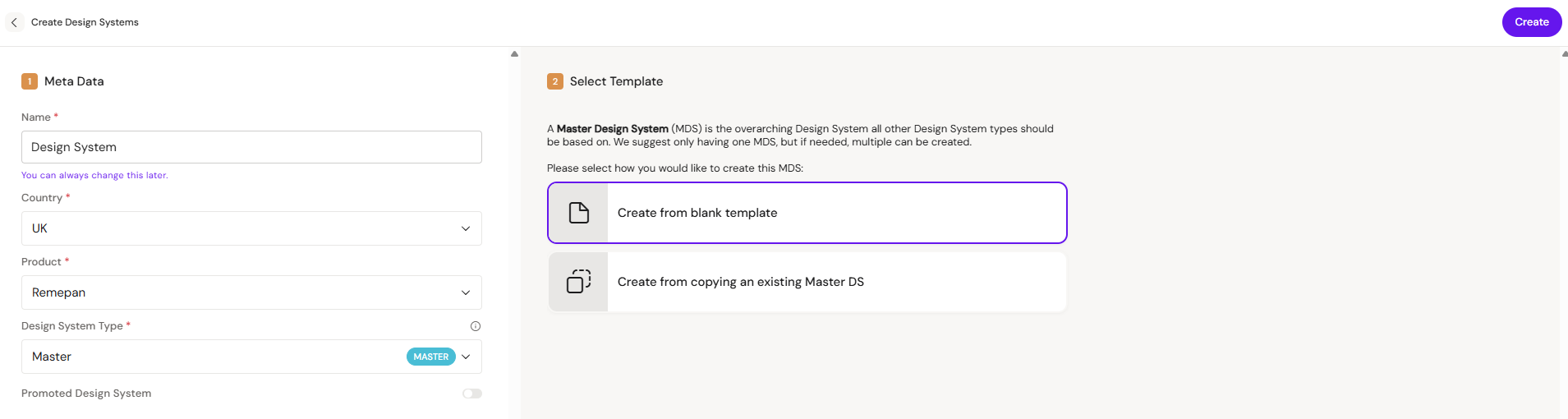
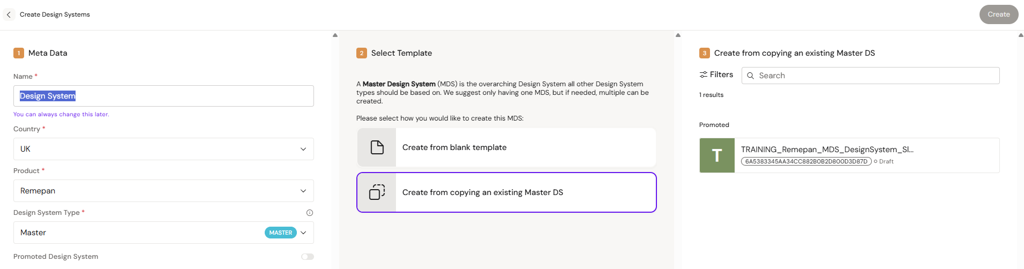
When to Base a Master Design System on an Existing Master
Choose this option when you want to create a new Master Design System that starts as a clone of an existing MDS. It copies all structures, assets, and styles at the time of creation but has no ongoing connection to the original.
Use it if you need a similar foundation, for example, for a new brand or product family while keeping the freedom to evolve it independently. Updates made to the original MDS will not be reflected in the cloned version.
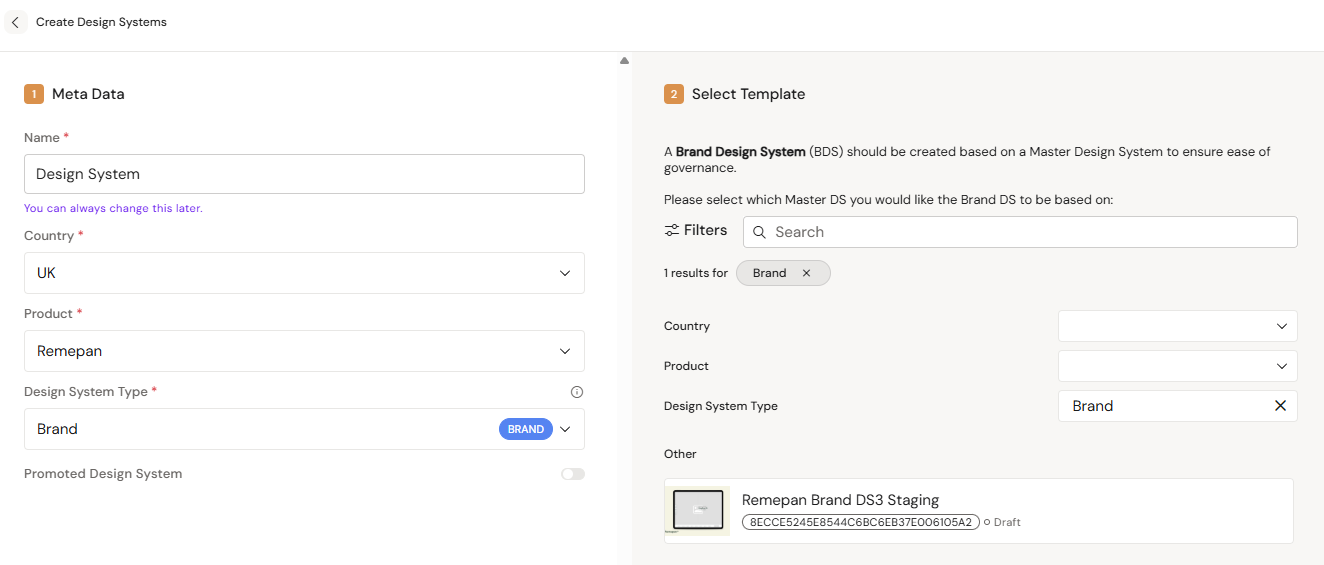
When to Base a Brand Design System on an Existing Brand
Choose this option when you want to create a new Brand Design System that starts as a clone of an existing BDS. It duplicates all layouts, assets, and styles at the time of creation but has no ongoing connection to the original.
Use it if you need a similar setup, for example, for a related brand, campaign, or product line while keeping the flexibility to customize it independently. Updates made to the original BDS will not carry over to the new clone.
When to Base a Regional Design System on an Existing One
Choose this option when you want to create a new Regional Design System that starts as a clone of an existing RDS. It copies all structures, assets, and styles at the time of creation but has no ongoing link to the original.
Use it if you need a similar regional setup, for example, for a new market or language, while keeping full control to adapt it independently. Updates made to the original RDS will not be reflected in the new clone.
When to Base a Local Design System on an Existing One
Choose this option when you want to create a new Local Design System that starts as a clone of an existing LDS. It duplicates all layouts, assets, and songoing tyles at the time of creation but has no connection to the original.
Use it if you need a similar local setup, for example, for a new country, market, or client, while keeping the freedom to customize it independently. Updates made to the original LDS will not carry over to the new clone
Adding banner-ready content
When creating a Design System that will host Banner content, banner-ready layouts are added through source upload after the Design System is created — see Banner Layouts. Templates, helpers, and components are not supported for the Banners channel in the current release.