
Importing a Design System from the DAM adds your account to the Design System's user array. Being on that list gives you edit rights, so you can create and update layouts from the document editor.
What you may see in Activator
The Design System list in Activator can include Design Systems that other people imported, and Design Systems that have never been published to the DAM. Seeing a Design System in Activator does not mean you are on its user array.
When you need to import
-
The New Layout and Update the Layout buttons are inactive (greyed out) on the Email page.
-
You cannot save or update a layout from the editor.
How to import
-
Sign in with your own account and find the published Design System in the DAM.
-
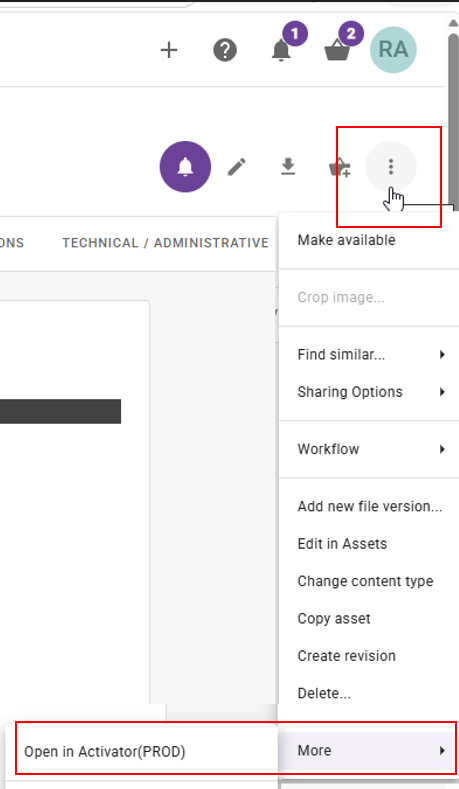
Use the Actions menu to open the Design System in Activator (Open in Activator).
-
Reload your document. The layout buttons are now active.
You only need to do this once per account.
If the Design System is not in the DAM
A Design System that has not been published to the DAM cannot be imported. If your permissions allow it, publish the Design System to the DAM first, then import it as described above.