
Publishing pushes your current document state from Activator to your connected repository (DAM), such as Veeva Vault or Aprimo. Publishing is the step that makes your work available downstream for review, distribution, and use in other systems.
This article covers how publishing works for:
-
Emails
-
Banners
-
Slides
-
Presentations (containers for slides)
Varies by tenant (Anthill-managed)
Button labels, required metadata, available renditions, and publish rules depend on tenant configuration and DAM type. Learn more.
Before you publish
Do these checks first:
-
Save your latest edits
-
Preview the document (layout, links, interactions)
-
Ensure mandatory metadata is completed (if your tenant enforces it)
-
For Slides: ensure the right slides are included and ordered in the Presentation
Publish an Email
Emails are published directly from the document editor.
Compiled email size
Before you publish, check the compiled email size in preview or in the publishing modal window. Activator displays the size and shows an alert as it approaches downstream limits (e.g., Veeva CRM delivery constraints).
Steps
-
Open the Email document in the Editor
-
Click Publish to Vault/Aprimo (top right)
-
Fill in metadata if prompted
-
Select rendition options (if prompted)
-
Example: Visual representation vs MLR report (optional feature)
-
-
Click Publish again to confirm
-
Wait for the success confirmation
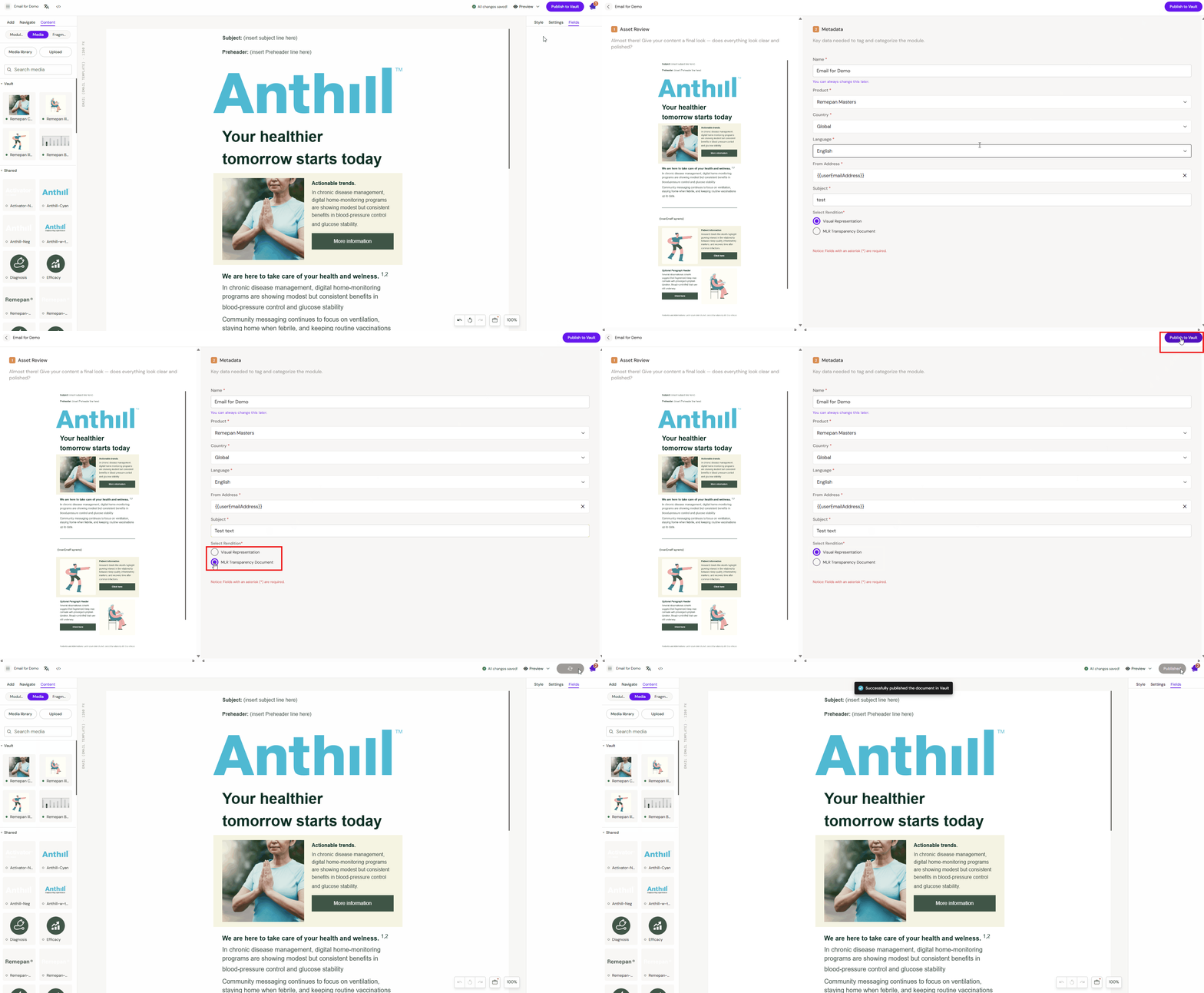
What happens when you publish an Email
-
Activator generates the final email output and sends it to the DAM according to tenant mapping rules
-
A new published version is created in the DAM
Publish a Slide
Slides typically live inside a Presentation, but the Slide itself can have its own publish state.
How to recognise an unpublished Slide
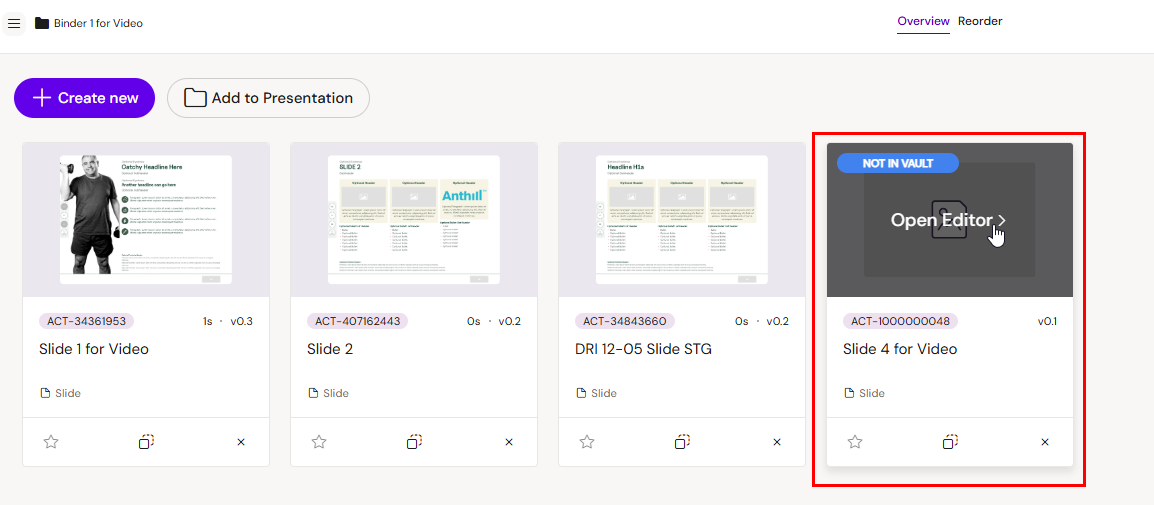
New Slides often show an indicator such as "Not in Vault/Aprimo". This remains until the Slide has been published at least once.
Steps
-
Open the Slide
-
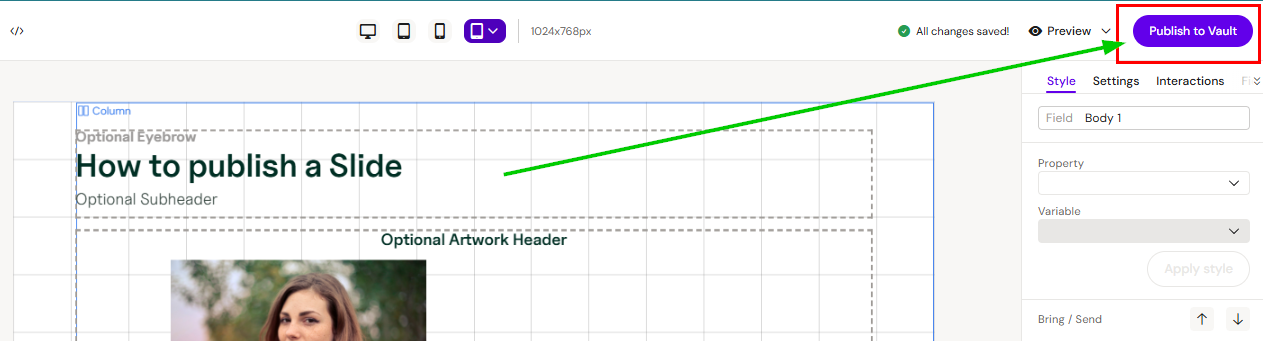
Make your edits
-
Click Publish
-
Wait for confirmation and verify the unpublished indicator is removed
Notes
-
Publishing a Slide updates the Slide record/version in the DAM.
-
Publishing a Slide does not necessarily update the Presentation container (see next section).
Publish a Presentation
A Presentation represents the package/structure: slide membership, ordering, and (in many setups) the deliverable that iPad/CRM experiences depend on. Even if individual Slides are published, you often still need to publish the Presentation to push structural changes.
When you must publish the Presentation
-
You added Slides to the Presentation
-
You removed Slides from the Presentation
-
You reordered Slides
-
Your tenant uses Presentation publish to generate/update a downstream package
Steps
-
Open the Presentation
-
Click Publish to Vault/Aprimo
-
If prompted, review the wizard:
-
You may be offered to publish any unpublished Slides as part of the flow
-
-
Confirm and wait for success
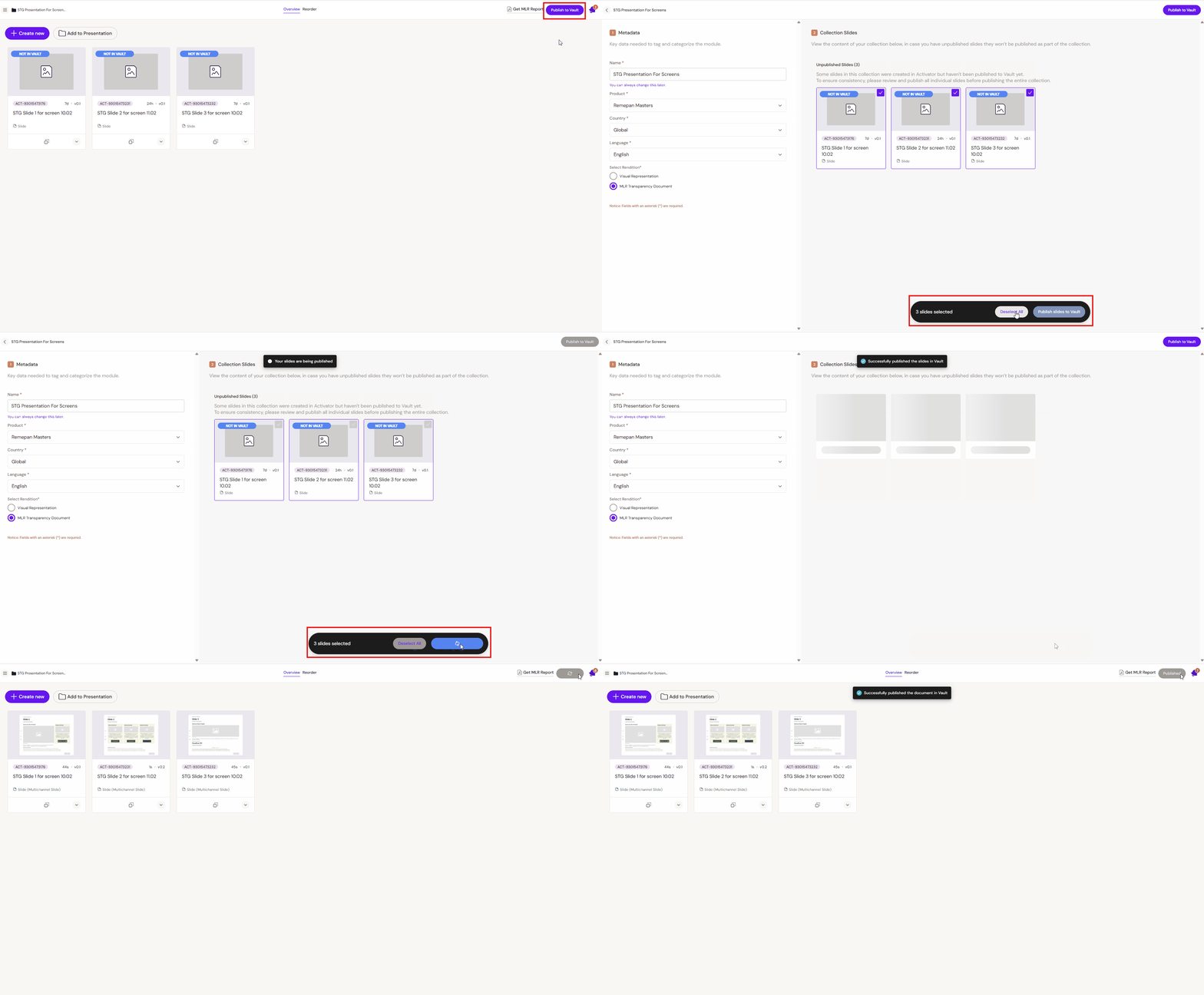
What happens when you publish a Presentation
-
The Presentation package (membership/order and any required artefacts) is updated in the DAM
-
Depending on tenant configuration, it may update references used downstream by CRM/viewers
Publish a Banner
Banner publishing produces a different output from other channels. Where an Email or Slide publishes a single source file, a Banner publishes a bundle of bundles — one distribution package per viewport, plus a set of visual representations used for review.
Steps
-
Open the Presentation
-
Click Publish to Vault/Aprimo
-
Choose which visual representation acts as the viewable rendition on the connected DAM document.
What happens when you publish a Banner
-
Compiles a distribution package containing the HTML source, styling, and any local assets needed by that viewport, ready for delivery to an ad platform
-
Compresses local assets as required (CDN assets are left as URL references)
-
Records an MP4 video preview for each animated viewport — a full capture of the banner playing through every scene
-
Captures an image preview for each static viewport
-
Generates an MLR report that walks every scene of every viewport in a single review-ready PDF (see MLR Report for Banners)
All of these are bundled together for delivery to the connected DAM.
Unpublished changes
Activator always keeps your document and its full edit history in the app — there is no retention window, and nothing you leave unpublished ever expires or gets deleted.
Publishing is a separate, deliberate step. It is what pushes your current changes from Activator to your connected DAM (Vault/Aprimo) — until you publish, your edits live in Activator only and are not reflected downstream.
When you need to publish
-
Whenever you want your latest changes to reach the DAM for review, distribution, or downstream use.
-
For Slides and Collections/Presentations specifically, some functionality depends on the published state rather than the in-app draft — for example, setting up navigation actions. In these cases you need to publish even if you are not yet ready to distribute.