
The Group Container is a functional element designed to bundle multiple components into a single logical unit. It allows you to manage, move, and replicate a collection of elements as if they were a single object.
Add Group Container
You can add a Group Container from the Left panel.
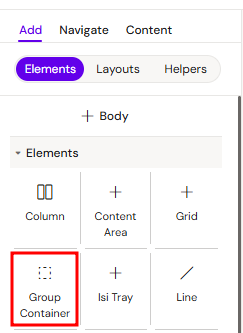
How to style Group Container
The right panel for the Group Container contains general properties:
Core Concepts
It can be used as a standalone element or nested within various layout containers.
How to use the Group Container
-
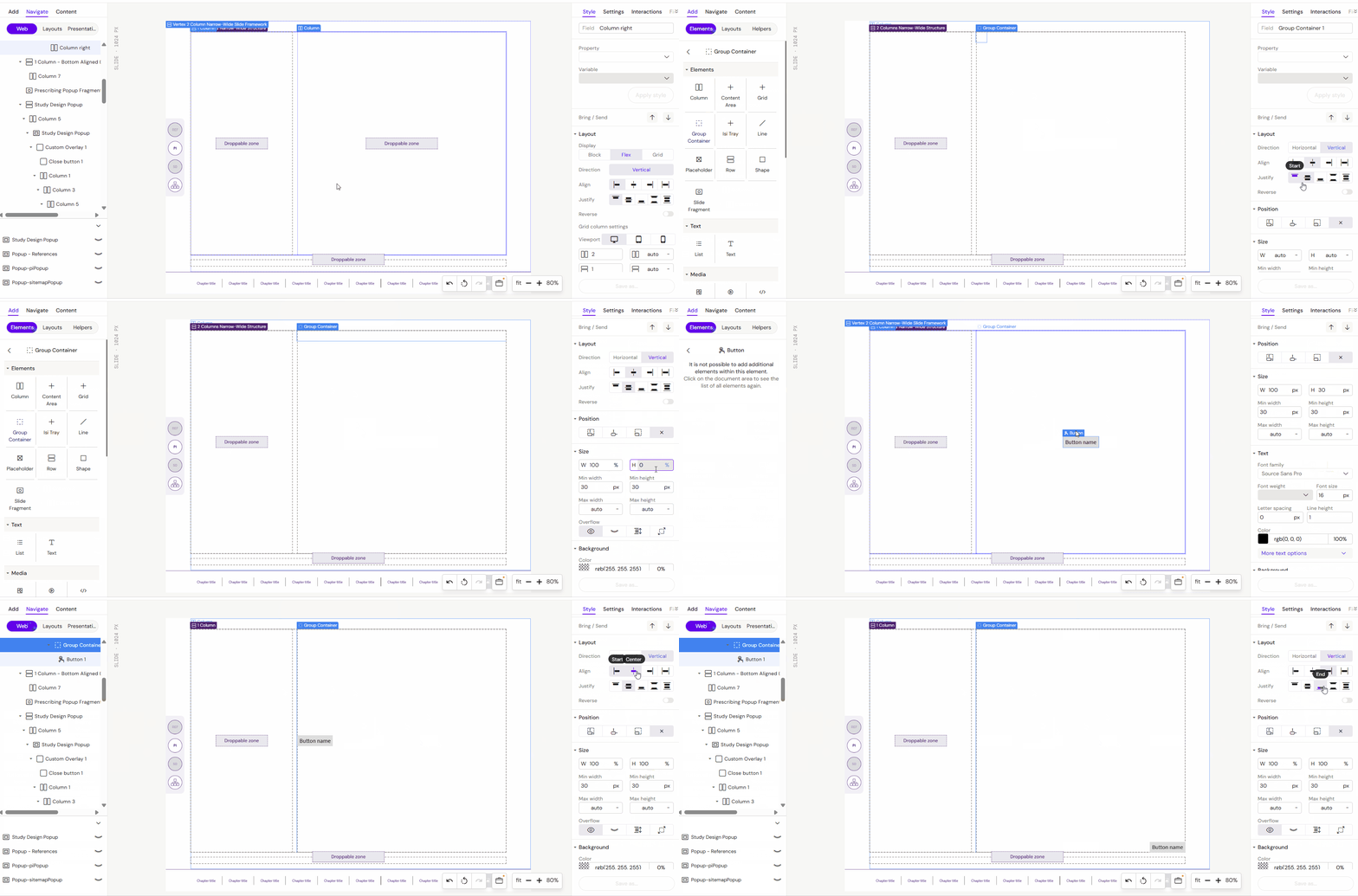
Add a Group container into a supporting container e.g. a Column container.
-
Start adding content into your Group container
-
You can now configure your Group container as required to manipulate all of the content inside the Group container. In this example we are moving all of our content elements around on the layout canvas, by reconfiguring the Group container positioning units
Usage Scenarios
1. Within Supporting Containers
Typically, you add a Group Container into a parent element like a Column. This helps categorize and isolate specific content blocks within the vertical flow of the page.
2. Content Replication
If you need to duplicate a specific layout (e.g., a profile card or a feature block) across different slides or sections, grouping the elements makes them easy to copy and paste as a complete unit.
Key Configuration Options
-
Positioning and Units: Configure the Group Container’s positioning to manipulate all internal content simultaneously. By reconfiguring the group's units, you can shift the entire block on the layout canvas.
-
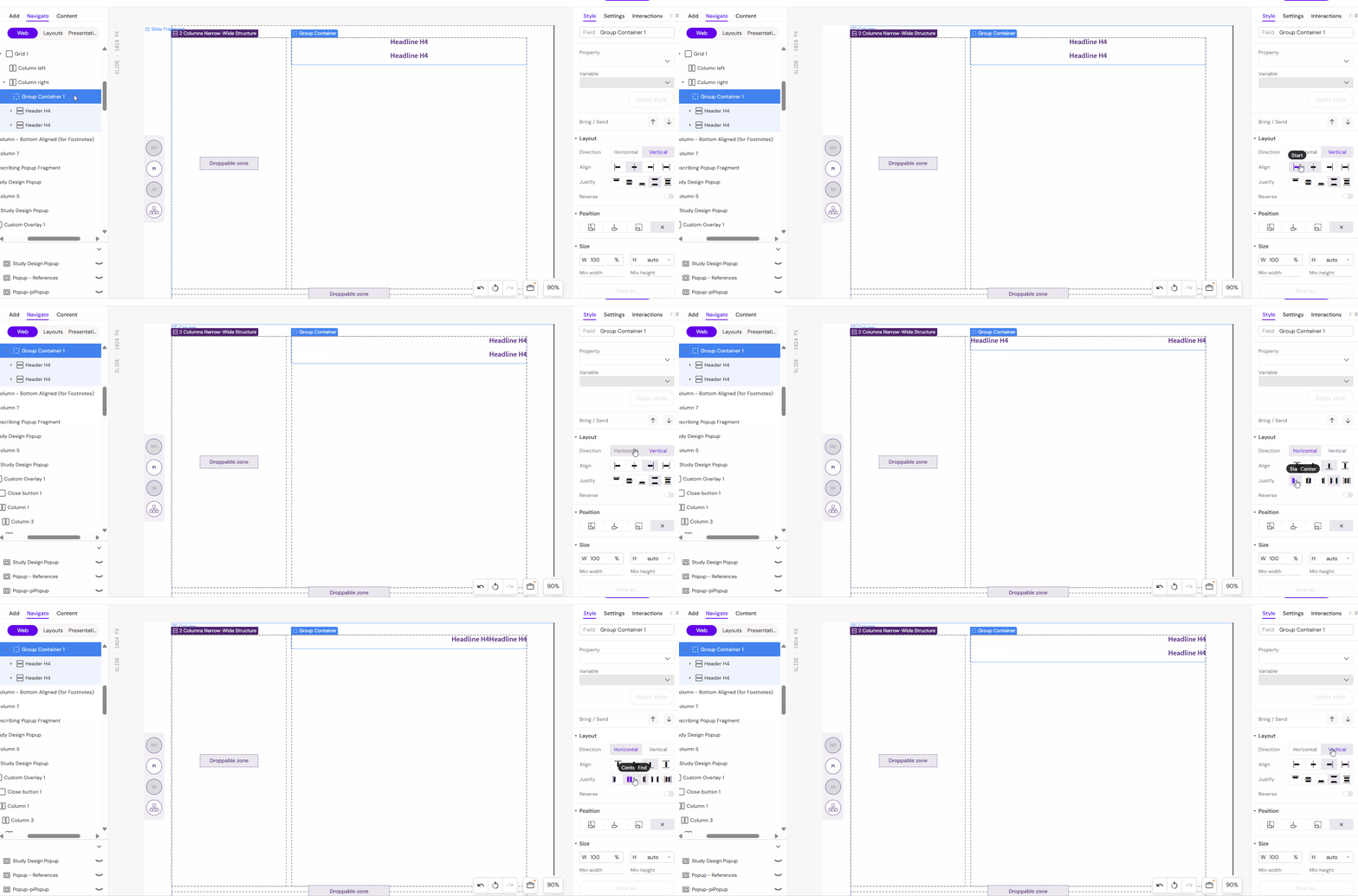
Internal Alignment: Manage how elements are distributed within the group boundary.
-
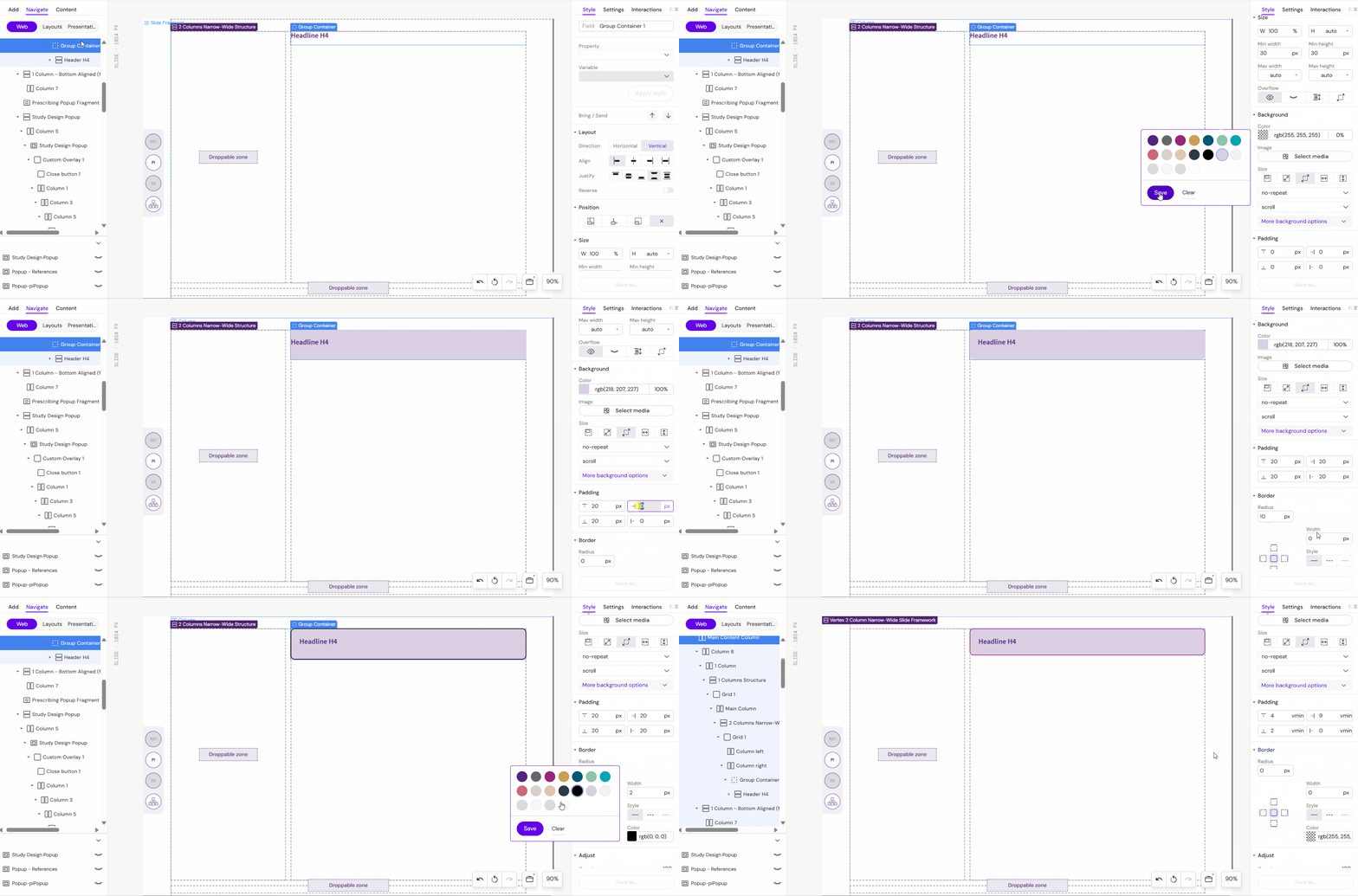
Component Encapsulation: Adjust styles (like background, borders, or padding) that apply to the entire group of elements at once.
Best Practices
-
Use Group Containers to keep related elements together (e.g., an icon with its corresponding title and description).
-
Leverage nesting to build complex UI components from simpler blocks.
-
Move or copy the Group Container itself instead of individual elements to save time and maintain layout consistency.