
The Reference Popup is a specialized version of the standard Popup component. While it shares the same structural logic, its content is dynamically driven by a specific configuration file.
Reference Popup vs Reference Collection View
In v3.6, Activator added a second way to surface citations in a document: the Reference Collection View — available at both page level and layout level.
Both components read from the same centralised reference.json file. The difference is how references are surfaced:
-
Reference Popup — an inline, interactive element that surfaces a single reference (or a small group) on demand, triggered from a CTA or text marker. Best for in-context citation lookups.
-
Reference Collection View — a static list of all references used, rendered as part of the document structure. Best for end-of-document bibliographies or layout-level citation lists.
A typical document might use both: Reference Popups for inline citation interactivity, and a Reference Collection View at the bottom for a printable list of every reference used. When both are used in the same document, Activator warns about overlap and lets authors decide how each reference should appear.
Add Reference Popup
You can add a Reference Popup from the Left panel.
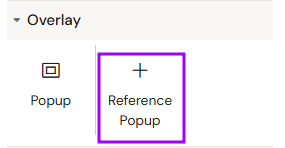
Overview
This component is essentially a Popup that displays bibliographic references, citations, or legal footnotes. Instead of manual text entry on each slide, it pulls data directly from a centralized reference.json file.
Prerequisites
-
Data Configuration: To display content, the
reference.jsonfile must be populated within the Shared Resources of the Design System. -
UI Limitation: There is currently no graphical interface for editing the
reference.jsonfile; it must be updated manually in the source code. -
Interaction Programming: This component is activated just like a standard popup via the "Add interaction" function on a trigger element.
How to Use the Reference Popup
Step 1: Adding the Component
Select the Reference Popup from the components list and place it on your slide. It will automatically include the standard popup hierarchy (Backdrop, Overlay, and Close Button).
Step 2: Content Mapping
Unlike the standard Popup, you do not need to manually add text elements. The component is pre-configured to render the text strings defined in the reference.json file.
Step 3: Programming the Trigger
Refer to the Popup Component Documentation for detailed instructions on setting up the "Show" or "Toggle" interactions.
Key Features & Benefits
-
Centralized Management: Updating the
reference.jsonfile once updates references across the entire project. -
Consistency: Ensures all citations follow the same visual style and layout.
-
Efficiency: Reduces the risk of manual errors on individual slides.
Best Practices
-
Global Access: Since references are often required globally, consider placing the trigger and the Reference Popup within a Slide Fragment.
-
Verification: Always verify in Preview Mode that the popup correctly pulls the latest data from the JSON file after any changes.
Related
-
Reference Collection View — page-level and layout-level list rendering for the Reference feature.
-
Popup — the underlying popup component.