Depending on your organization's Activator configuration you may not be able to use the Activator “Duplicate” feature and instead should use the Veeva Promomats “Make a Copy” action.
Locate the approved email you wish to copy and click the Duplicate button on the email card and follow the wizard.
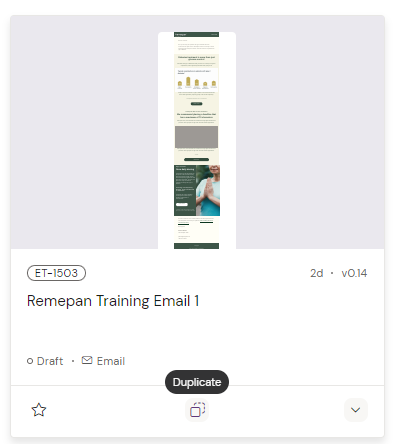
Note: You can also access the Duplicate command by viewing the Settings panel of your Email.
Learn more here: The Settings Panel
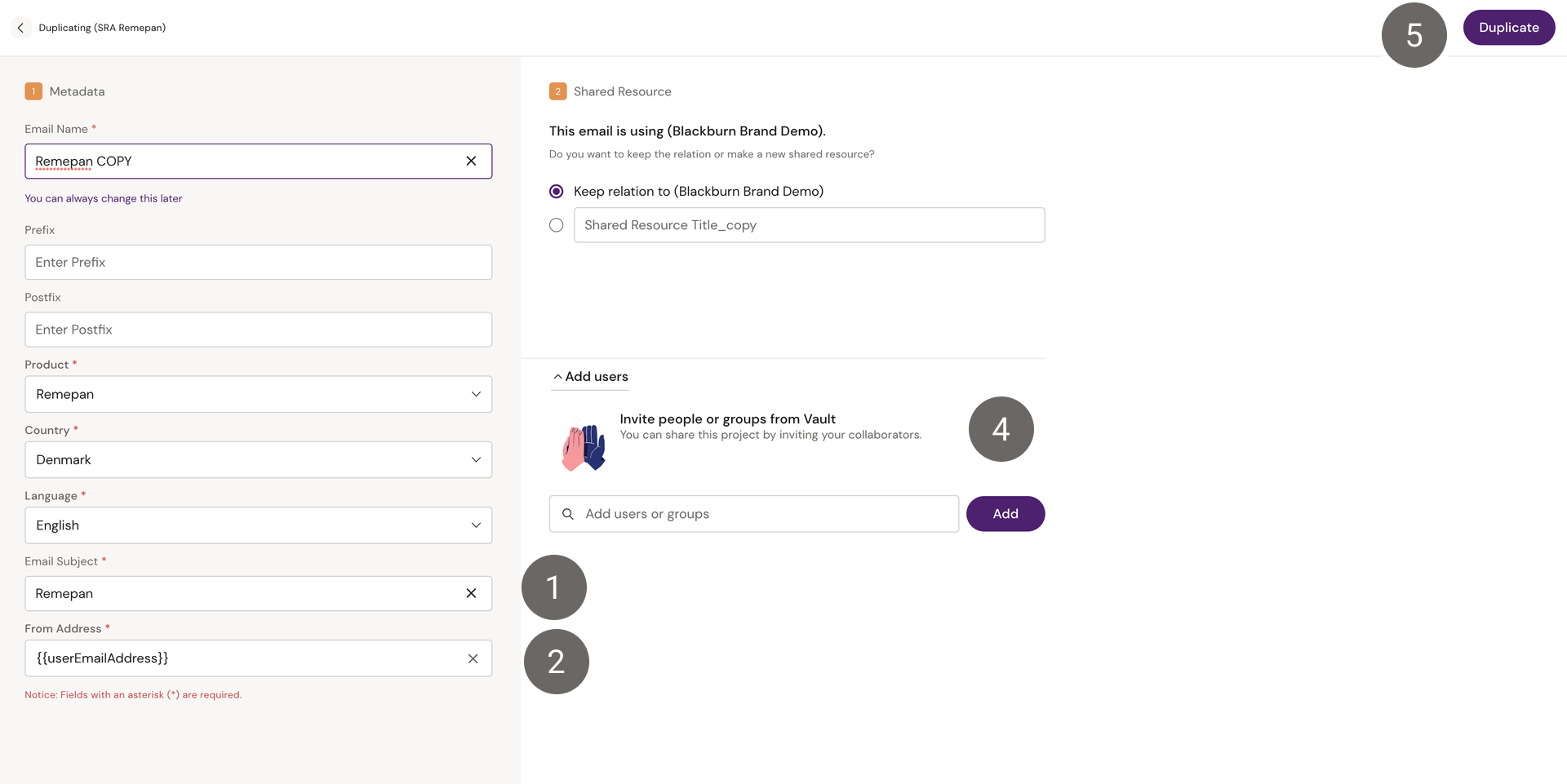
Rename the email if needed and select the meta data which should be applied to your copy of the email.
-
Fill in the email subject.
-
The From Address field will automatically suggest the Veeva token {{userEmailAddress}} which will display the senders email address.
-
Select email fragments to copy, if available.
-
Add any users/groups who need access to the email This can be left empty if you don't know yet and can be added later.
-
Click 'Duplicate'. Once the email has been copied and loaded, you can start editing it where needed.