
This document describes how to add custom CSS and JavaScript code to the Design System (shared folder).
Note that NodeJS is required in order to work with source code locally.
Downloading Source
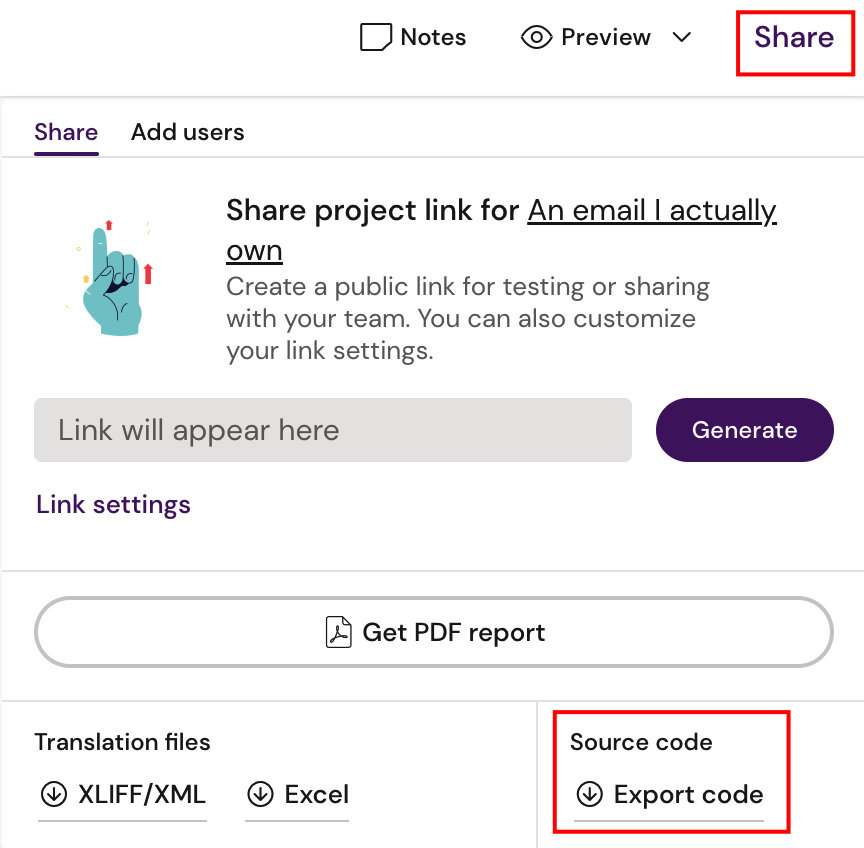
First we need to download the source code from Activator and this can be done via the ‘Share’ menu in editor and designer.
Downloading the source of a document in Activator will ensure the shared folder is also included. This is a good way to develop custom features as you’ll have a document to test with.
Installing Dependencies
In order to build and export the Design System, you’ll first need to install the Node modules required. From a command line, run npm install in shared folder.

Make Updates
All code that should be included in the build goes inside the src folder. In a standard Activator Design System there is already folders prepared for adding custom stylesheets and scripts:
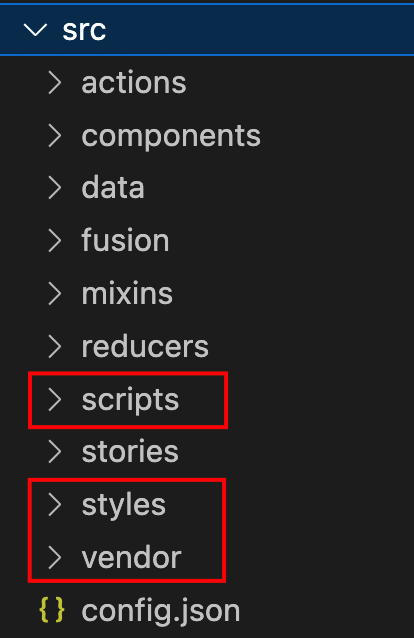
Scripts and styles folders are intended for code that you write, and vendor folder is intended for third-party libraries.
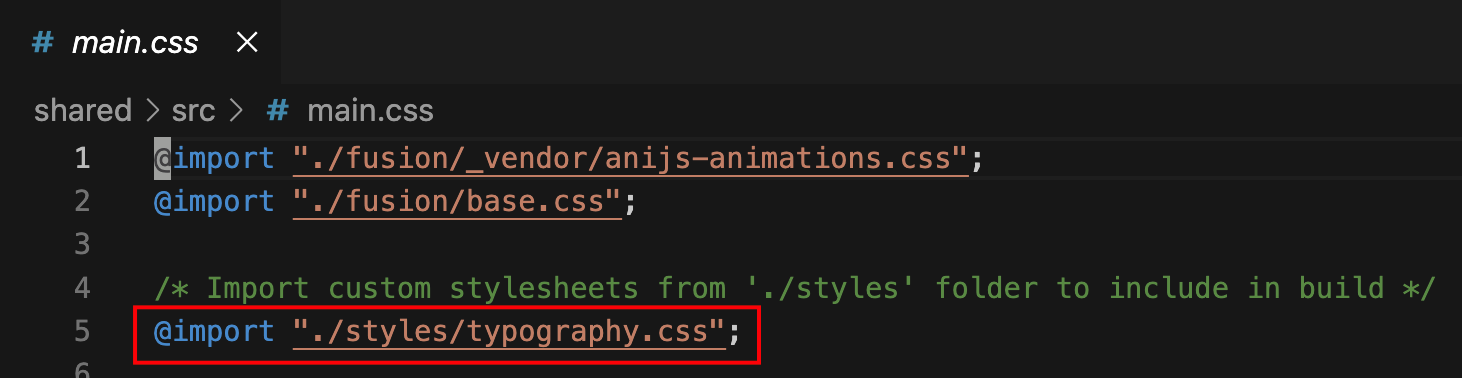
Once files have been added they also need to be imported in main.js and main.css files respectively.
Build
Once the custom code is in place and imported into main files, you need to rebuild the dist folder: npm run build

Test Locally
Once the dist folder has been rebuilt, you can test out the code. If you downloaded the shared folder together with a document, you can open the document in a browser and test it out locally.
You might first need to make changes to the HTML of the document, of course, e.g. adding new CSS classes to elements.
Export
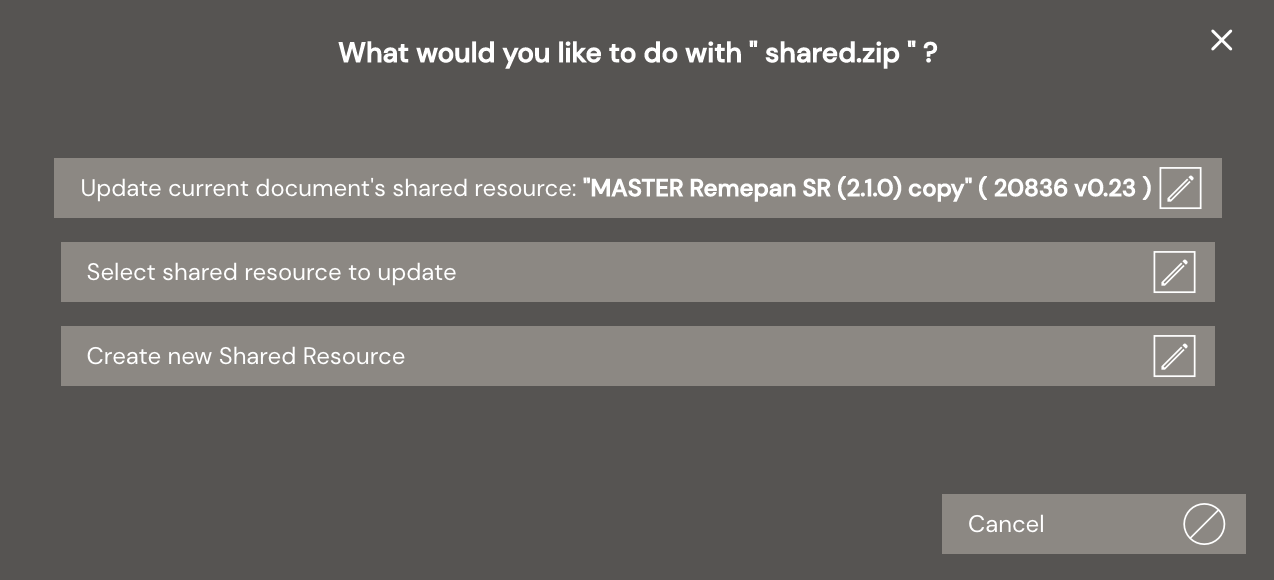
Once you’re happy with the updates, run npm run export from shared folder. This will generate a new zip in the exports folder (created automatically). Drag and drop the zip to Activator and select to upgrade the Design System document you used as a source.

Test in Activator
Once the Design System has been updated and new version generated, you should confirm that your changes work as intended. If it seems like your changes aren’t included, try disabling cache in developer console and refresh document.
