
Autoscan is the AI-powered content extraction that pulls text and images out of a source PDF and populates a content module's fields. It's available in PDF mode of the authoring canvas, from the Autoscan dropdown at the top of the PDF viewer.
When to use autoscan
Autoscan offers three modes for different situations:
-
Mark area — you want precision over one specific piece of content, like a single paragraph or a chart.
-
Current page — you want everything from one page.
-
All pages — you want everything from all pages you imported.
For a module built from a multi-page brief, All pages is fastest and gets you to Verify quickly. For a module that only needs a few specific pieces of a larger document, Mark area is more precise.
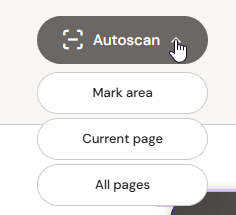
The three modes
Mark area
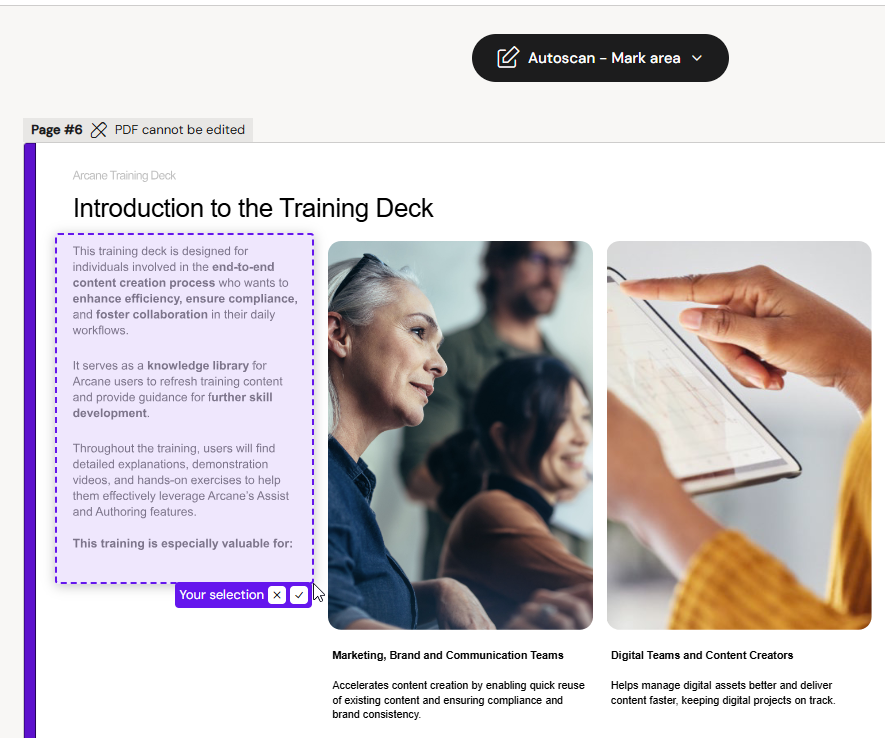
Pick Mark area from the Autoscan dropdown. Your cursor becomes a crosshair inside the PDF viewer. Draw a rectangle around the content you want to capture. A preview chip appears above your selection with a ✓ / × for confirm or discard.
On confirm, the content is extracted and added to the field list on the left with an auto-assigned label. If you had a field selected before starting Mark area, the content goes into that field. Otherwise a new field is created for it.
Current page
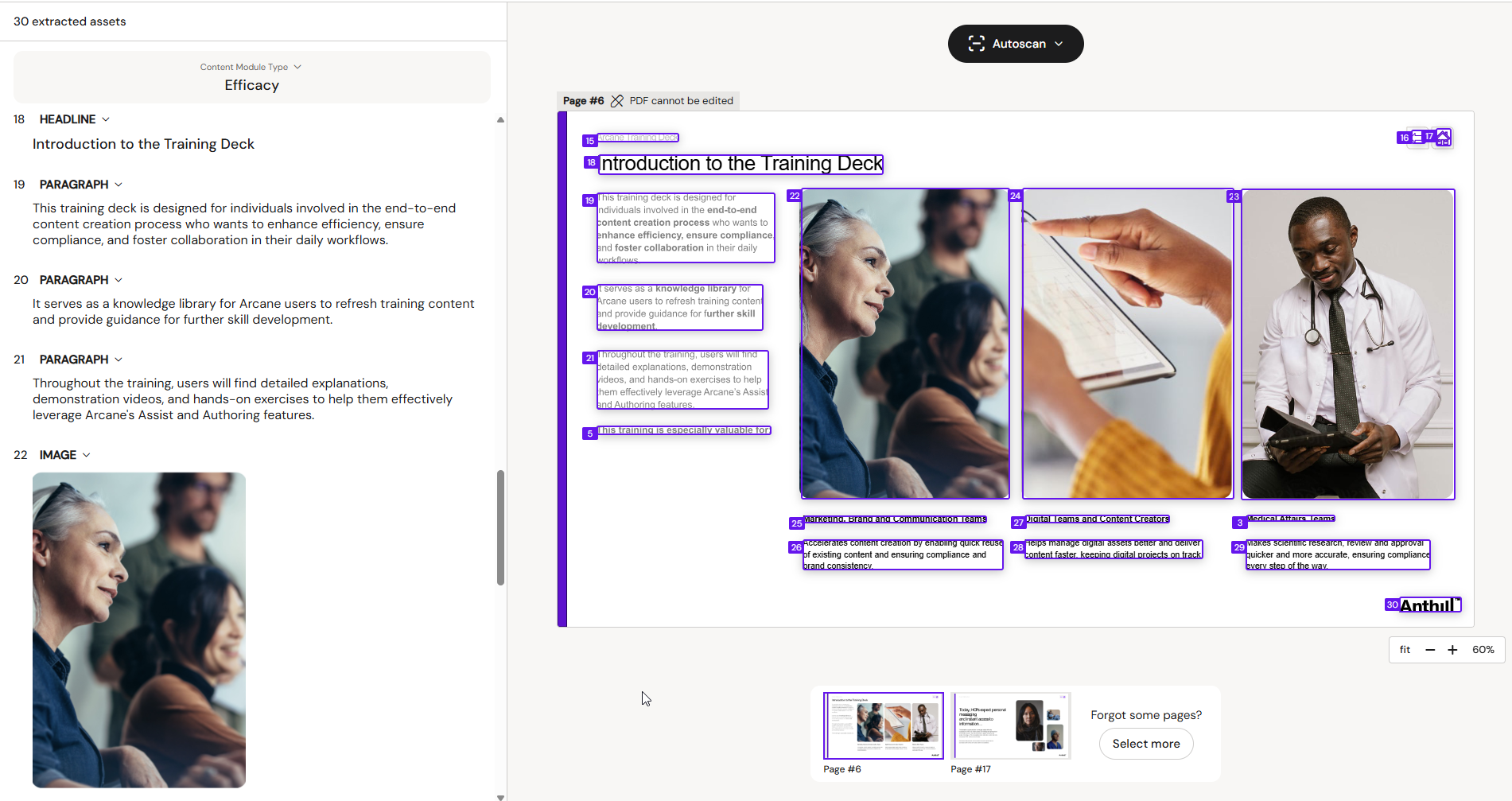
Pick Current page from the Autoscan dropdown. The extraction runs on the visible PDF page only. Every distinct asset the AI recognises (headlines, paragraphs, images, tables, footnotes) is extracted and added to the field list with an auto-assigned label.
After the scan, numbered markers appear on both the field list and the PDF preview. Field #7 on the left corresponds to the region numbered 7 on the right, so you can always see where each extracted asset came from.
All pages
Pick All pages from the Autoscan dropdown. Same behaviour as Current page but runs across every page you selected during import. This is the fastest way to populate a content module from a multi-page source. Expect 20–30 extracted assets from a typical two-page marketing brief.
After autoscan
Extracted assets are a starting point. Review each field on the canvas:
-
Check the auto-assigned label is correct. If a paragraph got labelled as Headline, click the label pill and pick the right label.
-
Delete anything you don't need. Autoscan is thorough — small elements like watermarks, page numbers, footer icons, and QR codes often get picked up as separate assets.
-
Merge or split content as needed by adding + New fields between existing ones.
Known limitations
Autoscan works reliably for Latin scripts (English, Danish, German, French, Spanish, Italian, and similar). Non-Latin content (Cyrillic, Arabic, Chinese, Japanese, Korean) does not extract reliably in the current release. This is a scoped limitation of the underlying OCR framework rather than an autoscan-specific issue; improvements are on the roadmap.
If autoscan finishes with no results or clearly wrong labels on non-Latin content, fall back to Mark area which requires no OCR, or populate fields manually by typing in scratch mode.
Not the same as authoring
Autoscan is a shortcut, not a substitute for authoring. Every field it produces still needs to be verified by the author before publishing. See Module Authoring Canvas for the field labels and how to work with them, and Publishing a Content Module for what Verify checks before pushing to the DAM.