
Publishing a banner produces a different output package from other Activator channels. Where an email or a slide publishes a single source file, a banner publishes a bundle of bundles — one distribution package per viewport, plus a set of visual representations used for review.
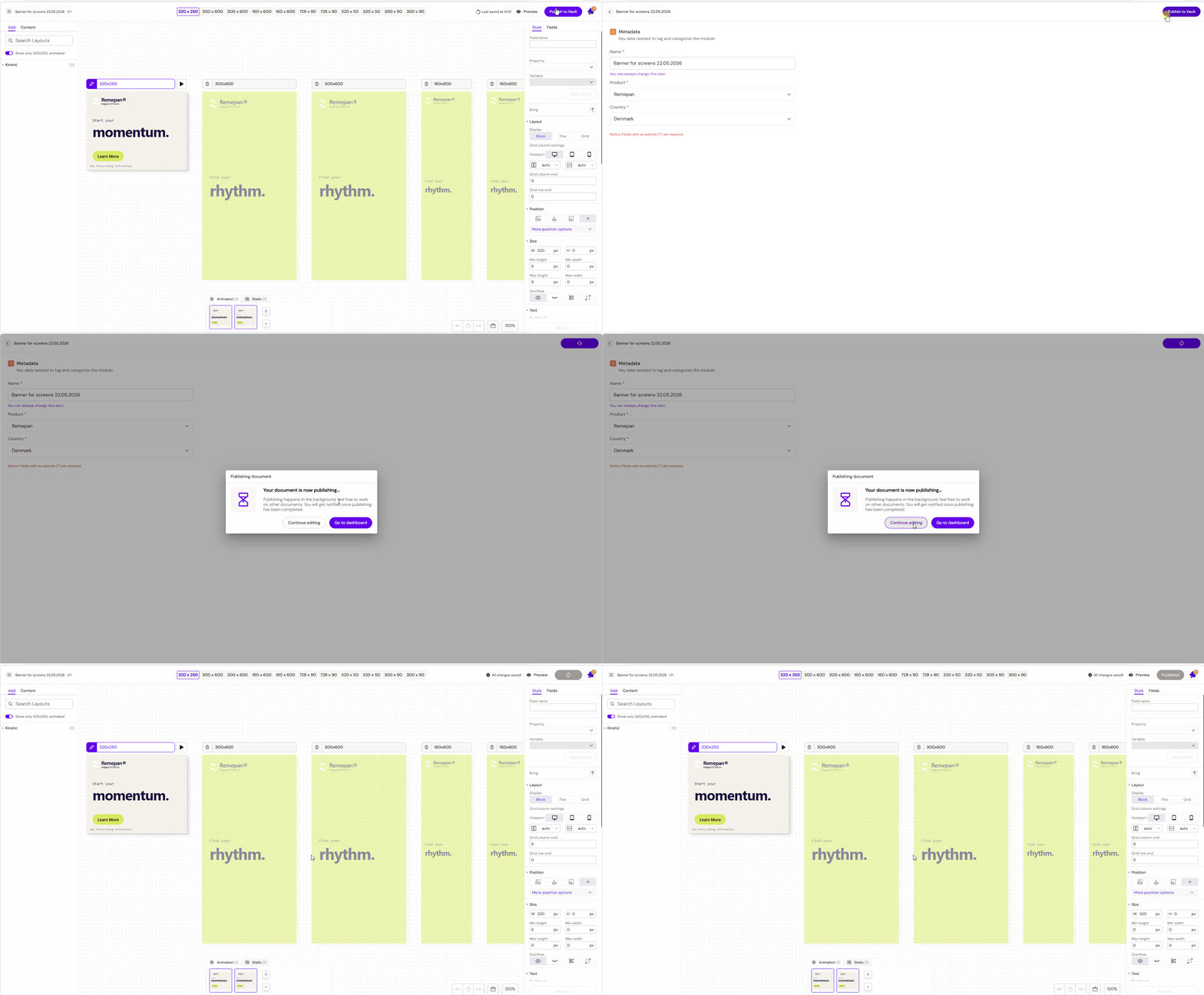
What gets published
On publish, Activator does the following for every viewport on the banner:
-
Compiles a distribution package containing the HTML source, styling, and any local assets needed by that viewport, ready for delivery to an ad platform
-
Records an MP4 video preview for each animated viewport — a full capture of the banner playing through every scene
-
Captures an image preview for each static viewport
-
Generates an MLR report that walks every scene of every viewport in a single review-ready PDF (see MLR Report for Banners)
All of these are bundled together for delivery to the connected DAM.
Publishing wizard options
Banner publishing exposes two options unique to this channel in the publishing wizard:
Viewable rendition. Choose which visual representation acts as the viewable rendition on the connected DAM document. The options are:
-
The MP4 video preview for the main animated viewport (typical for animated banners)
-
The image preview for the main static viewport (typical for static-only banners)
-
The MLR PDF if reviewers should land on the review document directly
Whichever is chosen becomes the viewable rendition on the DAM record. The other representations are still attached alongside so reviewers can access them from the same record.
Generate video previews. Video capture is the heaviest step in the banner publishing run. The wizard exposes a toggle to skip video generation when only the distribution package and image previews are needed (for example, during early-stage iterations or when only a static representation is required for the next review).
Distribution package structure
The distribution package is a ZIP bundle structured roughly as:
- animated_300-250/
  - index.html
  - style.css
  - assets/
    - bg.jpg
    - logo.png
- static_300-250/
  - ...
- animated_300-600/
  - ...
- static_728-90/
  - ...
Each viewport folder is self-contained and ready to be uploaded to an ad-hosting platform.
Testing a distribution package locally
Opening a rendition's index.html directly in a browser (via file://) will not render the banner correctly — the browser blocks local module and asset loading over the file protocol, so animations fail to run and the console shows loading errors.
Each rendition is self-contained, so to preview one locally, serve its folder with a lightweight web server. Using serve:
-
Install
serveonce:npm install -g serve -
Unzip the distribution package and change into the rendition folder you want to preview (e.g.
animated_300x600) -
Start the server:
serve -l 3000 -
Open
http://localhost:3000/in the browser
CDN vs local assets
If an asset is already hosted on a CDN (with a public URL), Activator references it directly. If an asset is local — uploaded to Activator or shared from the Design System — Activator automatically compresses it (for JPG/JPEG/PNG assets) and includes it in the per-viewport assets folder. The same compression applies whether the banner is animated or static.
This is important because ad platforms typically have strict file-size limits per banner (often around 150 KB initial load, 300 KB subsequent). Keeping shared assets on a CDN is the cleanest way to stay under these limits.
Click tags on publish
On publish, Activator writes each rendition's managed click-tag script block (see Creating a Banner Layout, §7) with the click tag names and destination URLs configured in the editor, so the published distribution package is ready to hand off to an ad platform.
Publish validation. If the banner-wide click tag doesn't have a destination URL set, publish shows a non-blocking warning. The banner still publishes — the warning is a reminder to fill in the URL before the banner is served on an ad platform, not a hard stop.
MLR
Banners go through the same MLR approval workflow as Slides and Briefs. The generated MLR PDF is attached to the connected DAM record automatically on publish (Veeva Vault), so reviewers see it alongside the distribution package and visual representations. See MLR Report for Banners for details on what the report contains.
Related
-
Banners — overview of the Banners channel.
-
MLR Report for Banners — what the banner MLR PDF contains.
-
Banner Viewports & Renditions — how viewport renditions are stored on the document.
-
Publish content — general publishing workflow across all channels.