
Email tokens are placeholders that are resolved by downstream systems to personalize emails (recipient, rep details, territory data, etc.). Tokens reduce manual edits and help keep content consistent.
Varies by tenant (Anthill-managed)
Available tokens depend on your downstream platform (e.g., Veeva/OCE/SFMC) and tenant configuration. Learn more.
Insert a token
-
Select a text element
-
Highlight the text where you want the token
-
Use Insert token from the toolbar (or token menu)
-
Choose a token from the list
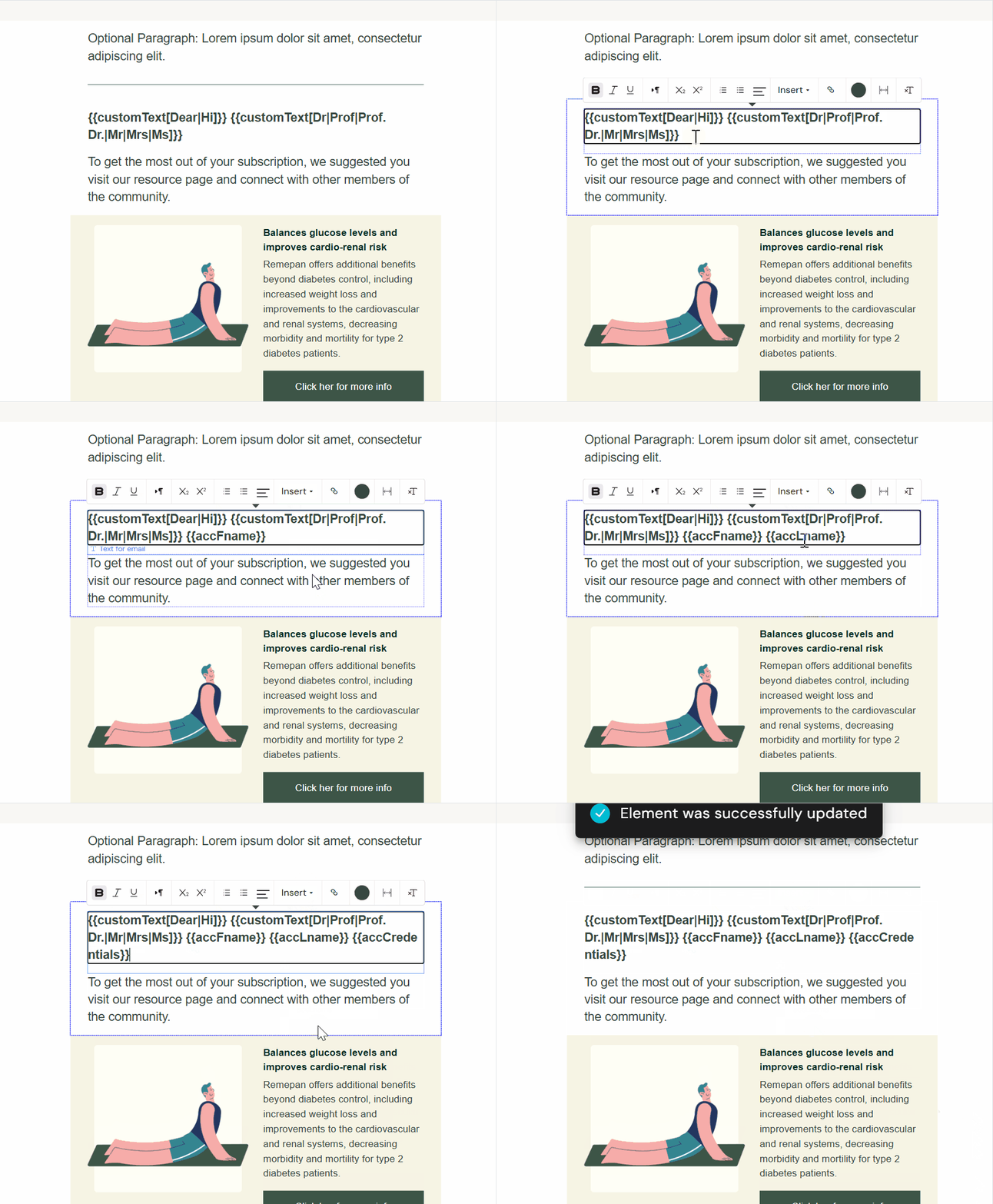
You can also type or paste tokens directly when you already know the exact token string.
How to validate tokens
-
In Activator preview, tokens may appear as raw placeholders (tenant-dependent).
-
Validate final rendering via:
-
test send
-
downstream test environment
-
Common pitfalls
-
Token looks correct but renders empty downstream: usually data isn’t available for the recipient/rep context.
-
Token pasted into the wrong place: ensure it’s inside a supported text field (not inside restricted/locked elements).
-
Formatting breaks: don’t place tokens inside partial HTML markup.
Related